Row drawers
A detail drawer — an API request, an automation run, a sent email — is a custom row action whose target opens a component of your frontend layer in a drawer, a modal or a sidePanel. The table hands that component the row, and the means to step to the neighbouring rows; deepLink keeps the open row in the URL.
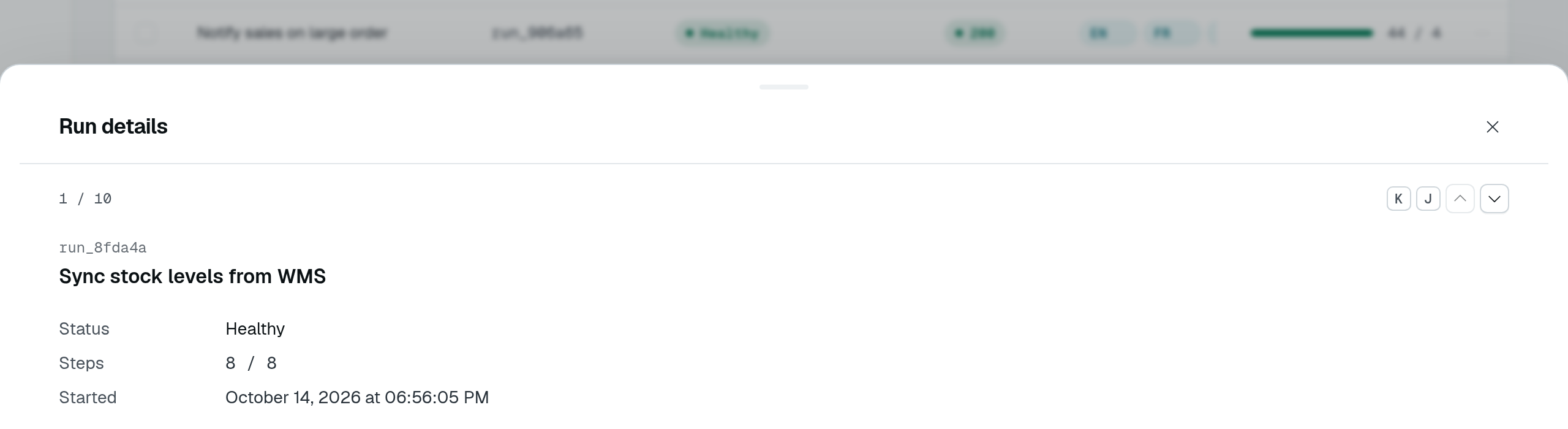
Open Run details on the playground's Views & grouped display page. The drawer shows the selected run without leaving the table. Pressing J advances to the next row and changes runs.record in the URL; K goes back.
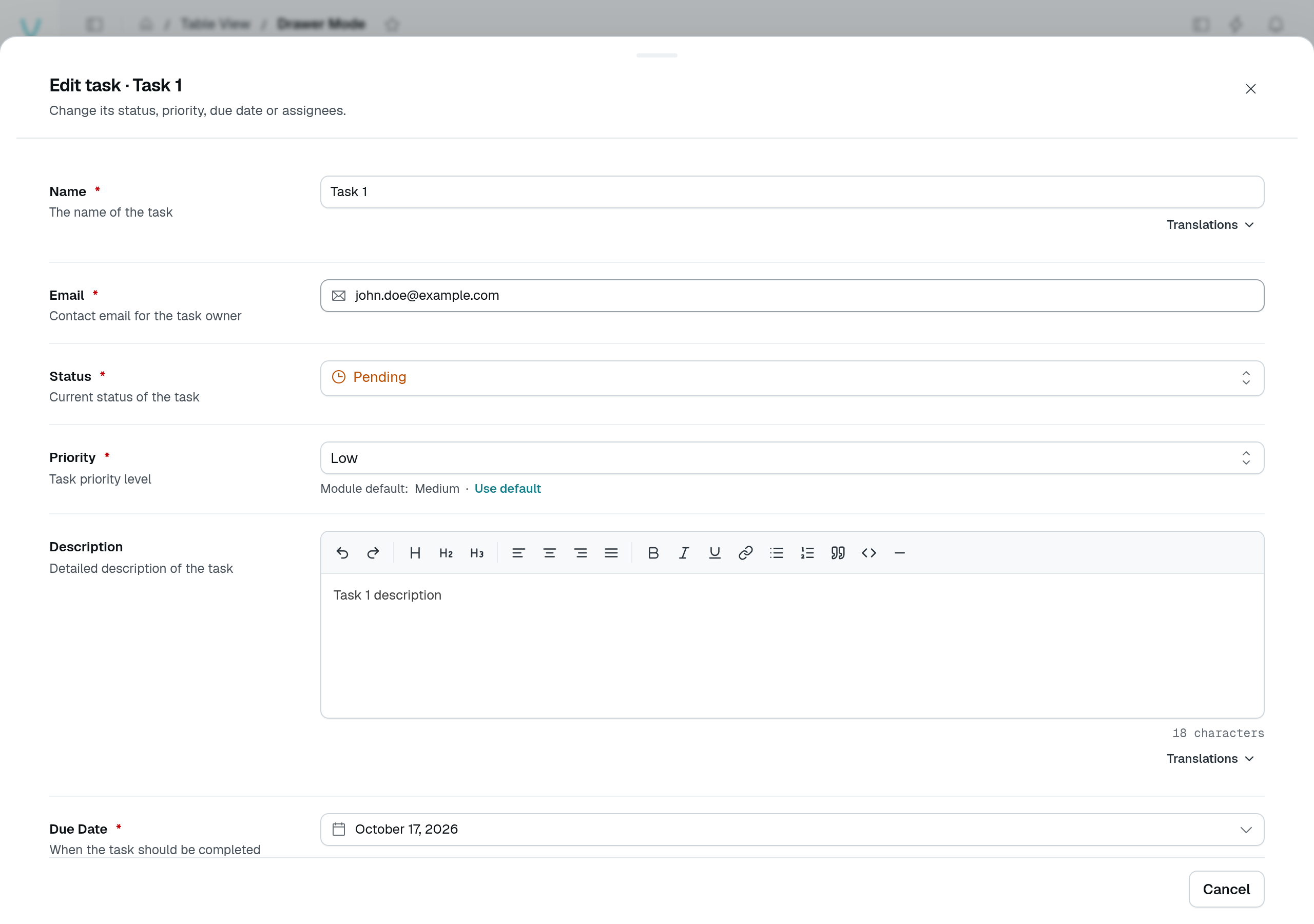
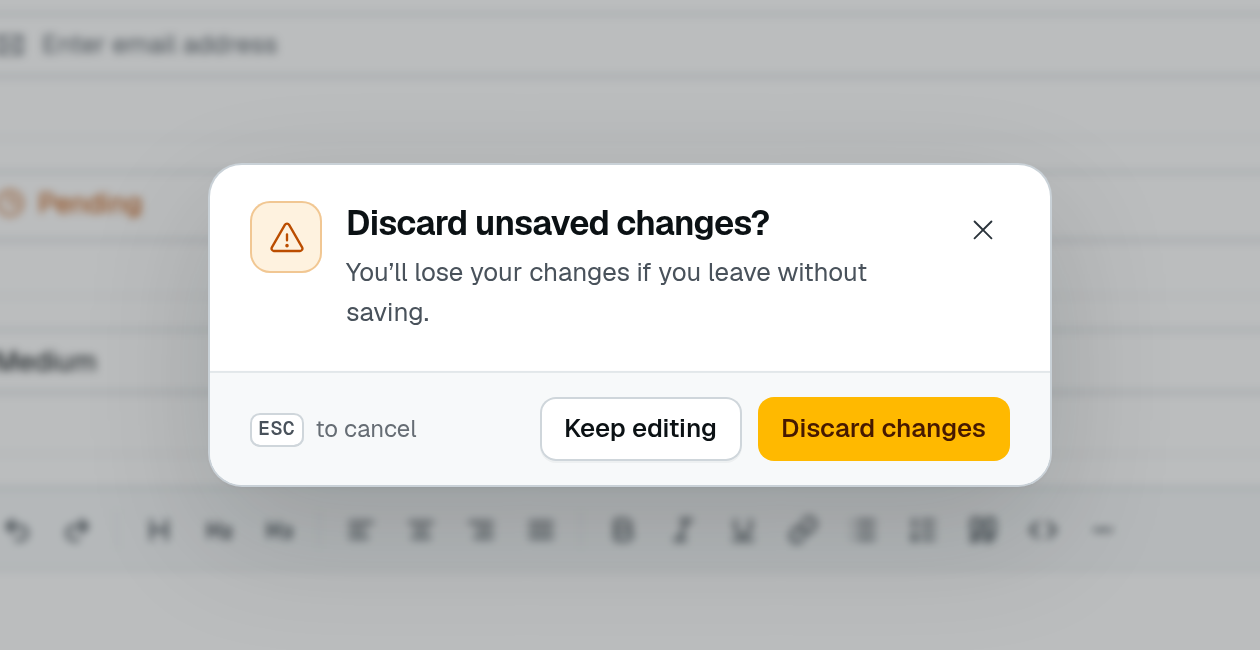
The separate Drawer Mode playground page uses the built-in CRUD form, rather than a custom run-details component. Opening New entry, changing its name and closing it asks whether to keep editing or discard the unsaved changes.
rowActions: {
  custom: [
    {
      label: "Run details",
      icon: "i-ph-sidebar-simple",
      isDefault: true, // a click on the row opens it
      deepLink: true,  // ?record=<id>
      target: {
        type: "drawer",
        component: CustomComponent("RunDetailsDrawer"),
        title: "Run details",
      },
    },
  ],
},
The drawer slides in from the bottom. direction: "right" (or "left", "top") opens it from that edge instead: a left or right drawer is a side sheet 440px wide, a side panel's default width, spanning the window's height — the shape of an inspector or a detail panel.
isDefault: true makes the action what a click on the row does, ahead of the built-in edit and details. The first flagged action whose rule accepts the row wins.
The component's props
The component receives the target's own component options, plus:
| Prop | Type | Purpose |
|---|---|---|
rowData | object | The row, as the list returned it. |
navigation | RowNavigation | undefined | Steps through the rows the table shows (below). Unset when the row is not among them. |
showRow | (row: object | string) => Promise<void> | Shows another row of the same table in place, by row or by id (below). |
onSuccessCallback | () => void | Closes the container and refreshes the table, for a component that changed the row. |
pageId, componentId, containerId | string | Where the container belongs. |
RowNavigation is { index, total, hasPrev, hasNext, prev(), next() }: index is the row's position among the rows the table shows (from 0), total their number. prev() and next() show the neighbouring row in place: the drawer or modal stays open, its component is mounted again with the new rowData and navigation. J and K do the same while the container is open, unless the user types in a field.
<script setup lang="ts">
interface RowNavigation {
  index: number;
  total: number;
  hasPrev: boolean;
  hasNext: boolean;
  prev: () => void;
  next: () => void;
}

const props = defineProps<{ rowData?: { name?: string }; navigation?: RowNavigation }>();
</script>

<template>
  <div v-if="props.navigation" class="flex items-center gap-1">
    <span>{{ props.navigation.index + 1 }} / {{ props.navigation.total }}</span>
    <UButton icon="i-ph-caret-up" :disabled="!props.navigation.hasPrev" @click="props.navigation.prev()" />
    <UButton icon="i-ph-caret-down" :disabled="!props.navigation.hasNext" @click="props.navigation.next()" />
  </div>
  <h3>{{ props.rowData?.name }}</h3>
</template>
The steps follow the rows on screen — the current page, in the current sort — not the whole query.
Showing another row
A component that links to another row of the same table — a send and the send it replays, an order and its refund — calls showRow with that row, or its id, rather than drawing it on its own. The container shows it in place, exactly as a step does: its component is mounted again with the new rowData and navigation, the URL's ?record= names it on a deep-linked action, and a side panel moves its header's position and the table's highlight onto it.
An id is looked up among the rows the table shows, else read through the controller's get route — on a TableView.fromSource table, its fetchRowUrl — as a deep link is. A row the table does not list opens without navigation: the side panel then shows no position, and J / K wait until a listed row is open. When the route answers 404, a side panel shows its not-found state; otherwise — a drawer or a modal on a missing row, a refused read, a source table without fetchRowUrl — the promise rejects and the container keeps the row it had.
<script setup lang="ts">
const props = defineProps<{
  rowData?: { replayOf?: string };
  showRow?: (row: object | string) => Promise<void>;
}>();
const toast = useToast();

const openReplayed = (id: string) =>
  props.showRow?.(id).catch(() => toast.add({ color: "error", title: "This send could not be opened" }));
</script>

<template>
  <UButton v-if="props.rowData?.replayOf" label="See the original send" @click="openReplayed(props.rowData.replayOf)" />
</template>
Deep links
With deepLink: true, the open row is written to the URL while its container is open: ?record=<id>, or ?<tableId>.record=<id> on a page carrying several table views (tableId being the key the table view is mounted under). Opening that URL — a link, a reload, a notification — opens the action again on that row. A row the page does not list is read through the controller's get route — on a TableView.fromSource table, through its fetchRowUrl — and then opens without navigation. A table restores the first of its custom actions declaring deepLink — or opening a side panel, which keeps the row in the URL by default. A visit that keeps the page mounted — a link to the same page naming another row, or the same row again once its container closed — opens that row too, as a fresh load would; a link to the row already open opens nothing more.
When no row answers the link — the row was deleted, or a source table has no fetchRowUrl to read a row it does not list — the table removes the key from the URL and shows a warning toast, "This entry is no longer available". A side panel target shows that state in the panel instead (see Side panel). When the read fails for another reason — the route refused it, the network, a server error — the row may still exist: the table removes the key too, but says "This entry could not be opened" instead, for every target.
Side panel
A drawer covers the list. To read the rows one after the other next to the table — a request log, a run history — open them in a sidePanel instead: a non-modal panel docked on the right of the page, which shrinks to make room and stays usable. The DMS draws the panel's header, so the component only renders the row:
- the action's title — or, with
rowTitle, a title naming the open row: an i18n key or a literal receiving the row's fields, as a confirmation's texts do ("{method} {path}"reads "POST /api/orders"); - the row's position among the rows the table shows, "3 of 20" by default —
positionLabelwords it, an i18n key receiving{index}(from 1) and{total}; - previous and next buttons, and J / K;
- a close button, and Escape (once the table has no search or selection to clear).
J, K and Escape are listed in the shortcuts help, under the table view.
TableView.fromSource({
  fetchUrl: "/api/requests",
  columns: { method: { label: "Method" }, path: { label: "Path" } },
  rowClick: "single", // one click opens the row
  rowActions: {
    custom: [
      {
        label: "Request",
        isDefault: true,
        target: {
          type: "sidePanel",
          component: CustomComponent("RequestPanel"),
          title: "$api.request.title",
          rowTitle: "$api.request.heading", // "{method} {path}"
          positionLabel: "$api.request.position", // "Request {index} of {total} shown"
          notFound: {
            title: "$api.request.not_found_title", // "This request is no longer stored"
            description: "$api.request.not_found_description",
          },
          // ?record=<id> by default; deepLink: false opts out
        },
      },
    ],
  },
});
<script setup lang="ts">
const props = defineProps<{ rowData?: { method?: string; path?: string } }>();
</script>

<template>
  <dl>
    <dt>Method</dt>
    <dd>{{ props.rowData?.method }}</dd>
    <dt>Path</dt>
    <dd>{{ props.rowData?.path }}</dd>
  </dl>
</template>
The component receives the same props as a drawer's (above) and is mounted anew on each row; onSuccessCallback closes the panel and refreshes the table. Moving to another row swaps the content in place, and the table highlights the open row: the accent tint of a selected row, with a 2px accent bar on its leading edge. The position follows the rows on screen: a refresh that moves the row updates it, and a row no longer listed shows without it.
A side panel keeps the open row in the URL by default, as a drawer with deepLink does — deepLink: false on the target or the action opts out: a reload or a shared link opens the panel again on that row, and closing it removes the key — the key of that row on that page only, so a panel closing as the user follows a link leaves the next page's ?record= alone. A TableView.fromSource table reads that row among the rows it lists, once they arrived, else through its fetchRowUrl: the panel then shows the row without its position, and J / K wait until a listed row is open.
When that read answers 404 — a row deleted, pruned by a retention, a link with a wrong id — the panel still opens, under the target's title, and says the row is gone in place of the component: "This entry is no longer available", with a Close button that also removes the ?record= key. notFound: { title, description } words it in the module's terms (i18n keys or literals). Any other failure (a refusal, the network) opens nothing and shows the "could not be opened" toast described above.
One side panel is open at a time: the row panel closes a module's side panel (Dashboard chrome), and the other way round. It closes with its table, when the user leaves the page. Below lg, it is a sheet over the page. A side panel cookie naming it after a reload shows nothing until a row opens.
A custom toolbar or header button can open a sidePanel too: its component then receives no row, and the header has no position.
Row click
A double-click on a row runs its click action — the isDefault custom action, else edit or details. rowClick: "single", on TableView and TableView.fromSource, makes it a single click, the way a list read in a side panel expects. A click on a control of the row (a button, a link, the selection checkbox, the row menu) stays that control's, and a click ending a text selection opens nothing. Without the option, a table keeps the double-click.
Bulk actions in a drawer
A bulk action whose target is a drawer, a modal or a side panel receives a selection prop instead of rowData and navigation: see Bulk actions.