Bulk actions
With rowActions.hasSelection, each row gets a checkbox, and selecting rows opens the selection bar. The bar carries the built-in actions that run on several rows at once — delete, and archive / restore in archive mode — the export of the selection, and every custom row action flagged bulk.
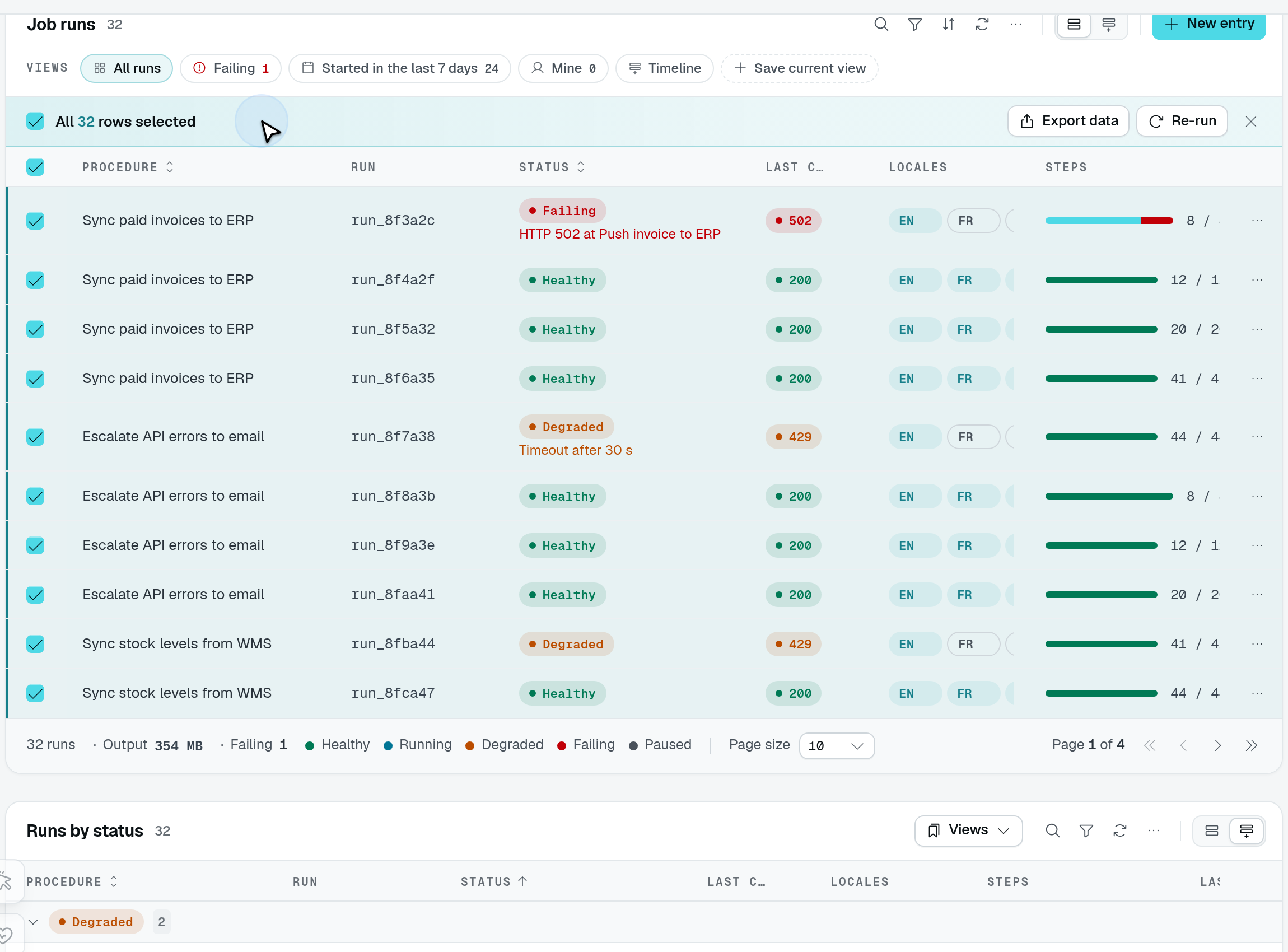
Select the page, then choose Select all 32 matching. The selection bar explicitly changes to All 32 rows selected; the page size remains ten.
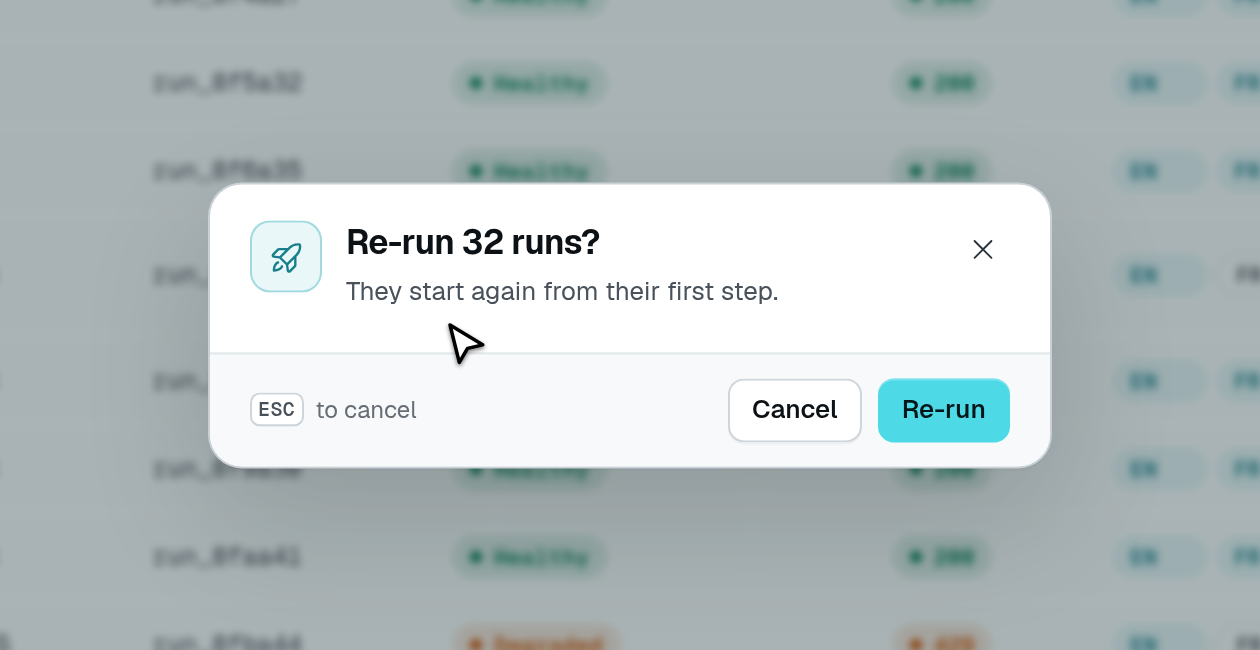
The playground's Re-run action confirms that wider selection. This capture stops before execution; Cancel leaves the rows unchanged.
static runs = TableView(jobRunDataAPI, {
  caption: "Runs",
  rowActions: {
    hasSelection: true,
    delete: { isEnabled: true, successMessage: "$runs.deleted" }, // "{count} runs deleted"
    custom: [
      {
        label: "Re-run",
        icon: "i-ph-arrow-clockwise",
        bulk: { allMatching: true },
        confirm: { title: "$runs.rerun_title" }, // "Re-run {count} runs?"
        target: { type: "api", url: "/api/runs/rerun", successMessage: "$runs.rerun_done" },
      },
    ],
  },
});
Custom actions on the selection
bulk offers a custom row action on the selection bar. It runs once for the selected rows, and what it receives depends on its target:
| Target | Receives |
|---|---|
api, exportJob, page, external, download | The ids in its URL, as a repeated query parameter: ?ids=a&ids=b. |
drawer, modal | A selection prop, { ids, count }, instead of a row (rowData is unset). |
The texts of a fixed confirmation and the successMessage of an api target receive { count }, the number of rows, and an i18n key is pluralized on it. A confirm: { from } URL gets the same ids query as the target. The action's rule does not apply on the bar: the route decides which of the rows it acts on.
| Value | Offered on the selection bar for |
|---|---|
bulk: true | The selected rows. |
bulk: { allMatching: true } | The selected rows, and every row the table's filters match once the user picks "Select all N matching". |
A bulk action is still offered on each row as well, where its rule applies.
Select all N matching
Once the whole page is selected and more rows match than the page shows, the bar offers Select all N matching — when the table has at least one allMatching action, or when the caller may export. After that pick, the bar keeps only the allMatching actions and the export (which then exports the whole query); the built-in delete, archive and restore are not offered.
An allMatching action does not receive ids: it is sent allMatching=true with the table's current filters, search and archive view, and a drawer or modal receives selection.matching (the list query) and selection.count. The selection — and "all matching" with it — is dropped when the filters, the search or the tab change; paging and sorting keep the selected rows, and a new sort also drops "all matching".
The route: resolveBulkRowIds
A bulk route on the table's data controller reads its rows with resolveBulkRowIds(this, ctx, user) (from @antelopejs/interface-dms/base/table-view). It returns the ids the selection sent, or, for allMatching=true, every row the filters, search and archive view match, read like the list reads them. Either way it refuses (403) a caller without the table's list permission.
import { Context, Post, type RequestContext } from "@antelopejs/interface-api";
import { AuthUser } from "@antelopejs/interface-dms/auth";
import type { User } from "@antelopejs/interface-dms/auth/db";
import { resolveBulkRowIds } from "@antelopejs/interface-dms/base/table-view";

@Post("rerun")
async rerun(
  @Context() ctx: RequestContext,
  @AuthUser() user: User,
) {
  const ids = await resolveBulkRowIds(this, ctx, user);
  await Promise.all(ids.map((id) => this.model.update(id, { status: "running" })));
  return { count: ids.length };
}
At most MAX_BULK_MATCHING_ROWS (10,000) matching rows are resolved; above that, the route answers 413 and asks the user to narrow the filters.
resolveBulkRowIds only finds the rows, and checks only list. Like any route a custom action calls, the bulk route checks the permission of the action itself (@AuthUserWithPermission(...) from @antelopejs/interface-dms/guards): a permission on the action only hides it.Built-in bulk actions
Delete, archive and restore run on the selection through the controller's own routes (DELETE <location>/delete?id=…, PUT <location>/archive?ids=…, PUT <location>/restore?ids=…). Their RowActionConfig (BulkRowActionConfig) takes a successMessage, toasted once they succeeded and receiving { count }. Delete and archive always ask a confirmation; restore asks only when it declares one (see Confirmations). Rows a row rule refuses are left out by the server: the dialog says how many went through and why the rest did not.