Views
A view is a named state of the whole table: its filters, search, sort, visible columns and their order, display and density. "Failing", "Mine", "Started this week", "Timeline": the module declares them once, the table draws them as tabs, a strip or a menu, and a link opens one directly. With userViews, users save the state they reached as views of their own.
Views and tabs coexist. A tab filters on one column (filter) or links to another page; a view sets everything at once. Use tabs for a status strip, views for saved ways of looking at the rows.
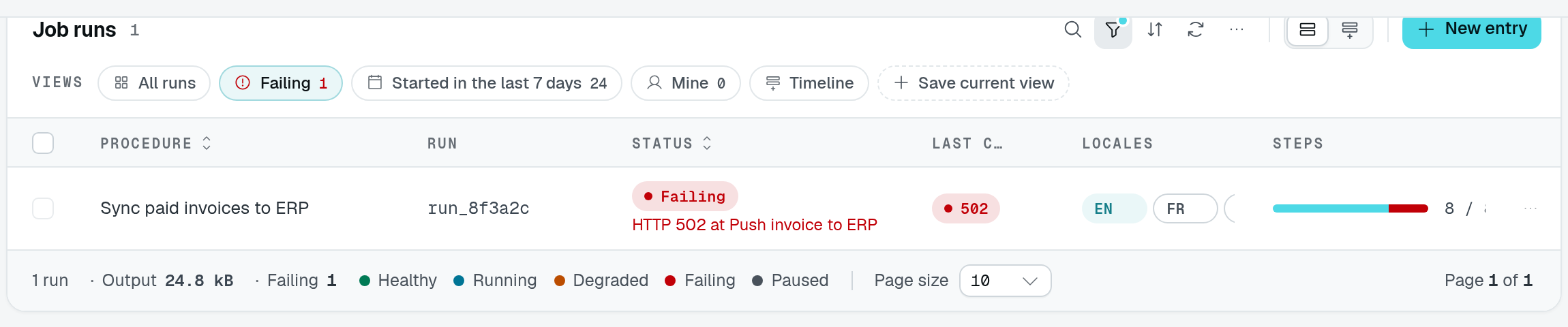
The playground's Failing view applies the status filter and updates the count and footer together. The failure shown here is demo row data, not a table-loading error.
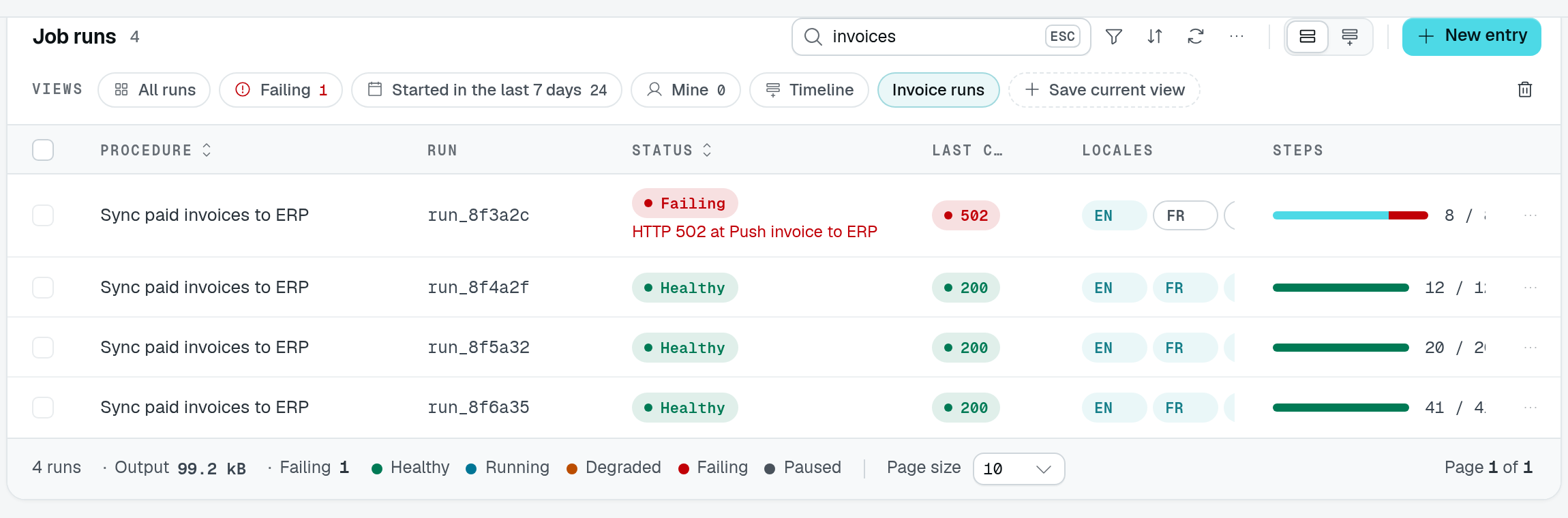
Search for invoices, then choose Save current view to keep that search as Invoice runs. The original module views remain available beside it.
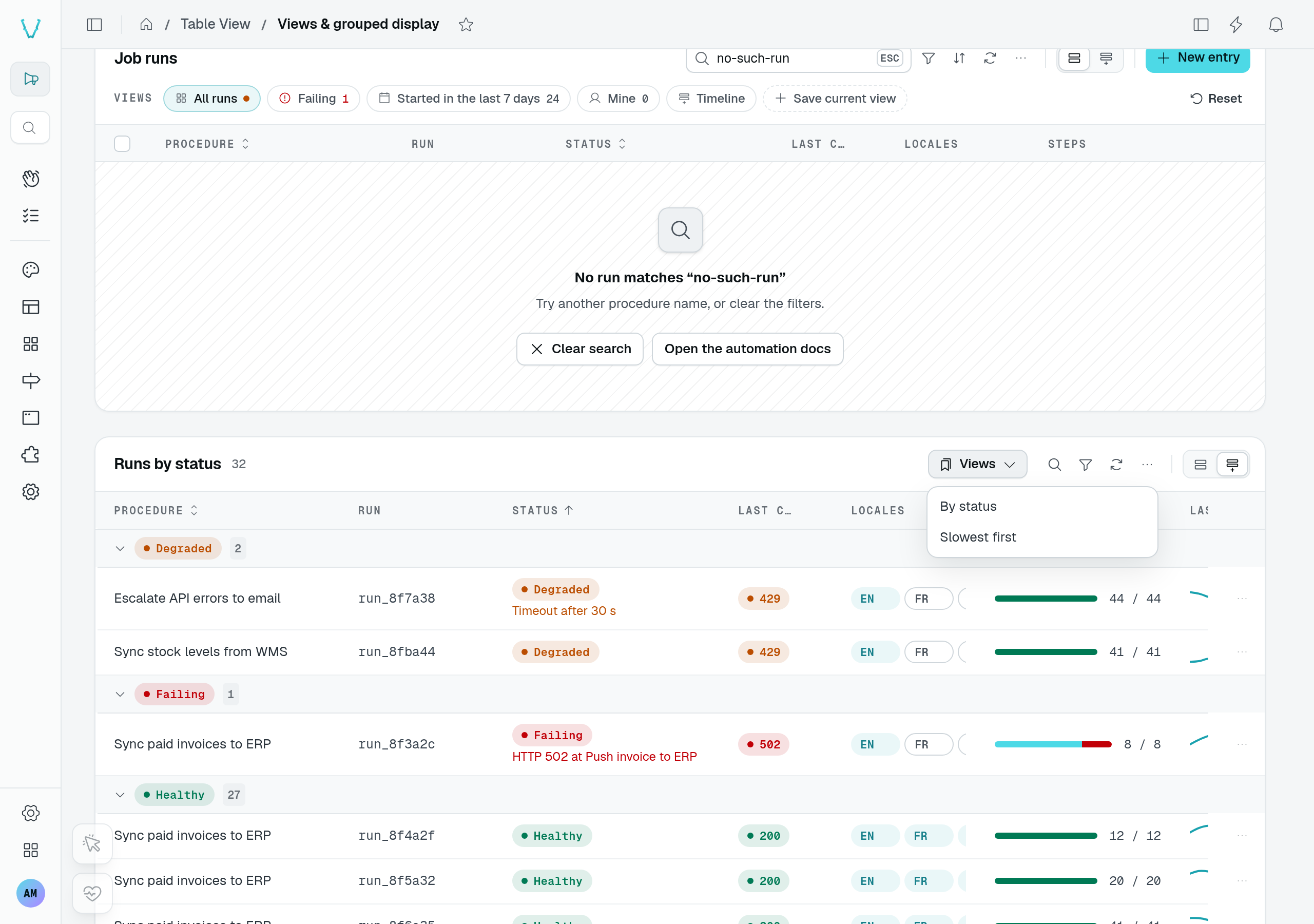
The same playground page also demonstrates the compact menu layout on Runs by status.
Usage
static runs = TableView(jobRunDataAPI, {
  caption: "Job runs",
  grouped: { groupByField: "startedAt", by: "day" },
  views: {
    layout: "strip",
    defaultView: "all",
    userViews: true,
    items: [
      { id: "all", label: "All runs", icon: "i-ph-squares-four" },
      { id: "failing", label: "Failing", icon: "i-ph-warning-circle", tone: "error", count: true,
        filters: [{ accessorKey: "status", mode: "is", value: "failing" }] },
      { id: "this-week", label: "Started in the last 7 days", count: true,
        filters: [{ accessorKey: "startedAt", mode: "greater_than", value: "{{now-7d}}" }],
        sort: [{ field: "startedAt", desc: true }] },
      { id: "mine", label: "Mine", count: true,
        filters: [{ accessorKey: "ownerId", mode: "is", value: "{{user.id}}" }] },
      { id: "timeline", label: "Timeline", display: "grouped",
        columns: { hidden: ["runId"] }, density: "compact" },
    ],
  },
});
Options
views takes a TableViewViewsOptions:
| Option | Type | Default | Purpose |
|---|---|---|---|
items | TableViewView[] | required | The module's views, in order. Ids are unique (registration throws for a duplicate). |
layout | "tabs" | "strip" | "menu" | "tabs" | A tab strip above the table, a row of pills above the status tabs, or a menu button in the toolbar. |
defaultView | string | — | View opened on a first visit when the URL names none. Without it the table opens in its own default state. Must be a declared view. |
userViews | boolean | false | Users may save the current state as a view of their own, then update or delete it. |
Each TableViewView names the view and the state it sets. What a view leaves out falls back to the table's defaults (defaultFilters, defaultSort, the declared columns, defaultDisplay, density), so opening a view always shows the same rows the same way.
| Field | Type | Purpose |
|---|---|---|
id | string | Stable id, used in the URL. |
label | string | Label ($-prefixed: i18n key). |
icon | string | Icon before the label. |
tone | Tone | Colors the icon and the counter. |
dot | Tone | A status dot drawn before the label. |
count | boolean | Shows how many rows the view lists. |
permission | ButtonPermission | Serves the view only to callers holding one of the table's actions by name ("export") or an Action of any component. |
permissionId | string | Absolute permission id the view requires; wins over permission. |
filters | { accessorKey; mode; value? }[] | Filters on filterable columns, shown as the table's filter chips. |
search | string | Text in the search field. |
sort | { field; desc? }[] | Sort of the rows (the list sorts on the first entry); each field must be @Sortable(). |
columns | { visible?; hidden?; order? } | Columns shown or hidden whatever their default visibility, and their order (left out: declared order). |
display | string | Display the view opens in — "table", "grouped", "kanban" or a module's <module>:<id> — one the table offers. |
density | "default" | "compact" | Row height of the grid. |
Registration throws for a view that filters on a column that is not filterable, sorts on one that is not @Sortable(), names an unknown column, or opens a display the table does not offer.
Filter tokens
A filter value may hold tokens the server replaces on every request, in the list, its counts and its export, so the rows and the counters follow the caller and the clock:
| Token | Replaced by |
|---|---|
{{user.id}} | The signed-in user's id. |
{{now}} | The current instant. |
{{now-7d}}, {{now+14d}} | The current instant moved by whole days. |
Tokens work in any filter the table sends, not only in views: defaultFilters and tab filters resolve them the same way.
Modified views and user views
Changing the filters, search, sort, columns, display or density of the open view marks it modified, with a dot and Reset, which brings the view back. With userViews: true the user can also Save as new view: a dialog asks for a name, and the view joins the list. A user's own views also offer Save (keep the current state in it) and Delete view. A view the module declares is never overwritten.
User views are kept with the rest of the user's table preferences, stamped with their owner, and never served to anyone else. Opening another view and coming back opens the view clean: nothing is remembered behind the user's back. The table remembers which view was open for the next visit.
Counters
count: true shows the number of rows a view lists, counted by the server with the view's filters. Like tab counters, it needs the controller to mount countBatch: TableViewRoutes.CountBatch (POST <location>/count/batch, part of TableViewRoutes.All); TableView() logs a warning at registration when a counted view has no route to count with.
Links to a view
The URL opens a view or a tab: ?<tableId>.view=<id> and ?<tableId>.tab=<id>, where tableId is the key the table view is mounted under in its page (static runs = TableView(...) → ?runs.view=failing). On a page carrying a single table view, the short ?view= and ?tab= work too; with several, they are ignored (?view= with a warning in development). A view named by the URL wins over the one open on the last visit. The tab the user opens is written back to the URL in place — the history entry is replaced, nothing is reloaded — under the same key (?<tableId>.tab=, or ?tab= on a page with a single table view), so a reload or a copied link opens that tab again; a link tab, which opens another page, writes nothing. The tab follows the URL afterwards too: a link or a router.replace that changes ?<tableId>.tab= (or ?tab=) on the page already shown switches the tab in place, without remounting the page; a URL dropping the key, or naming an unknown or link tab, leaves the open tab alone. A view the caller cannot open — an unknown id, another user's view, a view their permissions leave out — falls back to the default view, with a message.
On the backend, build such a link with tableViewLink(page, tableId, { view, tab }), for a StatGroup item, a KPI card or a notification:
import { tableViewLink } from "@antelopejs/interface-dms/base/table-view";

const failingRuns = tableViewLink(PageJobRuns, "runs", { view: "failing" });
// "/job-runs?runs.view=failing"
It throws when page is not a page controller.
Permissions
A view gated by permission or permissionId is left out of the options served to a caller who lacks it; a defaultView left out falls back to the table's own state. Views add no permission of their own: the rows a view lists are those the caller's list permission reads.