Rows ordered by hand
Pipeline stages, menu items, a roadmap, a plan catalogue: some lists have an order only a person decides. reorder puts a drag handle in front of each row of the grid, and on each card of the cards display; moving a row or a card saves its new position in a number column.
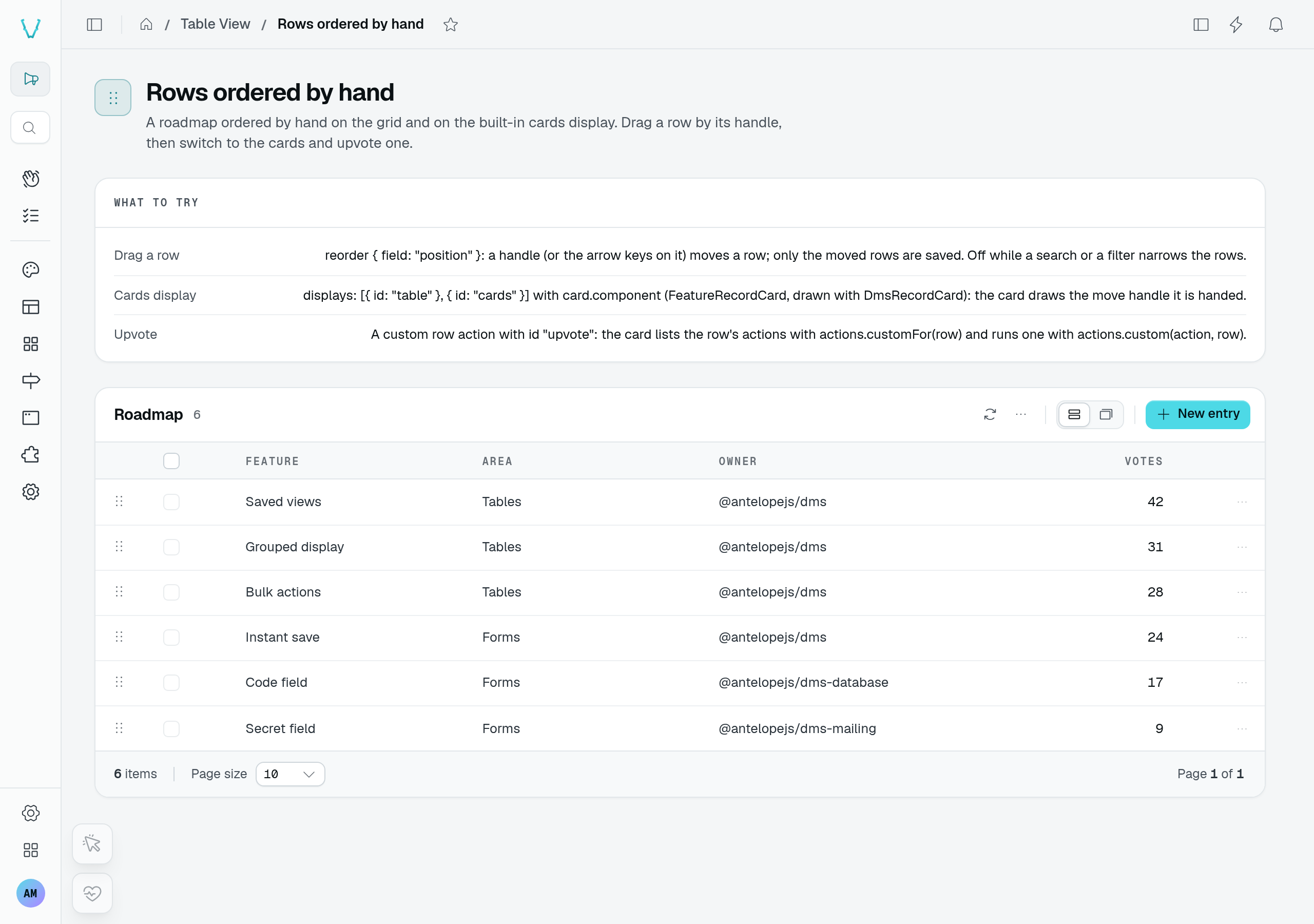
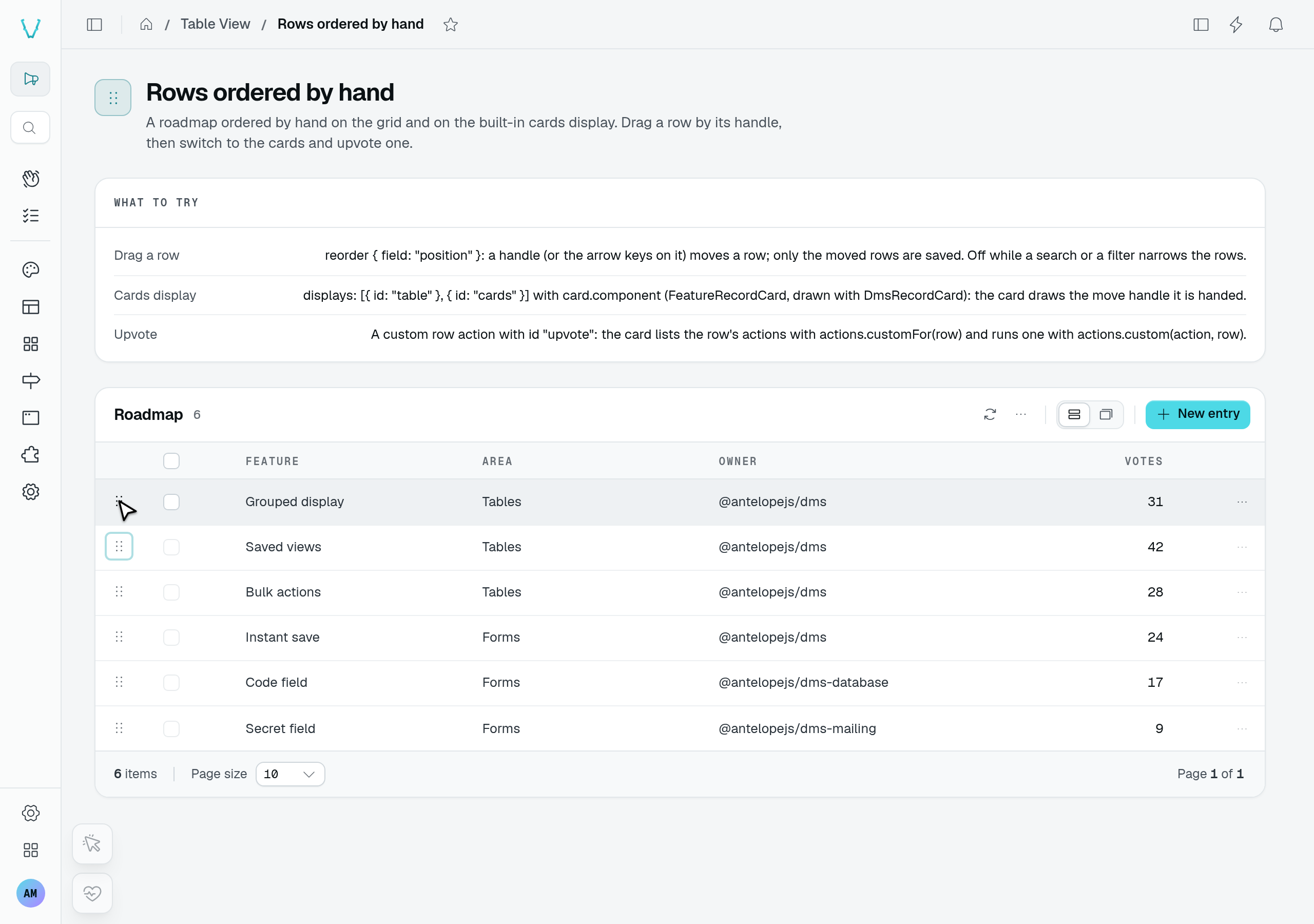
In the playground, focus the handle beside Saved views and press ↓. Grouped display moves above it. Refreshing the table preserves the new order; the cards display reads that same order.
static features = TableView(featureDataAPI, {
  caption: "Roadmap",
  reorder: { field: "position" },
  rowActions: { add: true, edit: true, delete: true },
});
@Listable()
@Sortable()
@Column({ name: "Position", type: new DefaultDataTypes.NumberType(), isVisible: false })
@Access(AccessMode.ReadWrite)
declare position: number;
Requirements
reorder: { field } names the column holding a row's position. Registration throws unless:
- the column is a
NumberTypecolumn, - it is
@Sortable()— the rows are listed sorted on it, - it is writable (not
AccessMode.ReadOnly) — moving a row edits it, - the table keeps its
editaction (rowActions.editis notfalse).
How a move is saved
The rows are listed sorted on field, ascending, and the sort picker is off. A move updates the page at once, then saves through the controller's edit route (PUT <location>/edit?id=…, a partial edit of field alone) only the rows whose position changed: the moved row takes the value halfway between its new neighbours (or one step beyond the only one, at an edge); when they leave no room — equal values, or none set — the page is renumbered from its lowest position, and still only the rows that changed are sent. A save that fails shows a toast and lists the rows again.
A row moves within the page shown: to move it further, raise the page size. The grid and the cards display move rows the same way, through the same save, so a move on one shows on the other.
On the cards display
Offer the cards display beside reorder and each card gets the handle too: dragged by it, a card drops on the card whose place it takes. The default card draws the handle before its title, next to its selection checkbox, which keeps working as usual — the handle neither opens the card nor selects it.
static roadmap = TableView(roadmapFeatureDataAPI, {
  labelKey: "name",
  reorder: { field: "position" },
  displays: [{ id: "cards" }, { id: "table" }],
  rowActions: { add: true, edit: true, delete: true, hasSelection: true },
});
A card drawn by a component of your own (card.component) receives the handle as its reorder prop (TableViewCardReorder), set only when the table is ordered by hand and the caller may edit. Bind reorder.handle on a button wherever the card wants it; the display takes care of the drop, the save and the keyboard:
| Field | Type | Purpose |
|---|---|---|
enabled | boolean | Moving is on (off while the rows are narrowed: the handle is then disabled). |
dragging | boolean | This card is the one being dragged — to dim it. |
handle | TableViewReorderHandle | The handle's attributes and listeners (draggable, disabled, aria-label, title, drag and key listeners), for v-bind. |
<script setup lang="ts">
import type { TableViewCardReorder } from "#dms-ui/app/composables/table-view/types";

const props = defineProps<{
  row: { name: string };
  selected: boolean;
  open: () => void;
  reorder?: TableViewCardReorder;
}>();
</script>

<template>
  <DmsRecordCard
    :title="props.row.name"
    :selected="props.selected"
    :class="{ 'opacity-50': props.reorder?.dragging }"
    interactive
    @open="props.open()"
  >
    <template v-if="props.reorder" #aside>
      <button v-bind="props.reorder.handle" class="cursor-grab text-dimmed">
        <UIcon name="i-ph-dots-six-vertical" />
      </button>
    </template>
  </DmsRecordCard>
</template>
A display of your own reads the same move from its context: context.reorder ({ enabled, move(from, to) }, indexes into context.items) is set on the grid and the cards display.
When the handle is off
The handle shows on the grid and the cards display, and only to a caller who may edit the rows: a reader gets the rows in their order, without the handle. The kanban board and the grouped display, which do not draw the rows in their order, have none. It is disabled while a search, a filter or a tab narrows the rows — positions are only meaningful over the whole list, and its tooltip asks to clear them. A defaultFilters entry narrows the rows too: scope the list on the server when every user must only ever see part of it.
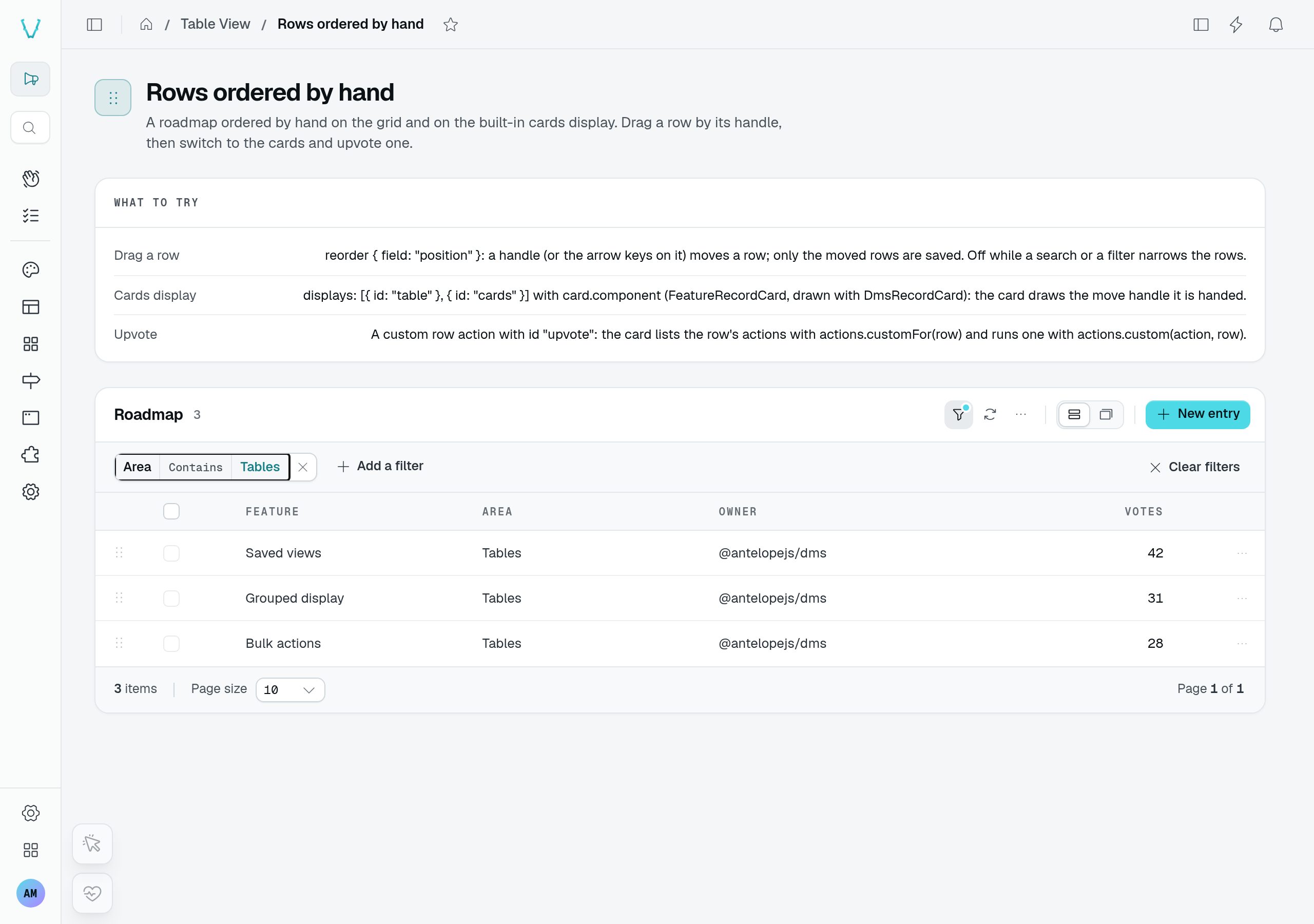
For this capture, the playground's Area column was made filterable in a temporary fixture. Area Contains Tables narrows six features to three and disables their move handles. Clearing the filter enables all six handles again; the unmodified playground does not expose this filter.
Keyboard
The handle is a button: with it focused, the ↑ and ← arrow keys move the row (or the card) one place back, ↓ and → one place forward, and the focus stays on its handle.