Websites
Websites and install guide
Where: /modules/marketing/websites and the install guide /modules/marketing/install, under Setup.
Every tracked site is a website row, and its id is what the tracker embeds.
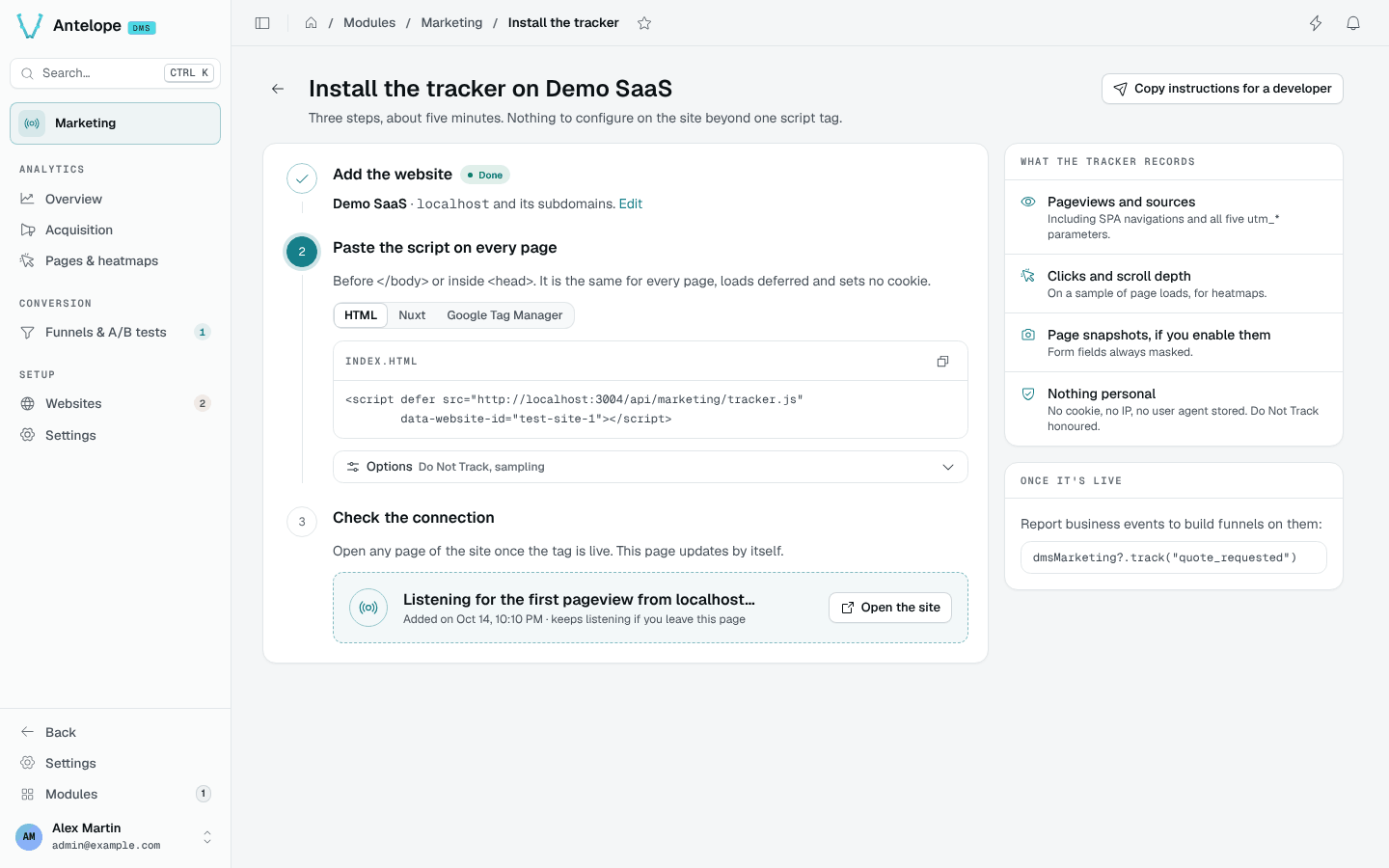
Add it from the console: Add a website on the Websites page — or on the
first-run screen every analytics page shows while the workspace has no
website — opens the install guide (/modules/marketing/install). Its three
steps create the website from a name and an apex domain, show the tag to
embed with the id filled in, and check the connection (see
Verify).
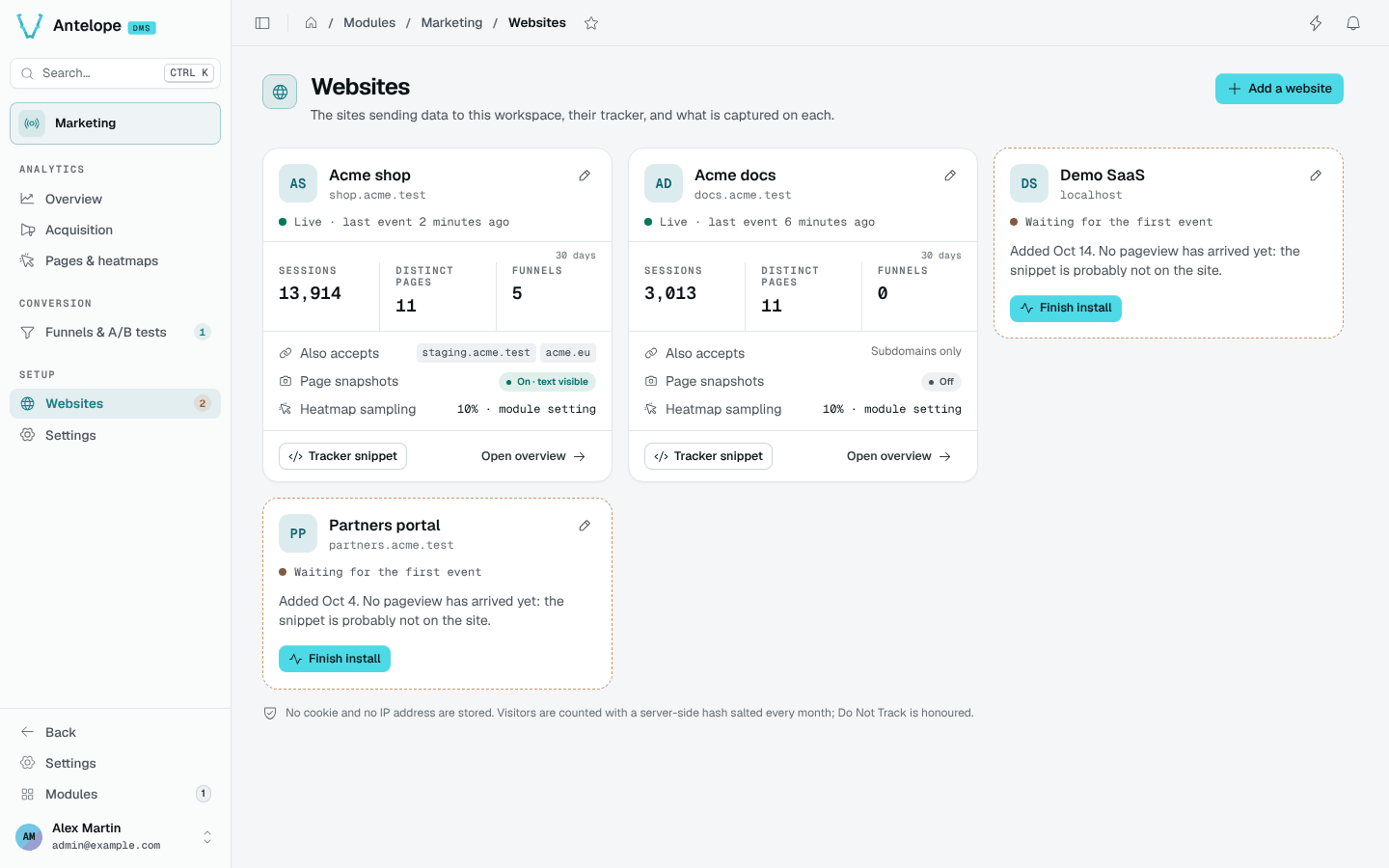
The Websites page (/modules/marketing/websites) lists the sites
afterwards, one card each: its state (live, imported history only, waiting for its first pageview,
paused), its sessions, distinct pages and funnels over the last 30 days, the
hosts it accepts, and its snapshot and sampling state. Any card names the
hosts refused for it, each with Allow this host; a paused site offers
Resume tracking; a banner says when collection is paused for the whole
module (Settings). A site still waiting leads back to its install guide; the
sidebar badge on Websites counts those sites (paused ones excluded). A
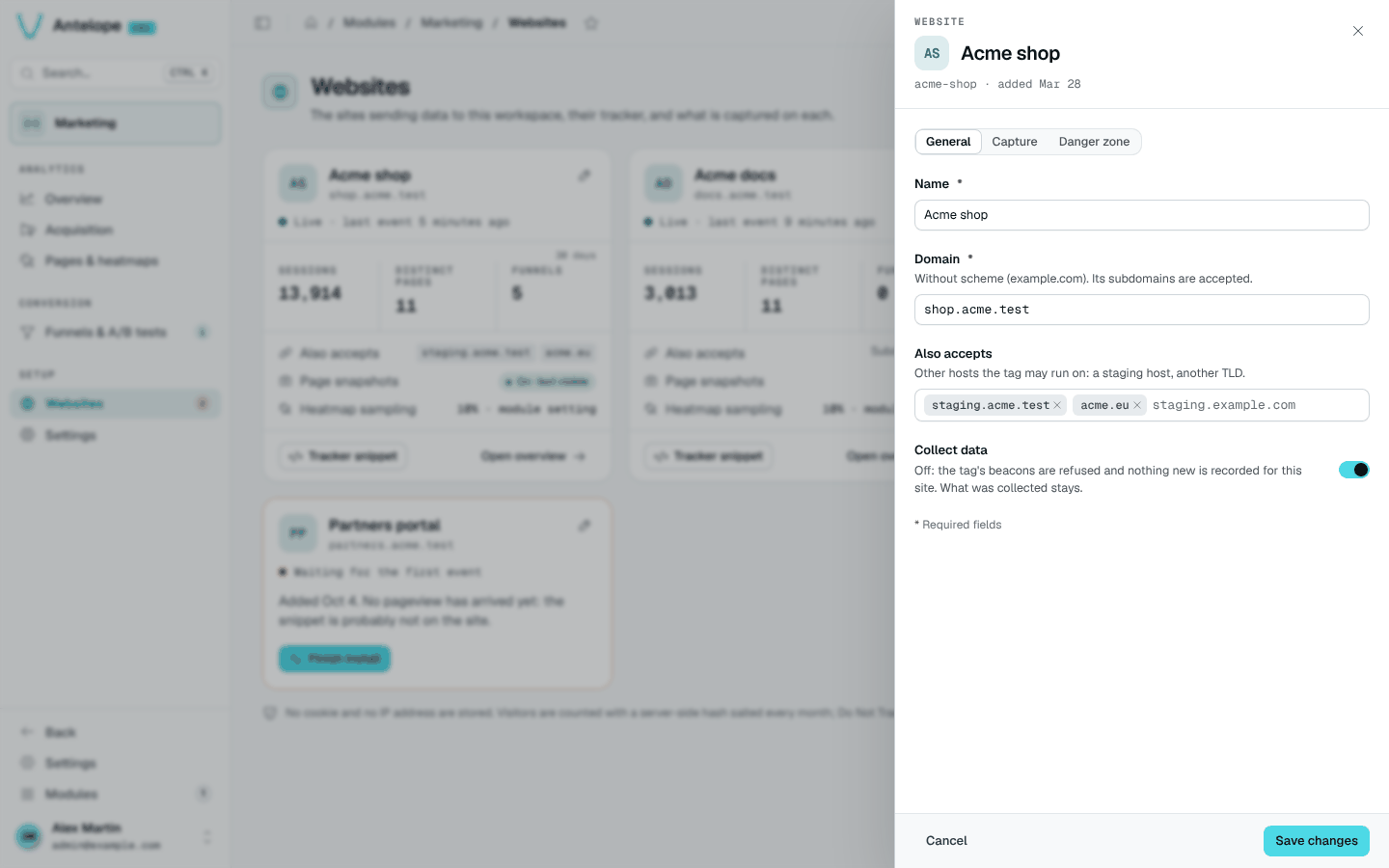
site's drawer holds three tabs: General (name, domain, extra hosts, and
Collect data — off pauses the site: its beacons are refused, what was
collected stays), Capture (page snapshots, mask all text — a change
discards the site's snapshots, and the drawer says how many) and Danger
zone (delete the website: it lists what goes, over every stored day —
sessions, pageviews, funnels with their A/B tests, snapshots — and asks for
the domain).
The REST API creates the same row with a DMS JWT (tenant owner):
curl -X POST https://<backend>/api/marketing/websites \
  -H "Authorization: Bearer <jwt>" \
  -H "Content-Type: application/json" \
  -d '{"name": "Main site", "domain": "example.com"}'
name— display name in the dashboards.domain— the site's apex domain, scheme-less. Classifies referrers (an internal navigation is never counted as an acquisition source) and gates ingestion: a beacon is refused unless the browser-reported Origin hostname is this domain, a subdomain of it, or one ofextraDomains. Never used to build URLs.extraDomains— optional; other hosts the site legitimately serves from (another TLD, a staging host, localhost), same apex-or-subdomain rule.
Both are stored as bare lowercase hostnames: a scheme, a port, a path or
spaces are stripped (https://Shop.Example.com/x → shop.example.com), and
anything that is not a hostname, an IP or localhost is refused with a 400
whose zod issues name the field. A host another website of the workspace
already declares (domain or extra host) is refused with a 409
{ field, message, values }. PUT /api/marketing/websites/:id takes the
same keys plus trackingEnabled (false pauses the site).
snapshotsEnabled— optional, off by default; lets the tracker capture a masked rendering of each tracked page as the heatmap's backdrop. This stores page content, unlike anything else in the module — read Pages & heatmaps before enabling it. Also switchable from the Capture tab of the website's drawer and from the preview's More menu on Pages & heatmaps.snapshotMaskTextmasks every text node of the captures on top of the always-masked form values.
The response carries the website's _id — the value for data-website-id
below, the one the install guide already fills in.
The dashboard's own website. With
dashboardTracking
on, the module creates one more website per workspace, for the dashboard's
pages, the first time someone signed in opens it. It is an ordinary card:
rename, pause or delete it (it comes back on the next dashboard visit while
the option is on). It is left out of the duplicate-host check both ways —
it shares its host with whatever else runs there (a site in development on
localhost) without splitting anyone's traffic, since its tag is the
module's. Leave its page snapshots off: they would store the records the
admin pages show.