Introduction
@antelopejs/dms-marketing adds marketing analytics to the AntelopeJS DMS: traffic dashboards, conversion funnels with optional A/B splits, and click heatmaps. It is fully first-party: no external service, no cookie, and the data stays in your project's MongoDB.
Measure one signup journey
Start with a question you can act on: how many sessions reach /pricing and
then submit the signup form?
- Install the module and tracker, then verify that a pageview reaches your website's install guide.
- After a successful form submission, call
window.dmsMarketing?.track("signup_submitted")on the visitor site. - Create a funnel with the page
/pricingfollowed by the custom eventsignup_submitted.
If 100 sessions enter and 12 complete both steps in order, the funnel reports 12% conversion. These are illustrative numbers, not the playground's current results. The funnel measures a journey within one session; it does not join someone's visits across days. Add an A/B split only after this baseline works.
What it brings
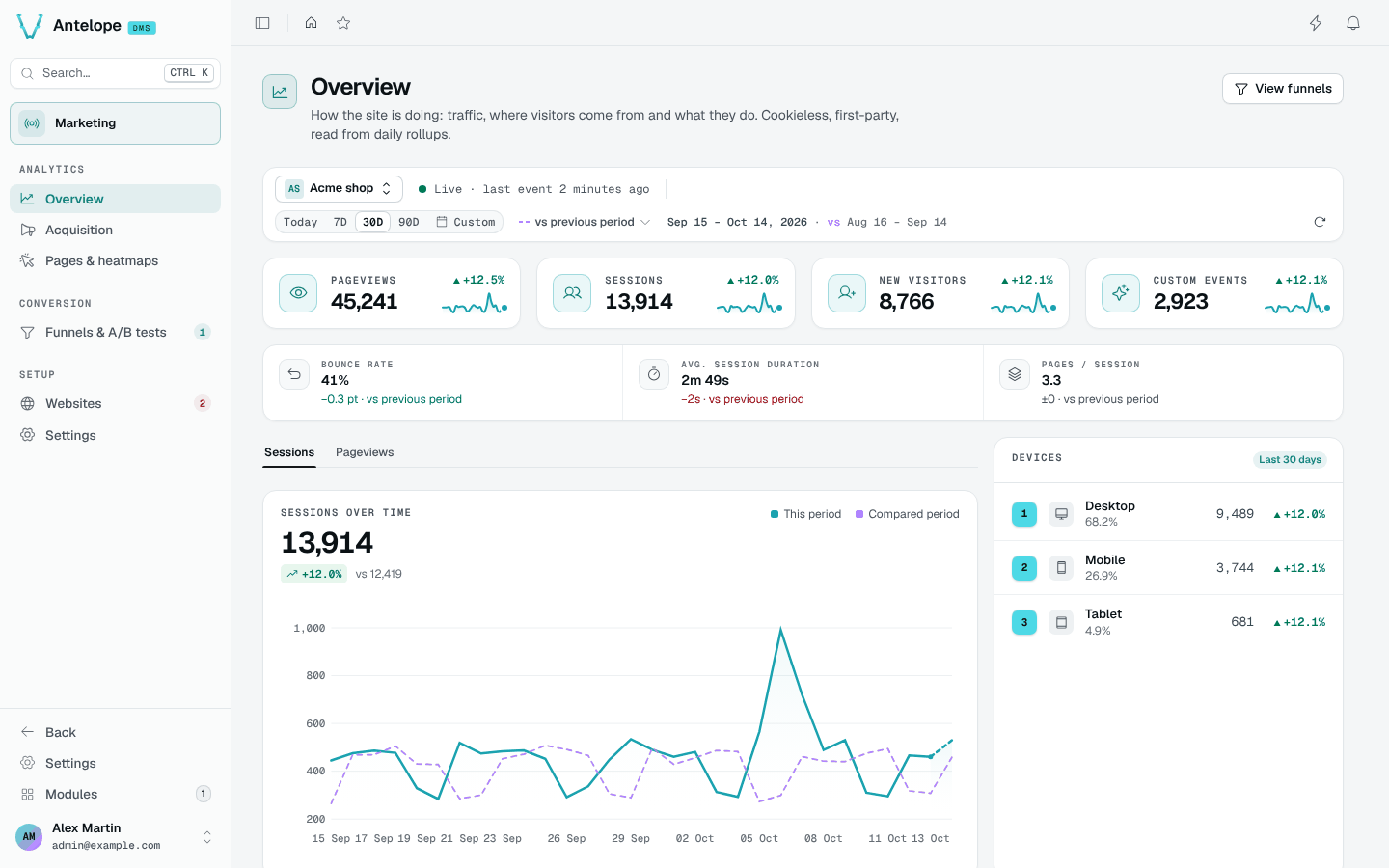
Traffic overview
Pageviews, sessions, new visitors and custom events with their change, session quality, devices and top lists.
What makes it hold
- First-party and cookieless. Visitors are identified by a server-side anonymous hash, salted monthly, with raw inputs never stored. Events store no IP, no user agent and no headers. Page content is stored in one place only, the opt-in heatmap snapshots, with form values always masked.
- Dashboards never scan raw events. Statistics are rolled up at write time into one bounded row per website and day. Raw events are kept short-term only for heatmaps and funnels.
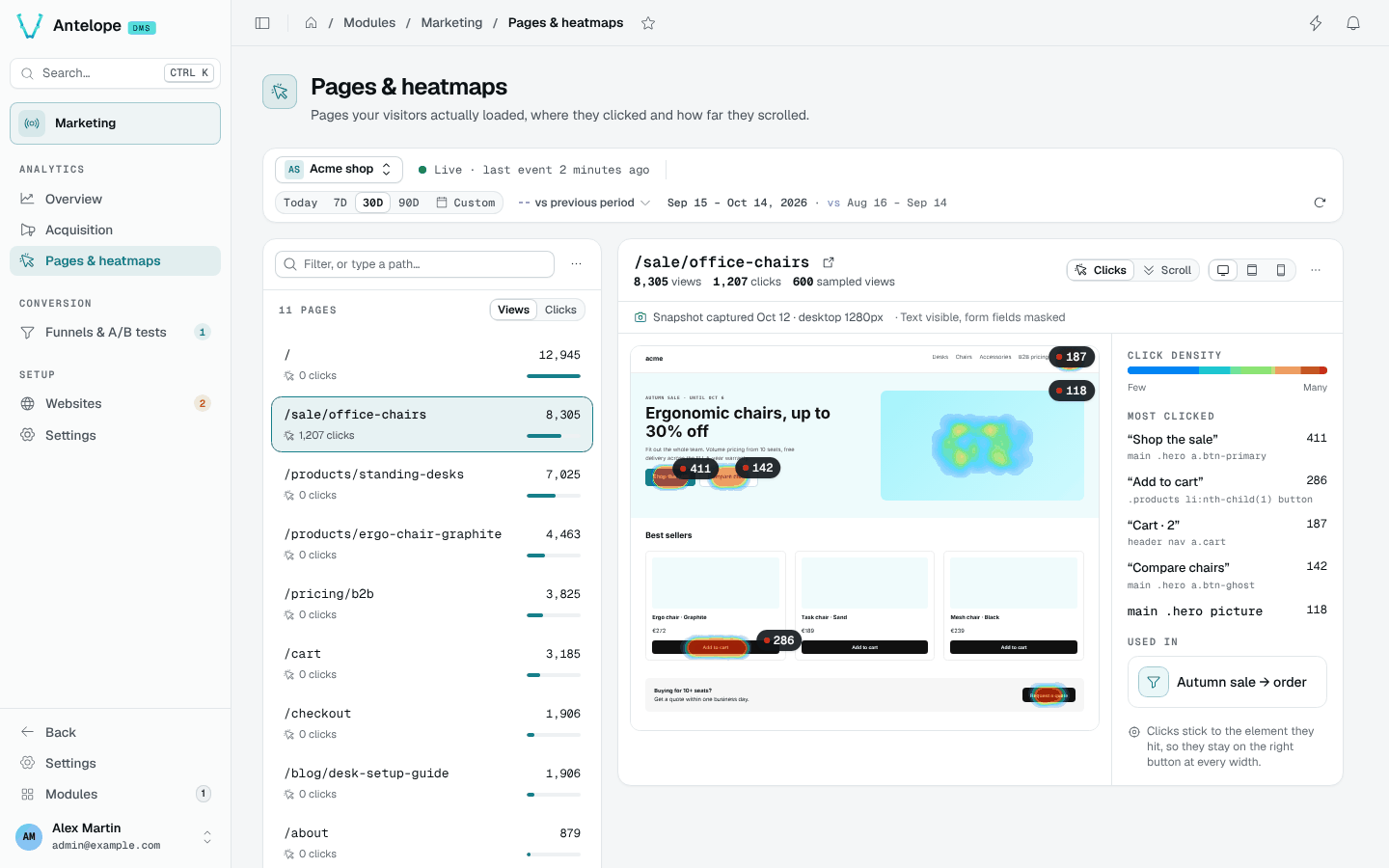
- Heatmaps work on any site. They are keyed on the pathnames the tracker reports, clicks are anchored to the element they hit, and the backdrop is a snapshot captured in a visitor's browser, so it works on sites that refuse framing.
- A/B without an experiment server. A split is a facet of a funnel. Variations are assigned server-side from the visitor hash, the page asks with one call (
await dmsMarketing.variation("key")), and the funnel's steps score the arms. - Tenant isolation is structural. Analytics tables live in per-tenant database instances, like the rest of the DMS.
The reasoning behind each choice is in Architecture.
Where it lives in the dashboard
The module appears in the sidebar as Marketing, its pages under three headings, every page at /modules/marketing/<page>:
| Heading | Pages |
|---|---|
| Analytics | Overview, Acquisition, Pages & heatmaps |
| Conversion | Funnels & A/B tests, with the funnel report and builder as hidden pages |
| Setup | Websites, with the install guide as a hidden page, and Settings |