Schemas
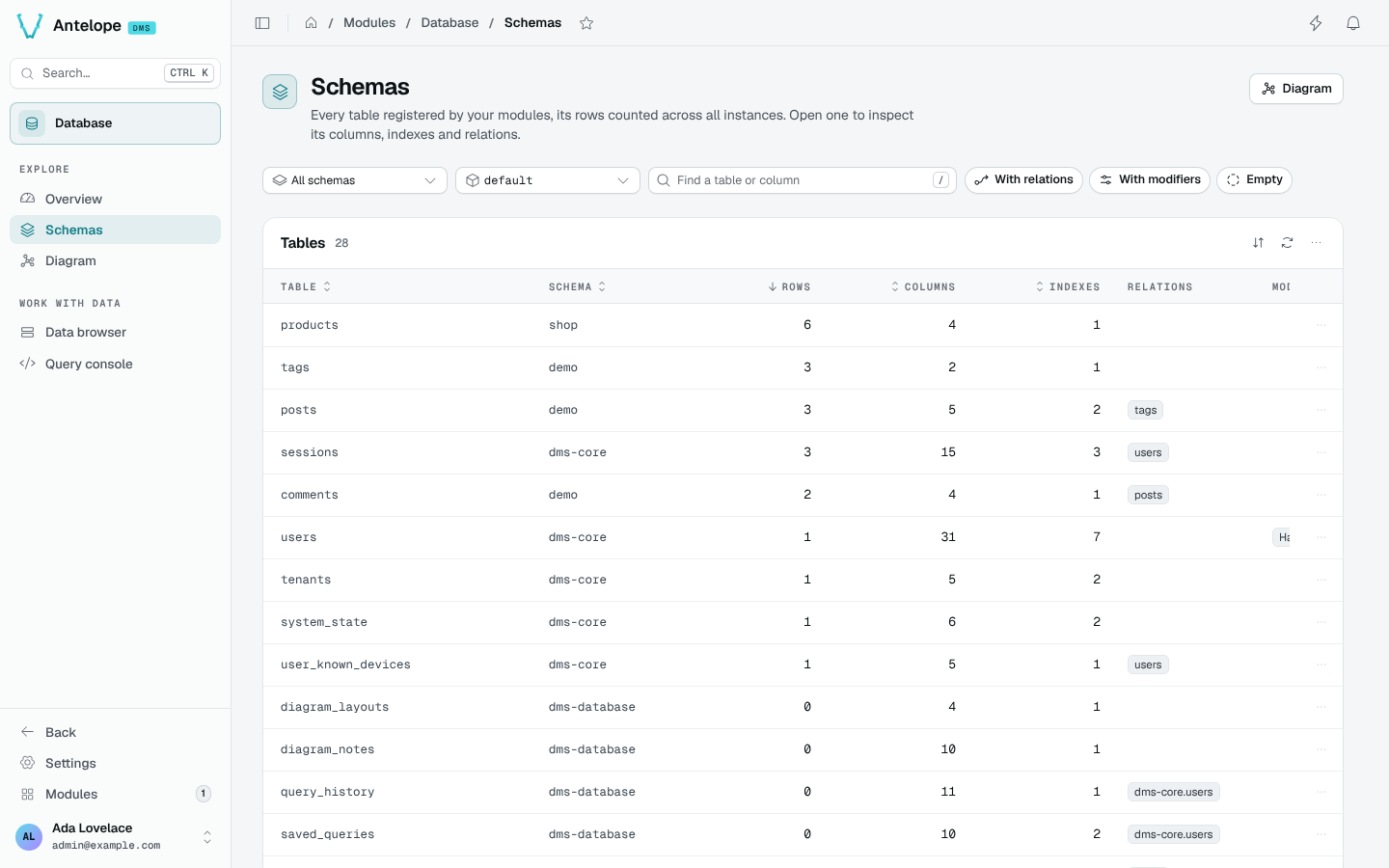
The Schemas page (/modules/database/schemas) lists every table registered by the loaded modules, its rows counted in the picked instance, with its column, index and relation counts.
Filter the tables
The filter bar narrows the list. Every filter is kept in the URL, so a filtered list can be shared or bookmarked.
| Filter | What it does |
|---|---|
| Schema | Shows the tables of one schema, or all of them. |
| Instance | Counts the rows of one instance (default, a tenant, a region), or of all instances. |
| Find a table or column | Matches table and column names. Press / to focus it. |
| With relations | Keeps the tables that point to another table. |
| With modifiers | Keeps the tables with hashed, localized or encrypted columns. |
| Empty | Keeps the tables with no row in the picked instance. |
Columns sort by name, schema, rows, columns or indexes. The Relations column names the tables each one points to, and Modifiers flags hashed, localized and encrypted columns.
Inspect a table
Click a row to open the inspector on the right. J and K step through the tables as the list shows them, and the URL keeps the open table (?record=<schema>::<table>).
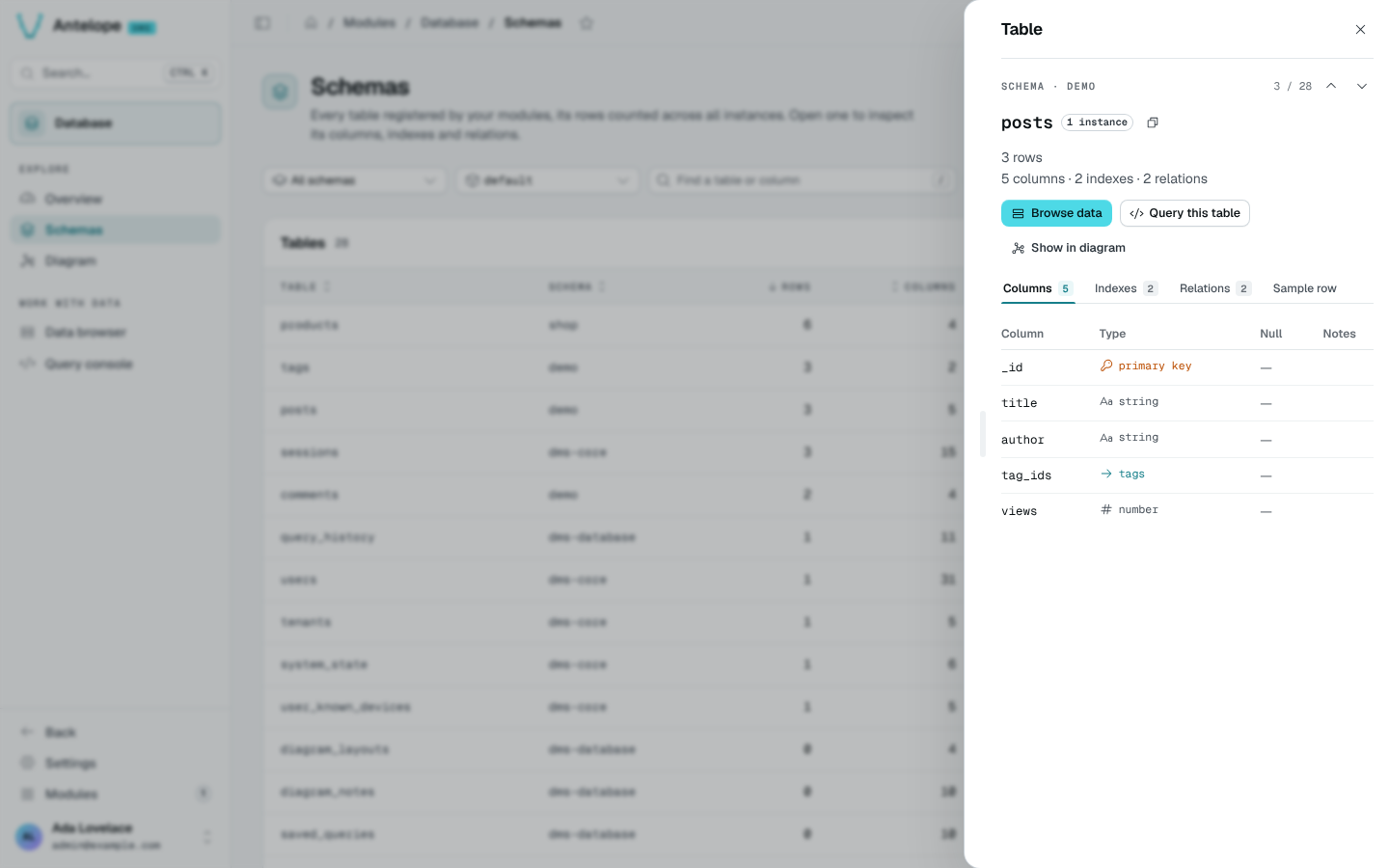
The inspector shows the row, column, index and relation counts, and four tabs:
- Columns: name, type (primary key, relation target, scalar or object type), nullability and notes such as hashed or encrypted.
- Indexes: the indexes declared in code.
- Relations: the tables this one points to and the tables pointing to it. A relation opens the other table.
- Sample row: one row of the table.
From the inspector, Browse data, Query this table and Show in diagram open the other pages on the same table. The row menu of the list offers the same actions.