Database
Query console
Write and run AQL against any schema, keep a history, save and share queries, and confirm every write after a dry run.
The Query console (/modules/database/query) runs AQL, the query language of the AntelopeJS Database interface, against any registered schema.
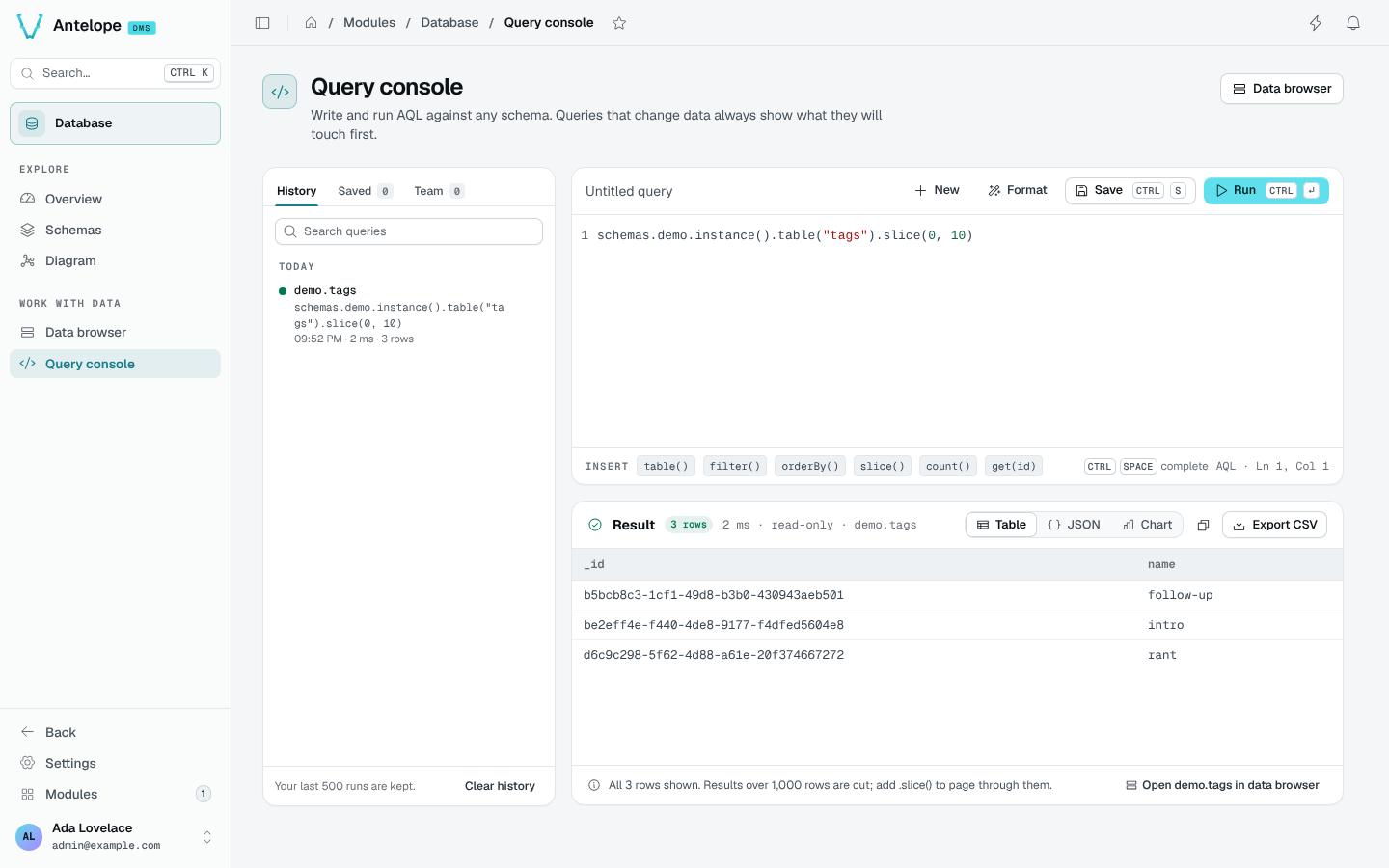
Write and run
A query starts from schemas.<schema>.instance(<id>?) and chains the table operations of the Database interface:
schemas.shop.instance().table("products").orderBy("price").slice(0, 10)
CtrlSpacecompletes schemas, tables and columns from your own workspace.- The Insert chips add common operations:
table(),filter(),orderBy(),slice(),count(),get(id). - Format tidies the query;
CtrlEnterruns it. - An empty console offers two examples built on your own tables.
Read the result
The result shows its row count, duration and target. Choose a view or export:
| View or export | Contents |
|---|---|
| Table | The rows returned by the console, up to 1,000. |
| JSON | The same returned rows, also available to copy. |
| Chart | The first numeric column in the returned rows. |
| Export CSV | The same returned rows, not the full database result. |
The server returns at most 1,000 rows per run. If the result is truncated, switching views or exporting does not retrieve the missing rows. Narrow your query or read separate slices with a stable ordering when you need more data.
Open in data browser opens the target table.
Writes are confirmed first
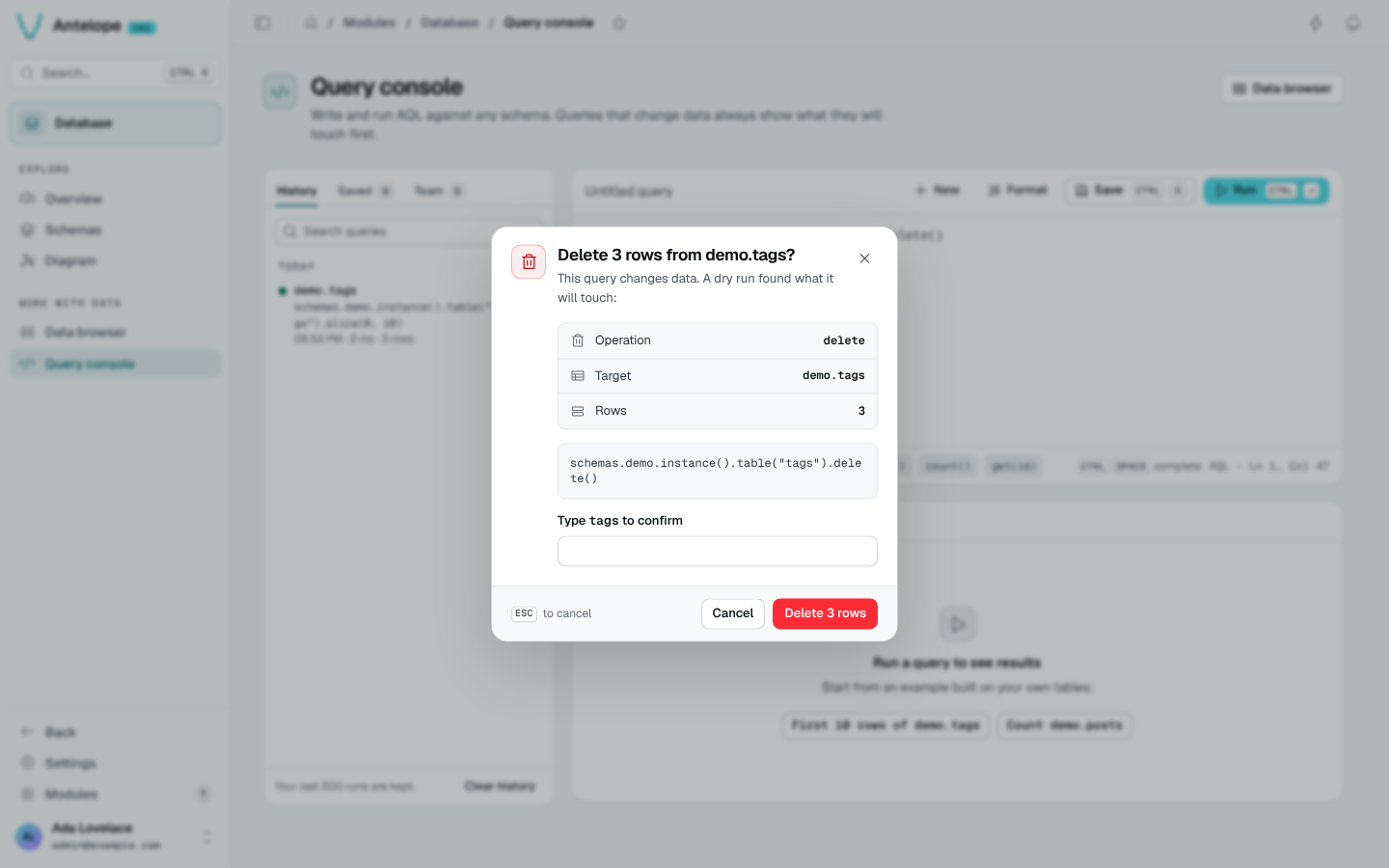
A query that inserts, updates, replaces or deletes never runs straight away:
- The console runs a dry run first.
- Review the operation, the target and the number of rows it would touch.
- To confirm, type the table name.
Confirmation executes the write against the database. The dry run is a preview, not a rollback mechanism or a locked snapshot: data can change before you confirm. Check the target and filter, and back up important data before destructive operations.
History, saved and team queries
The library on the left has three tabs:
- History: your last 500 runs, grouped by day, searchable. Clear history empties it.
- Saved: the queries you saved (
CtrlS), with a name and a description. - Team: the queries teammates shared. Teammates can run a shared query; only its author can edit or delete it.