Save, review and access
The draft
Page blocks, their data sources and page settings stay in a local draft until you save. Undo and redo cover those edits; Discard drops them. The draft is kept on this device for a week and offered again on your next visit.
Menu, category and table edits are different: they are written immediately. Discard does not undo them. Check which workspace you are editing before trying a change you intend to throw away.
The change list
Click the save status in the bar (1 unsaved change) to open the change list.
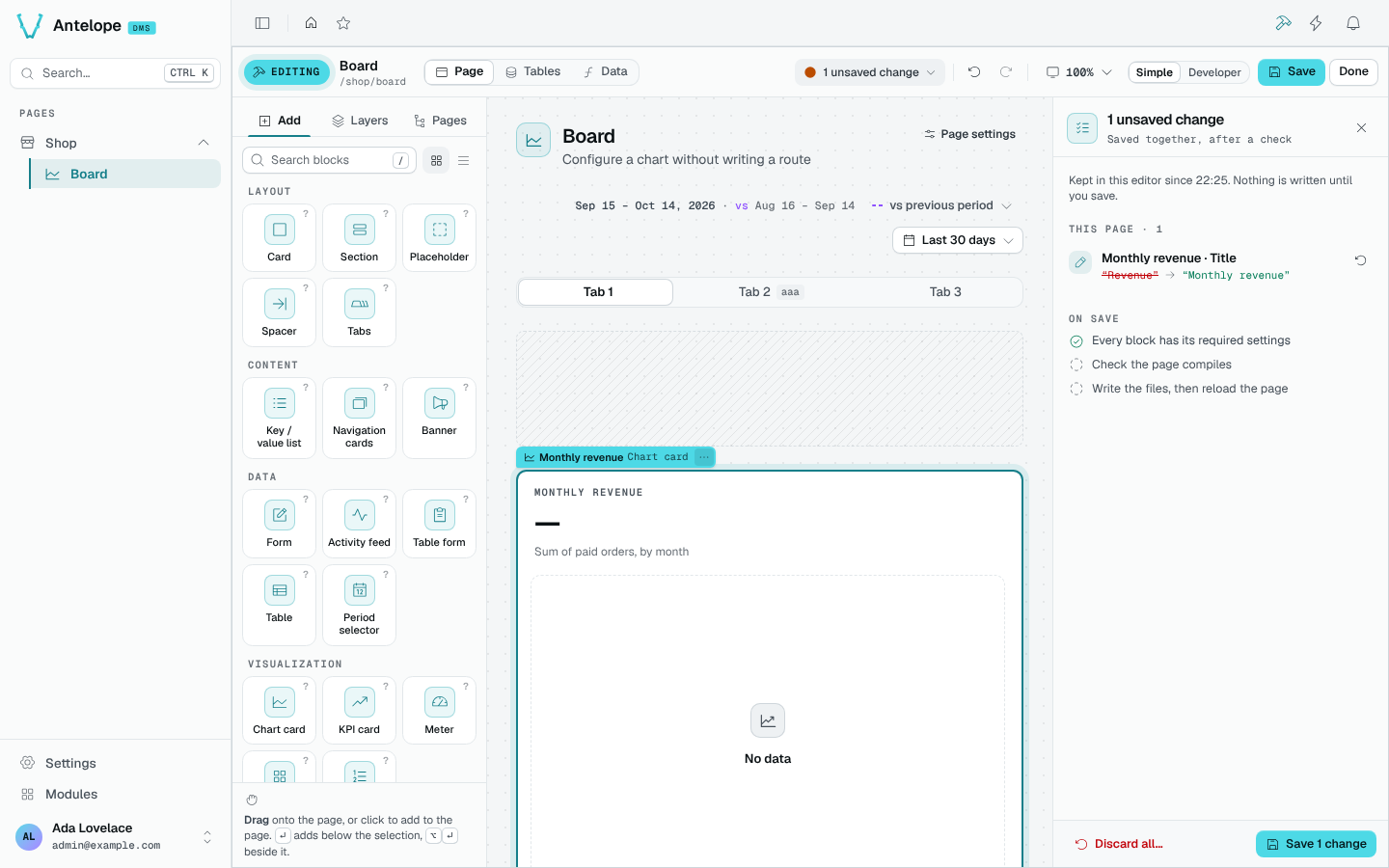
It lists:
- every unsaved edit of the page, in plain words, each revertible on its own;
- On save, what Save checks and writes: every block has its required settings, the page compiles, then the files are written and the page reloads;
- what was already written straight to the project (tables, menu, categories), with what it reached.
Save writes the whole page in one transaction with one typecheck, its position, access and visibility included.
When the source changed
If the page changed on disk while you were editing (another editor, an agent, a hand edit), the write is refused and the builder offers to keep your version or reload.
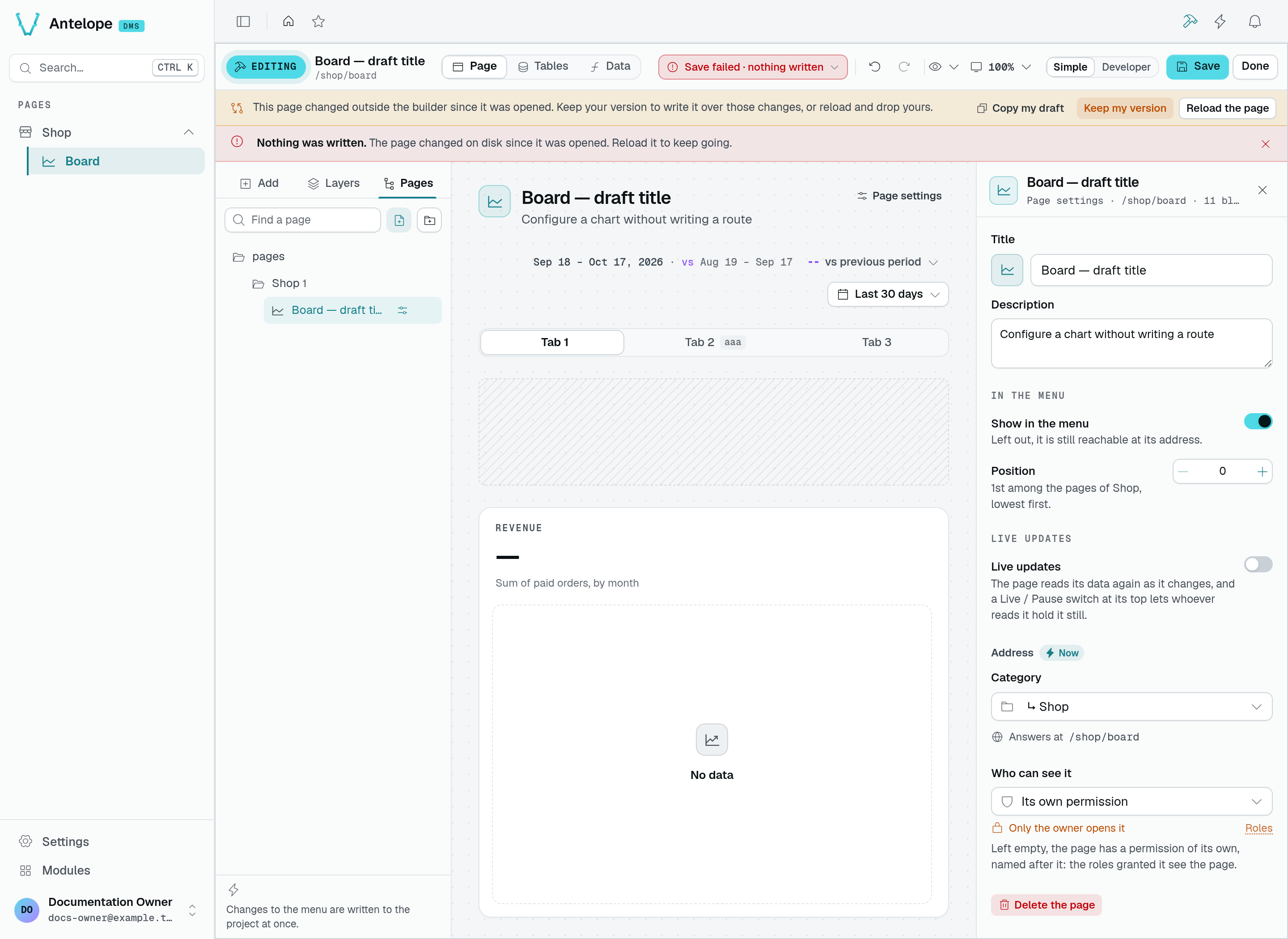
Here the title was edited in the builder while the description changed on disk. Save left the source untouched. Copy my draft preserves a copy before you decide; Reload the page drops your draft and loads the current source. Keep my version keeps the draft and accepts the current source version as its base; you must click Save again to write over those external changes.
Who sees what
The DMS gives each block a permission of its own, named after where it sits: the page, then every block down to it, including the rows and columns the editor writes. Roles hold permission ids, not prefixes. Adding, renaming or moving a block therefore hands it a permission no role holds yet.
The Roles editor capture shows where an administrator grants those permissions. It shows an unsaved role with no grants selected, not the builder's View as preview or a verified restricted session.
The builder makes this visible before you save:
- the change list warns (Support loses Revenue, No role sees Notes yet);
- the inspector says who sees the selected block (Only the owner sees it) and links to Roles;
- View as in the bar shows the draft as a role sees it: a block hidden from it is hatched, one whose actions it lacks is marked Read only or Limited.
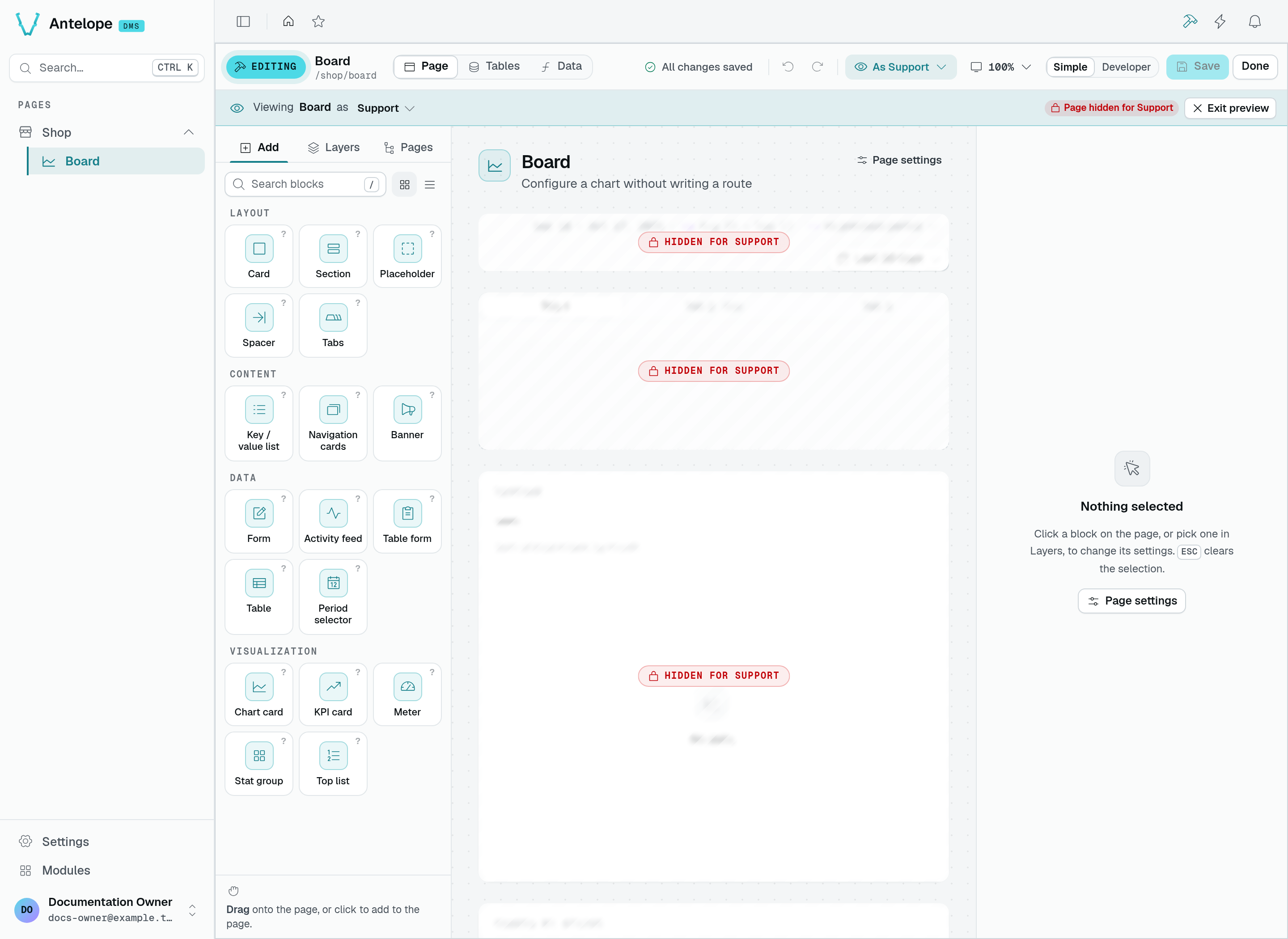
Choose a role from the eye menu in the bar. In this playground capture, Support is a saved role with no grants: the preview marks the page and its blocks as hidden. Exit preview returns to your own view. You are still signed in as the owner; this is an editing preview, not a sign-in as that role or proof that a backend request was denied. Check protected routes separately when testing authorization.