Introduction
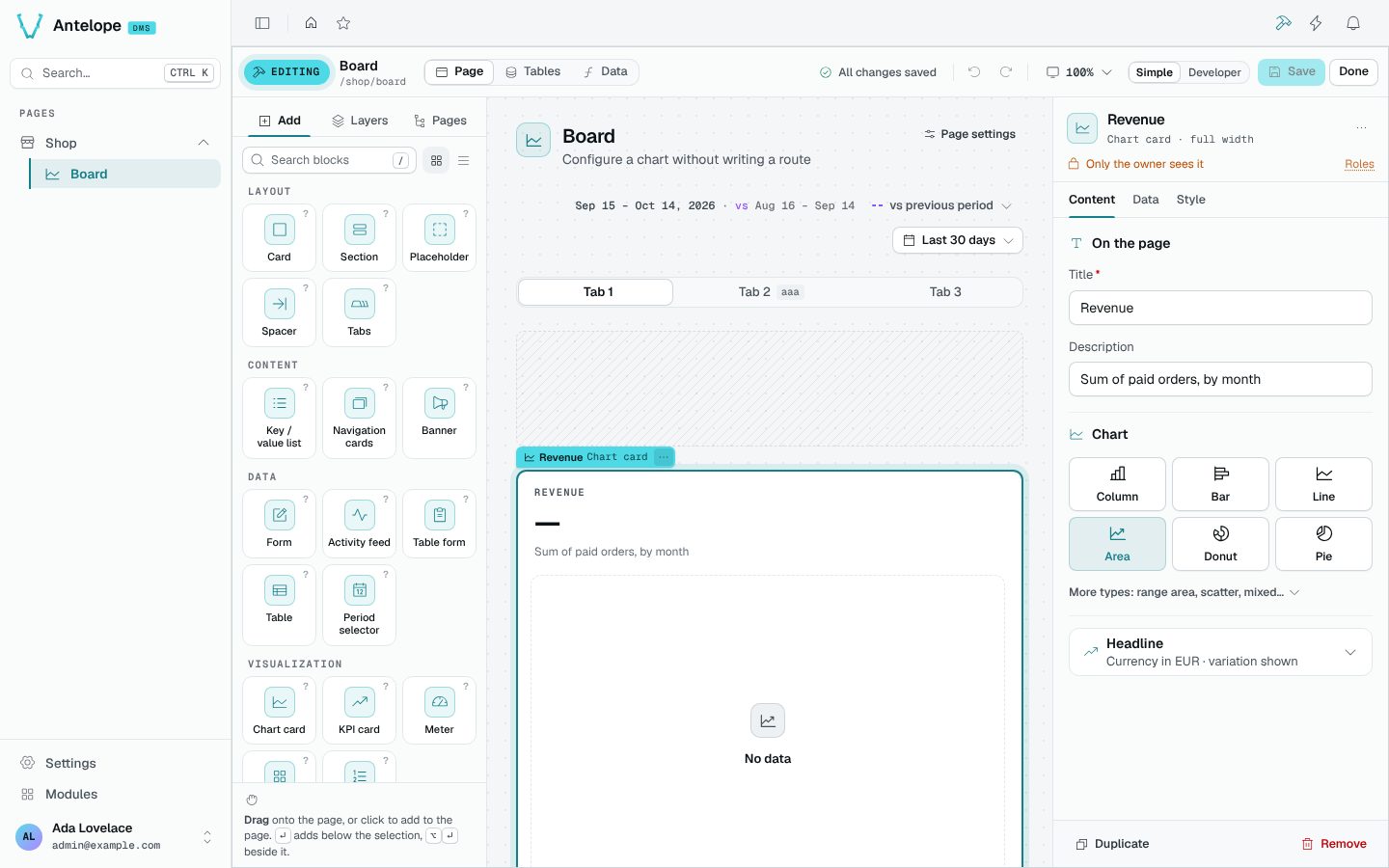
@antelopejs/dms-builder turns any DMS page into an editor. Press Edit this page (Ctrl B) to turn the page you are looking at into a canvas.
Add a card, change its title and save: the page updates, and the corresponding TypeScript changes appear in your project. You can then connect the card to data or arrange it alongside other blocks.
Try one change
With the builder installed, sign in as a tenant owner and open an existing page.
- Click Edit this page and select a card on the canvas.
- Change its title in Content. The canvas shows your draft, not a saved page.
- Click the unsaved-change count to review the edit, then Save.
- Click Done. The page now shows the new title; review the source diff before committing it.
For this first edit, leave Tables and the menu unchanged: their edits save immediately and are not undone by discarding a page draft.
What it brings
How it works
The builder has no database of pages. It reads the structures in your sources:
| Structure | Source representation |
|---|---|
| Page | A PageController class |
| Block | One of the page's static fields or a .child() of another block |
| Table | A Table, a DataController and a model |
For each edit, the builder:
- Parses those files.
- Applies the edit as an AST rewrite.
- Typechecks the whole project in memory.
- Writes the files only when the result compiles.
Hand-written code and builder-written code are the same code: you can keep editing either way.
It exposes two surfaces:
- the builder UI in the dashboard, described in these pages;
- the
@antelopejs/interface-dms-builderinterface and an HTTP API under/api/builder, for other modules and agents. See Extending.
ajs project dev, with or without -w). A built deployment (ajs project start) has no builder routes or Edit this page button unless you force it with api.enabled.Who can use it
Every builder route requires an authenticated tenant owner.
Works with the AI assistant
When @antelopejs/dms-ai is loaded with the builder, the assistant edits pages through the same operations, in Safe mode by default: it changes the project only through the builder, so every change is typechecked and can be undone.