Tables
The Tables workspace lists the project's tables, each with its number of fields and the pages reading it (or unused). + Table creates one: a Table, a DataController and a model, written into a wired folder.
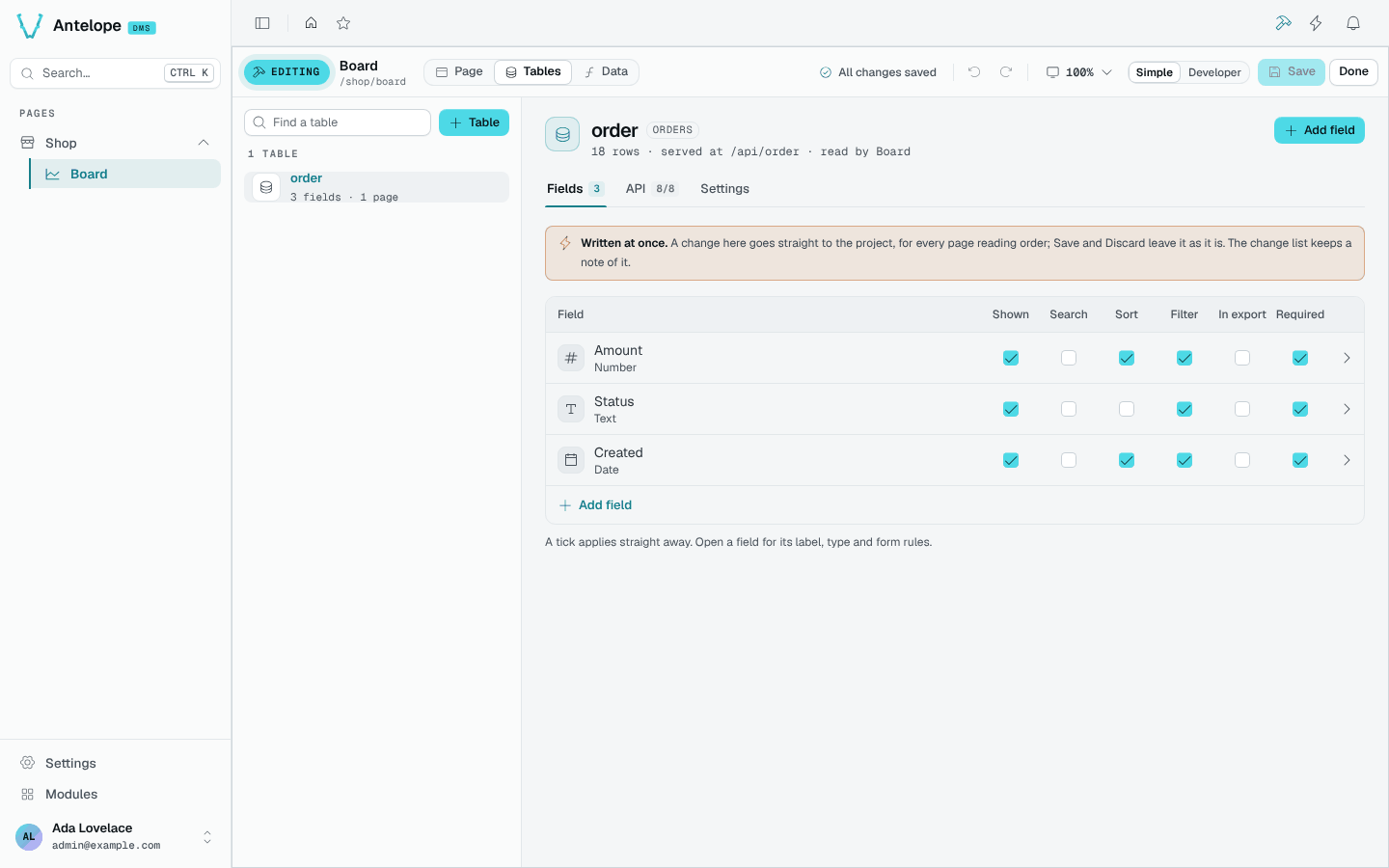
A table opens on three tabs:
- Fields: each field with its type and ticks for Shown, Search, Sort, Filter, In export and Required. Open a field for its label, type and form rules; Add field adds one.
- API: the routes the table serves (list, get, create, edit, delete…), each on or off.
- Settings: what the table is (its key, database table, API route and the blocks of this page reading it) and Delete this table, which removes the table, its API and every row it holds at once, once you type its key to confirm.
The header says how many rows the table holds at your tenant, where its API is served, and which pages read it.
Review a table deletion
Open the table's Settings tab to see the deletion control alongside its key, database table and API route.
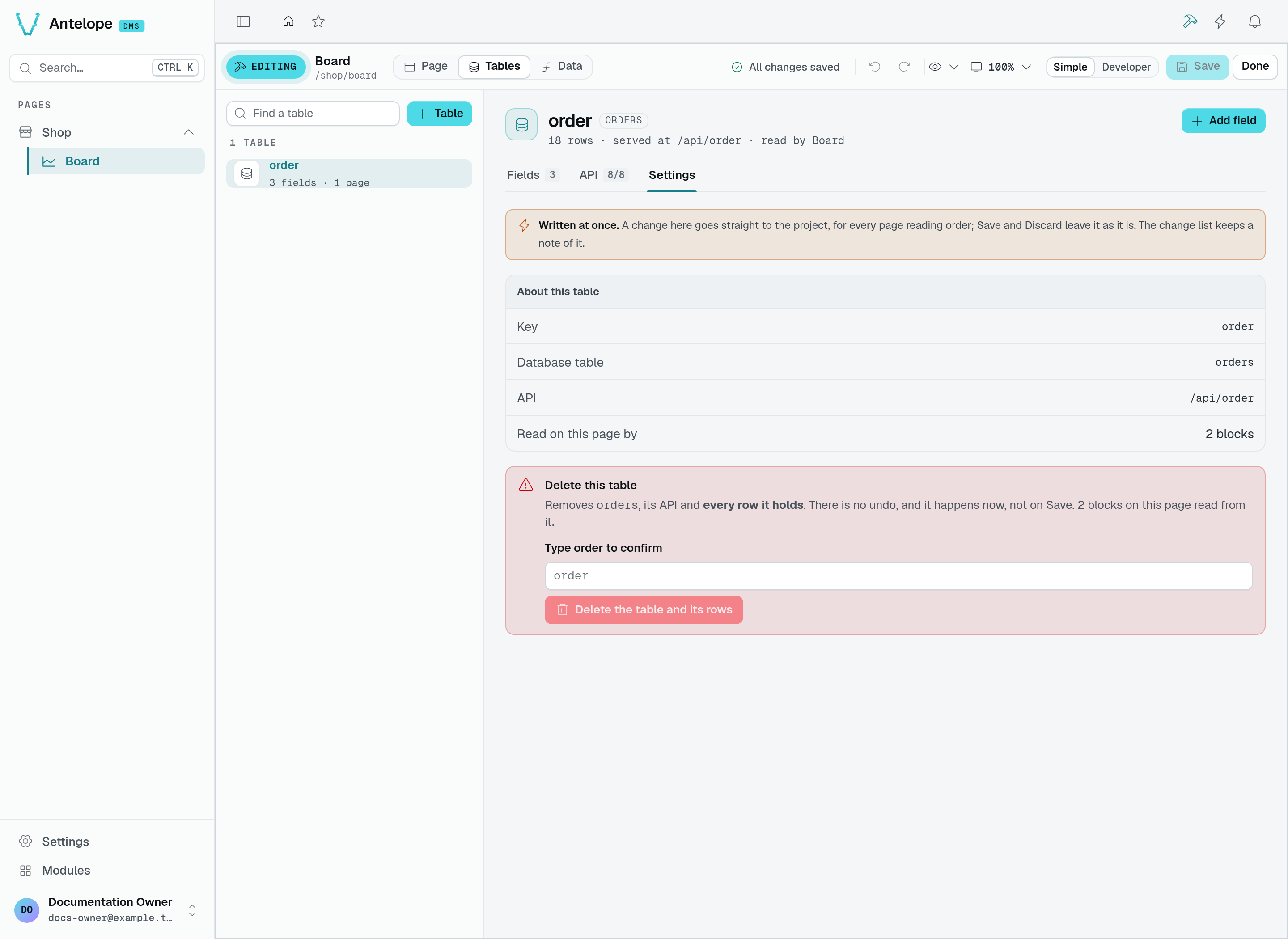
This capture stops before deletion: the field is empty, and order is its placeholder. Type the table key to enable Delete the table and its rows. Clicking that button deletes immediately; it does not create a draft waiting for Save. Leave the field empty and switch tabs if you only want to inspect the table.