Section & field row
Section is the settings block: a title and one line of description above a card. FieldRow is one row of that card: a label with its help text and a control, set apart from the next row by a hairline. Together they compose a settings page from the backend, the way the core settings pages are drawn.
Section
Section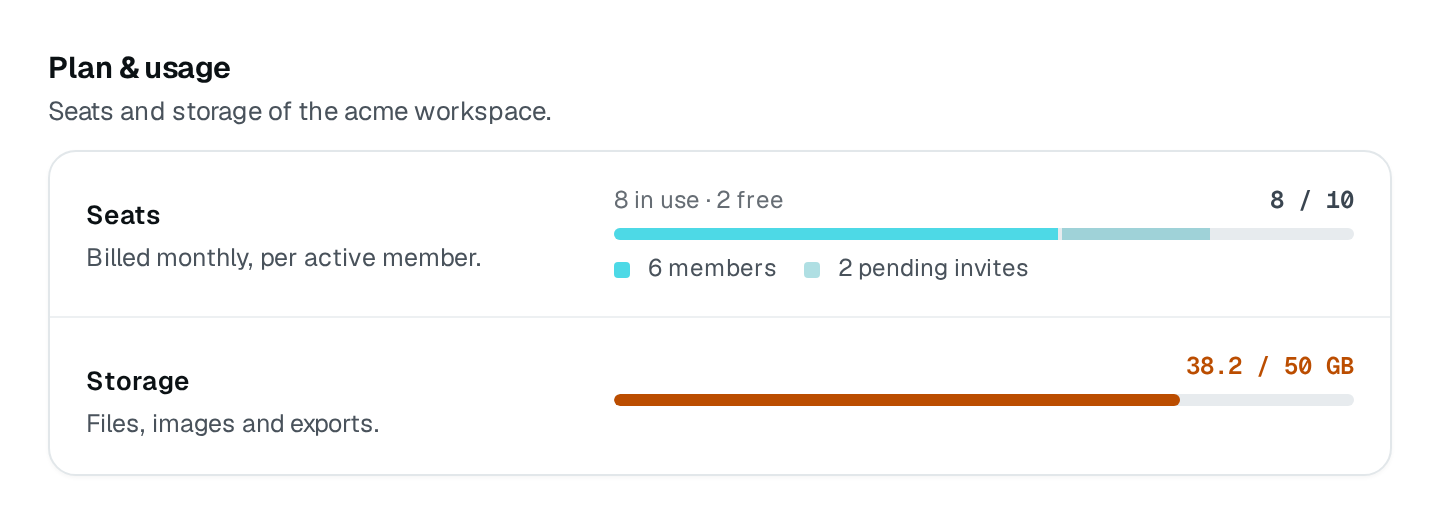
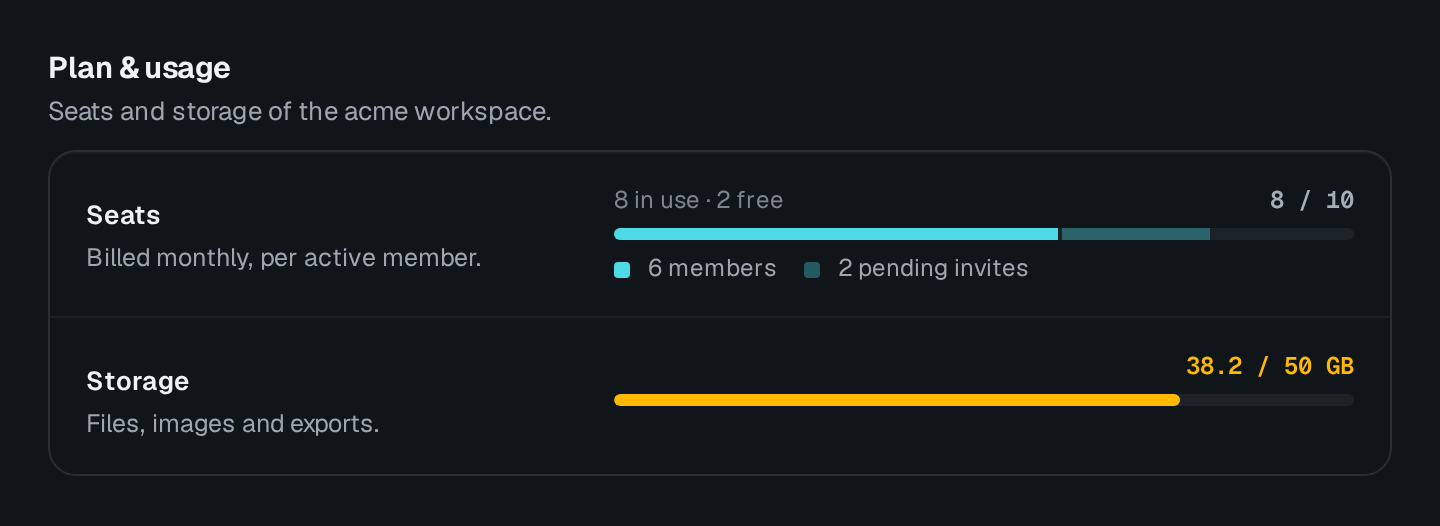
| Option | Type | Default | Description |
|---|---|---|---|
titleContent | string | – | Heading above the card. |
descriptionContent | string | – | |
dangerAppearance | boolean | – | Draws the section in red, for actions that delete or cannot be undone. |
cardAppearance | boolean | true | Draws the block on a card; turn it off when it already sits in one. |
FieldRow
FieldRow

| Option | Type | Default | Description |
|---|---|---|---|
labelContent | string | – | |
descriptionContent | string | – | |
requiredAppearance | boolean | – | |
disabledAppearance | boolean | – | |
layoutLayout | "inline" | "form" | "stack" | – |
layout | The row looks like |
|---|---|
inline | A compact control on the right. The default. |
form | A 240px label column, the control beside it. |
stack | The label above the control. |
Usage
import { FieldRow, Section } from "@antelopejs/interface-dms/base/section";
import { Meter } from "@antelopejs/interface-dms/base/meter";

static plan = Section({
  title: "$app.workspace.plan_title",
  description: "$app.workspace.plan_description",
})
  .child(
    "seats",
    FieldRow({ label: "$app.workspace.seats", layout: "form" })
      .child("meter", Meter({ fetchUrl: "/api/workspace/seats" })),
  )
  .child(
    "storage",
    FieldRow({ label: "$app.workspace.storage", layout: "form" })
      .child("meter", Meter({ fetchUrl: "/api/workspace/storage" })),
  );
A field row holds one block that stands on its own — a meter, a banner, a status. Fields someone fills in and submits do not go in field rows: they belong to a Form, which owns their values, validation and submit.
A form in a section
A Form placed in a Section drops its own card: its fields become the section's rows, with the 240px label column of a form row. With the default saveMode: "bar", it saves through the sticky save bar, which names the changed fields and offers Discard and Save.
static profile = Section({ title: "$app.workspace.profile" }).child(
  "form",
  Form({
    fetchUrl: "/api/workspace",
    submitUrl: "/api/workspace",
    fields: [
      { id: "name", label: "$app.workspace.name", type: new DefaultDataTypes.StringType(), required: true },
      { id: "description", label: "$app.workspace.description", type: new DefaultDataTypes.StringType({ textarea: true }) },
    ],
  }),
);
Instant save or a save bar
A settings page saves in one of two ways, never both:
- A save bar. Edits wait in a draft until the person presses Save in the sticky save bar — the default of a
Form. The page header shows no save pill. - Instant save. Each control writes as soon as it changes. The page header shows the Saved instantly pill, which reads Saving while a change is written and turns red with Not saved on a failure. A
FormwithsaveMode: "instant"does all of it (Saving a form).
A custom Vue page puts the same pill in the header with useInstantSaveHeader, fed by combineSaveStates:
import { reactive } from "vue";
import type { SaveStatusState } from "#dms-ui/app/components/save-bar/SaveStatus.vue";
import {
  combineSaveStates,
  useInstantSaveHeader,
} from "#dms-layout/app/composables/layout/useInstantSaveHeader";

const states = reactive<Record<string, SaveStatusState>>({ theme: "idle", density: "idle" });
useInstantSaveHeader(() => combineSaveStates(Object.values(states)));
Call it before the first await of the setup, so the pill is in the server-rendered header. In the DMS, Appearance, Language & region and Notifications are instant-save pages; Profile and the roles editor use a save bar.
Pitfalls
card: falsedrops the section's frame, for a grid or a feed under a heading.- On the frontend, the same pieces are
DmsSection,DmsFieldRow,DmsSaveBar,DmsSaveStatusandDmsInstantSaveBadge, usable in any custom page.