Workspace settings
dms-saas adds its pages to the DMS Settings › Workspace section and a workspace switcher to the sidebar. They are what your customers use.
Workspace switcher
The switcher at the top of the sidebar shows the current workspace and its plan, lists the other workspaces of the account, and offers Create workspace. A free workspace can be created without a card when the registration policy allows it; choosing a paid plan is a separate billing flow.
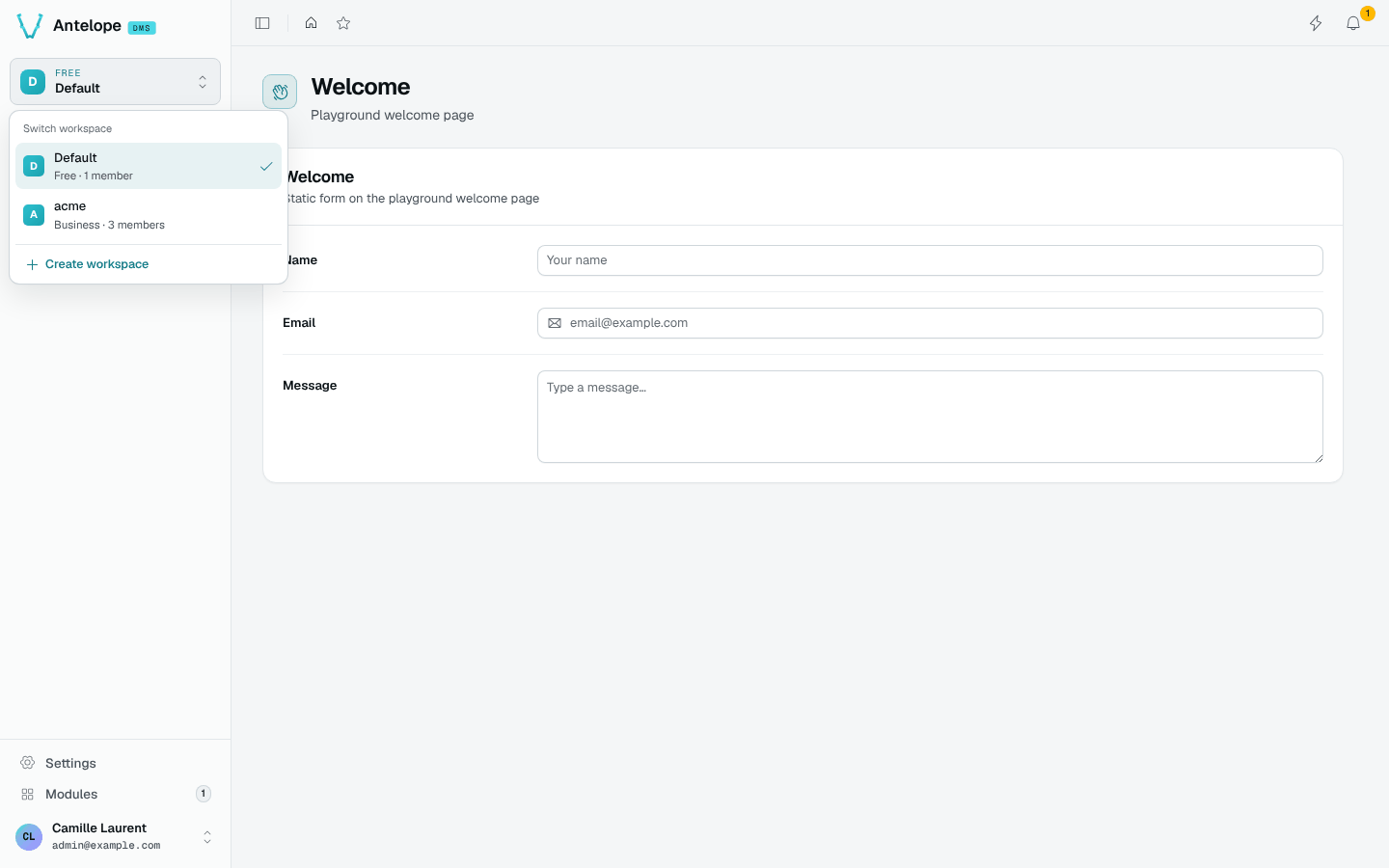
For a concrete comparison, follow Harbor Labs and Cedar Studio: the same signed-in account opens the same Members route and sees different rows. The guide includes the open switcher and both workspaces at desktop and narrow widths.
General
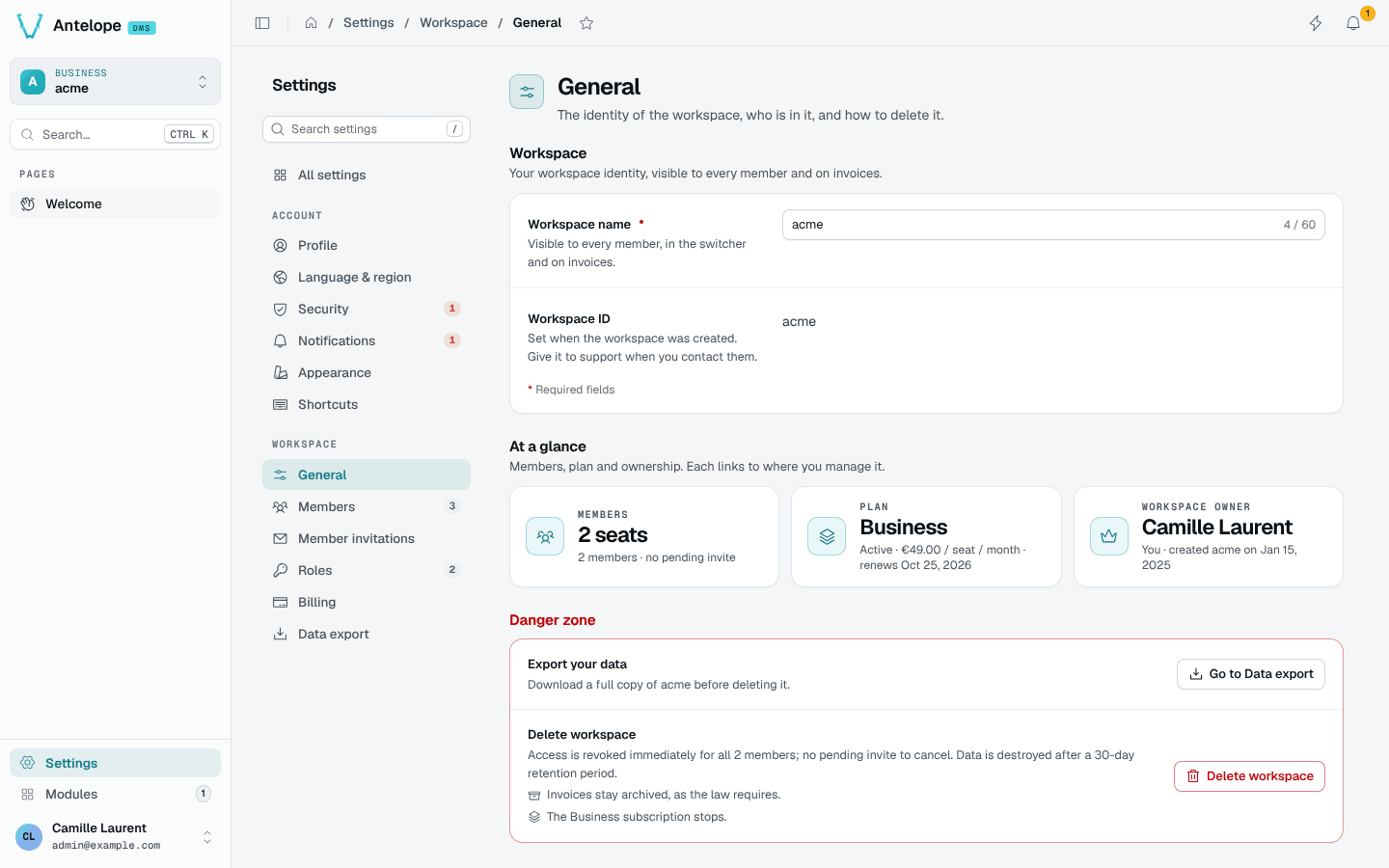
The workspace name and id, an At a glance row (seats, plan, owner) linking to where each is managed, and a danger zone: export the data first, then delete the workspace. Deletion revokes access at once; data is destroyed after the retention period set in Billing rules, and invoices stay archived.
Members and seats
The DMS Members page gains the seat count of the plan: members and pending invitations each take a seat; expired invitations and platform support members do not. When a workspace is over its plan's seats, members keep access and invitations wait until seats are freed or the plan changes.
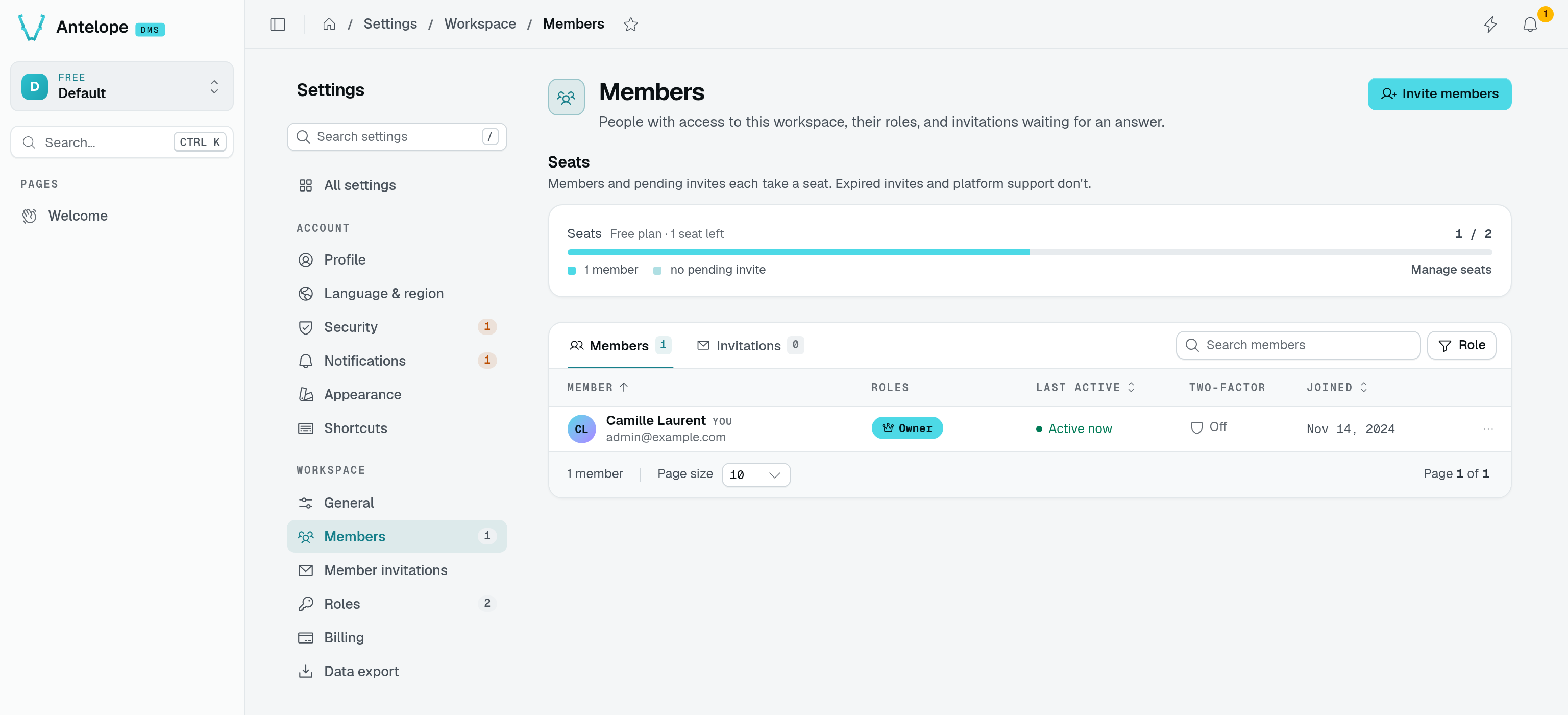
In this example, the owner uses one seat on a two-seat free plan. One pending invitation would use the remaining seat even before the invitee joins.
Billing
The Billing page gathers the current plan, the next invoice previewed by Stripe (tax included), the payment method, the billing information printed on invoices, the money-back guarantee when the refund policy allows one, and every invoice and credit note.
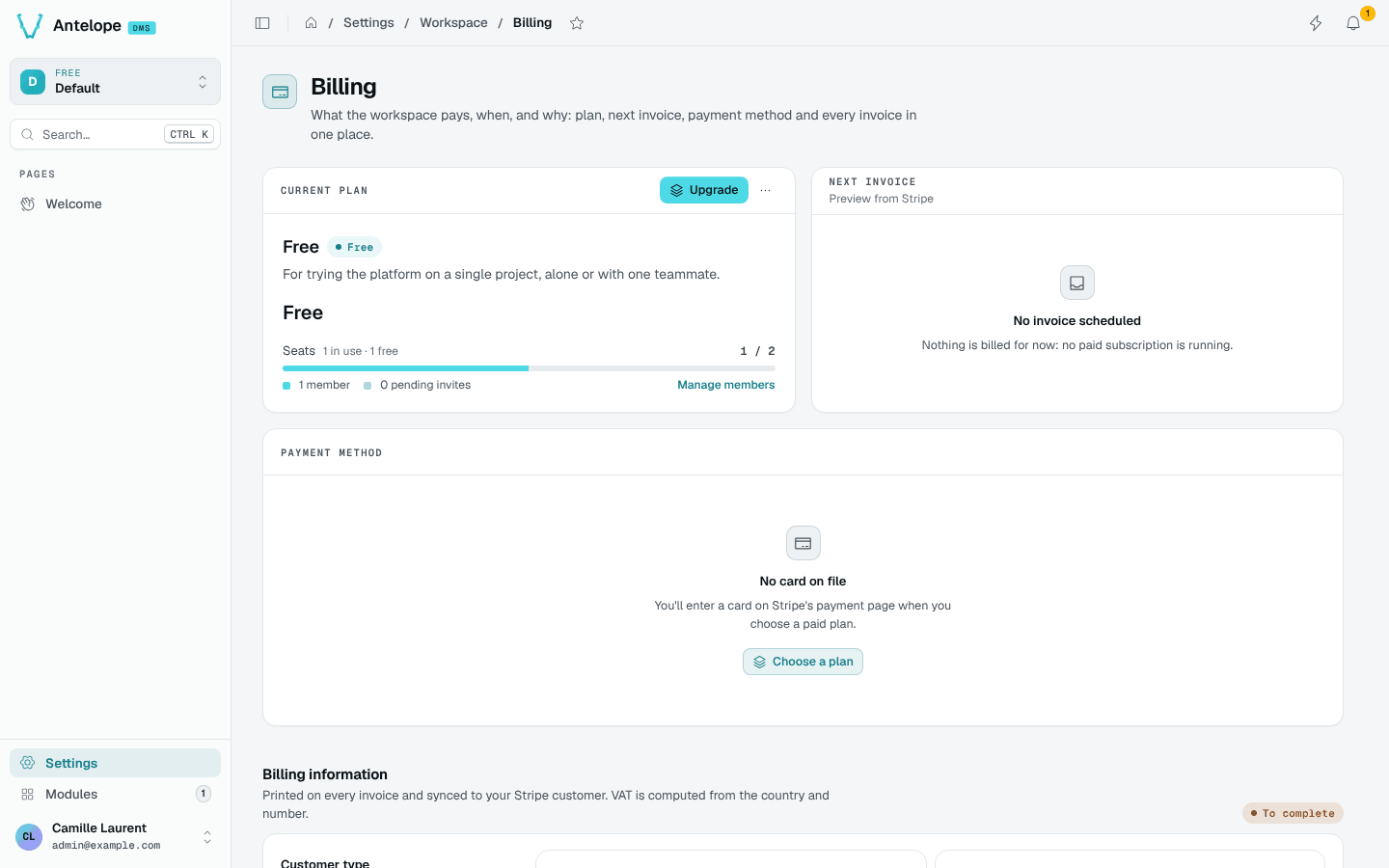
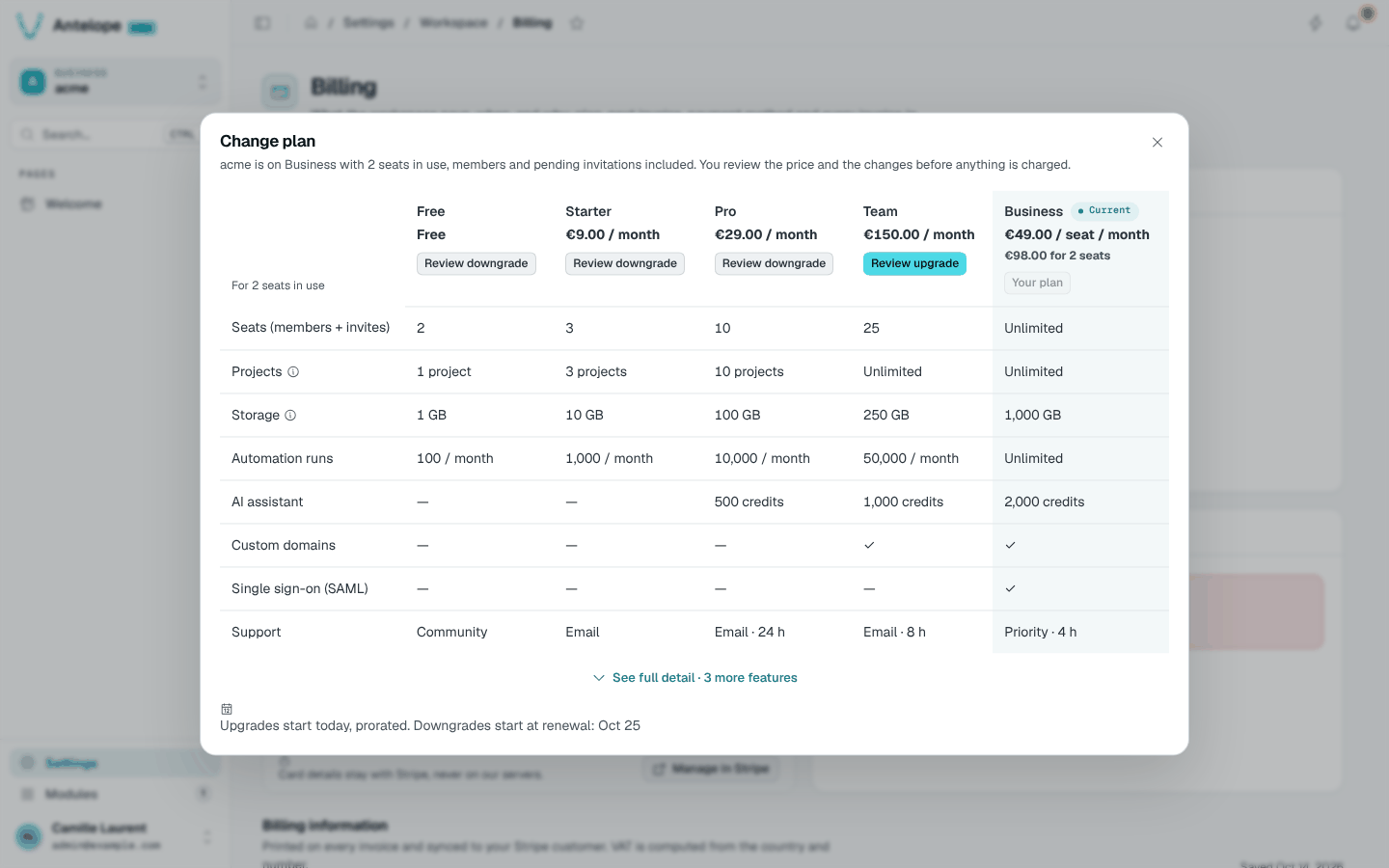
Change plan (or Upgrade) compares the plans side by side for the workspace's current seats. Upgrades start at once, prorated; downgrades start at renewal. Moving from a free plan to a paid one opens Stripe Checkout; see Starting a paid plan.
allowedRedirectHosts.Data export
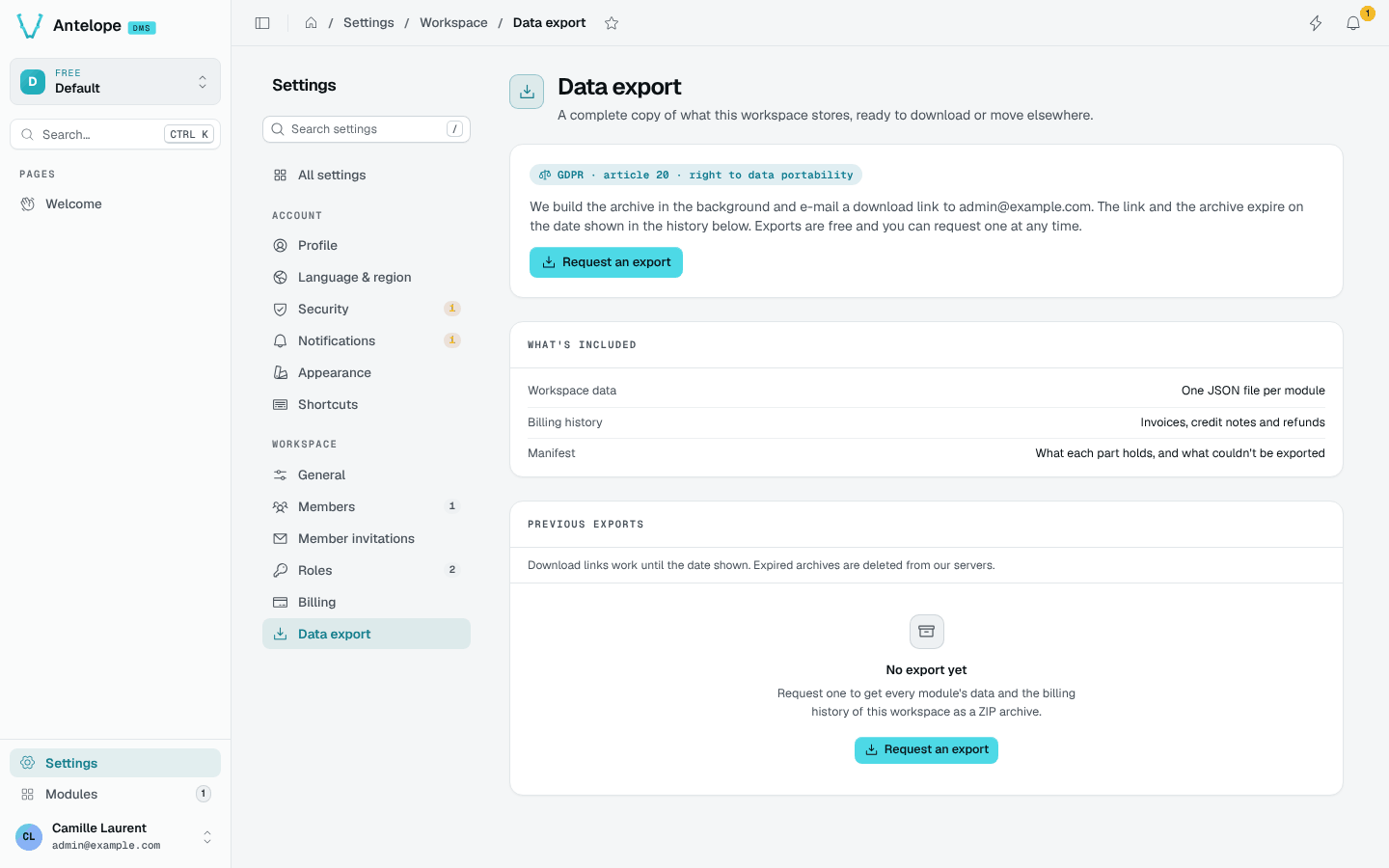
Owners request a complete copy of the workspace: one JSON file per module, the billing history, and a manifest. The archive is built in the background, and the download link is e-mailed; links and archives expire on the date shown in the history.