Plans and features
Plans
Catalogue › Plans shows the plans in the order customers see them on the pricing page, with their price, trial, audience, member limit, features, workspaces and MRR. Drag the cards to reorder them; the switch puts a plan on sale or takes it off.
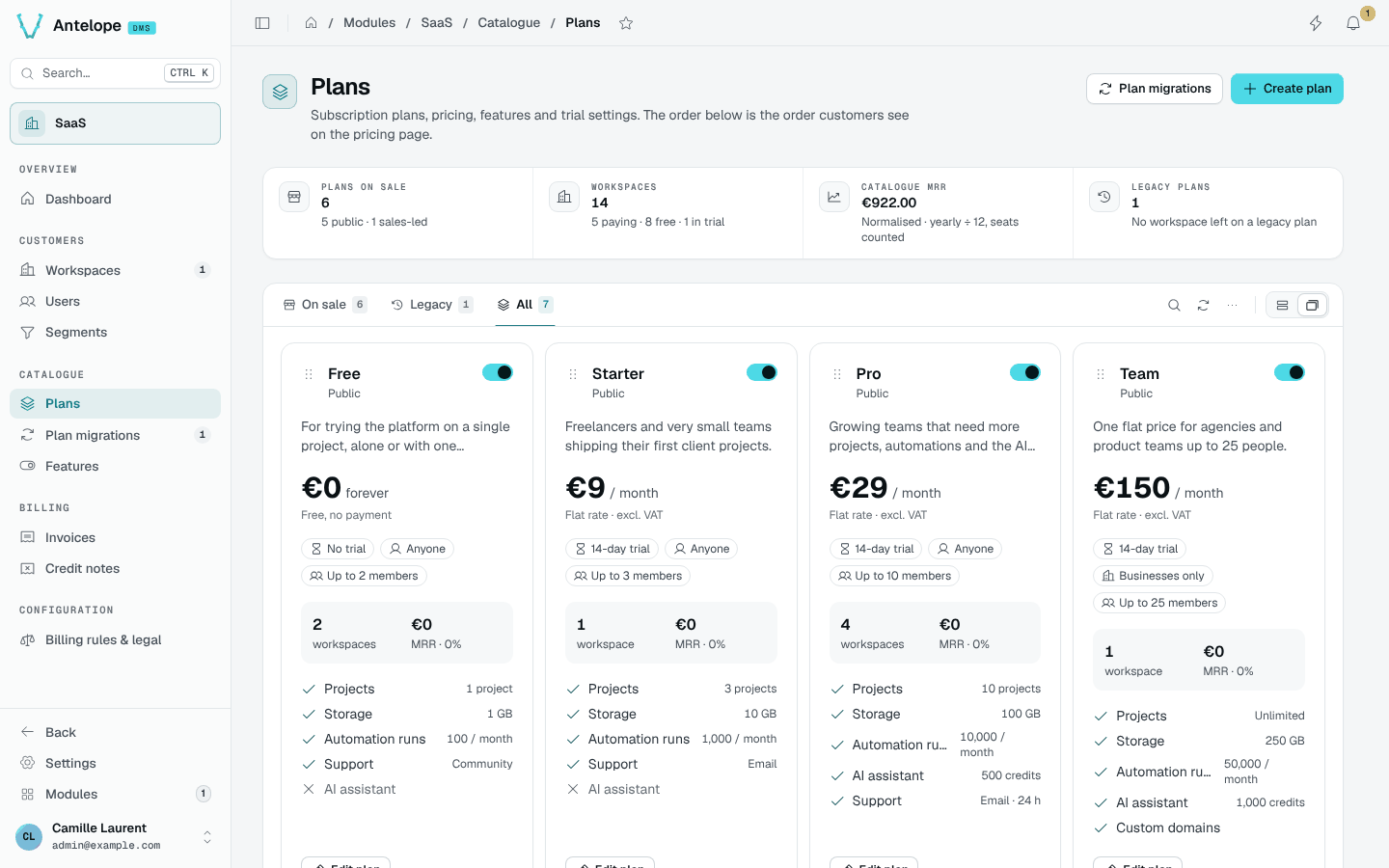
The tabs separate the plans on sale from legacy ones, which keep their workspaces but are no longer offered.
Plan editor
The editor groups a plan's settings in sections, with a live preview of its pricing card and its Stripe sync state:
- Identity: name, description, who can subscribe (anyone, individuals or businesses only).
- Pricing: price excluding tax, currency, billing interval, billing mode (flat rate, or per seat with prorated seat changes) and free trial days (no card needed during the trial).
- Access & features: the permissions the plan grants (ticking a node of the permission tree adds its descendants and ancestors) and the feature values shown to customers.
- Limits: the maximum members. Workspaces already above the cap keep everyone but cannot invite more.
- Visibility: on sale (when off, current customers stay but nobody new subscribes), public (listed on the pricing page; hidden plans are assigned by a platform admin), position, and an optional highlight badge such as "Popular".
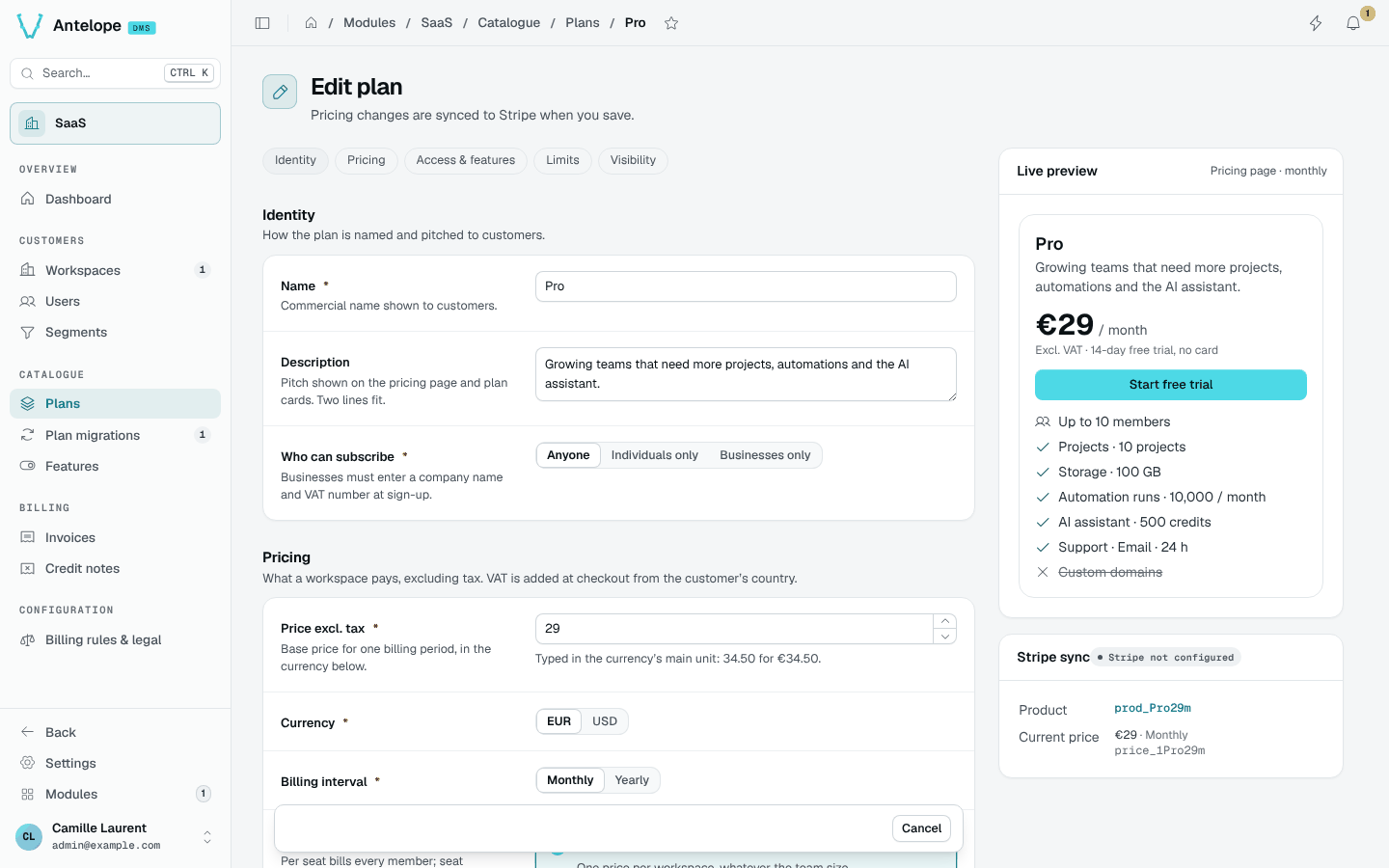
Saving a billed plan syncs it with Stripe: a changed price creates a new Stripe price and archives the previous one, and existing subscriptions stay on their price. See Plans and Stripe.
Features
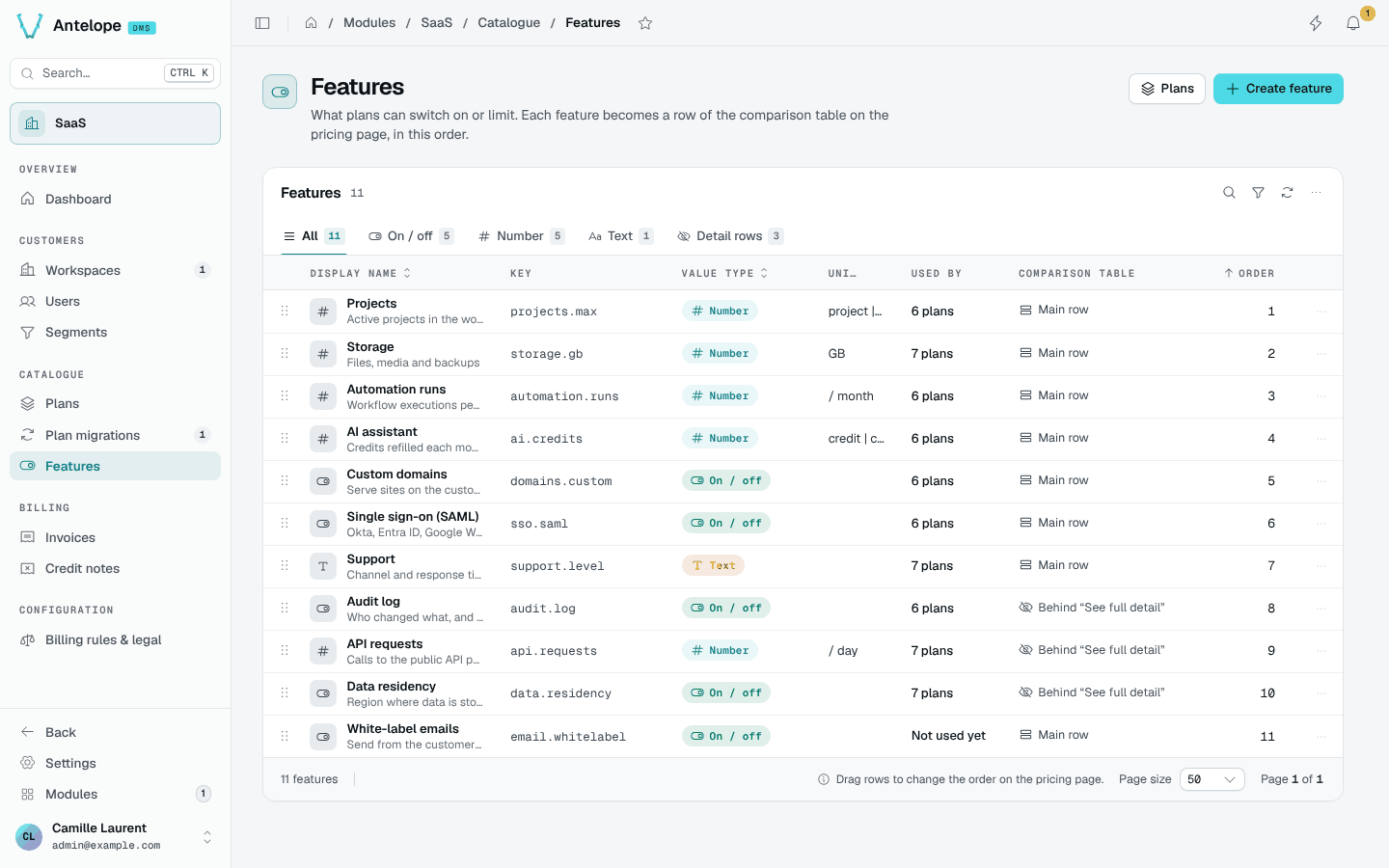
Catalogue › Features declares what plans can list: a label and tooltip per language, a value type (boolean, number, text) and a unit. -1 reads as unlimited, and known units such as bytes or minutes are scaled for reading. Modules can declare their own features and units; see Extending.
Plan migrations
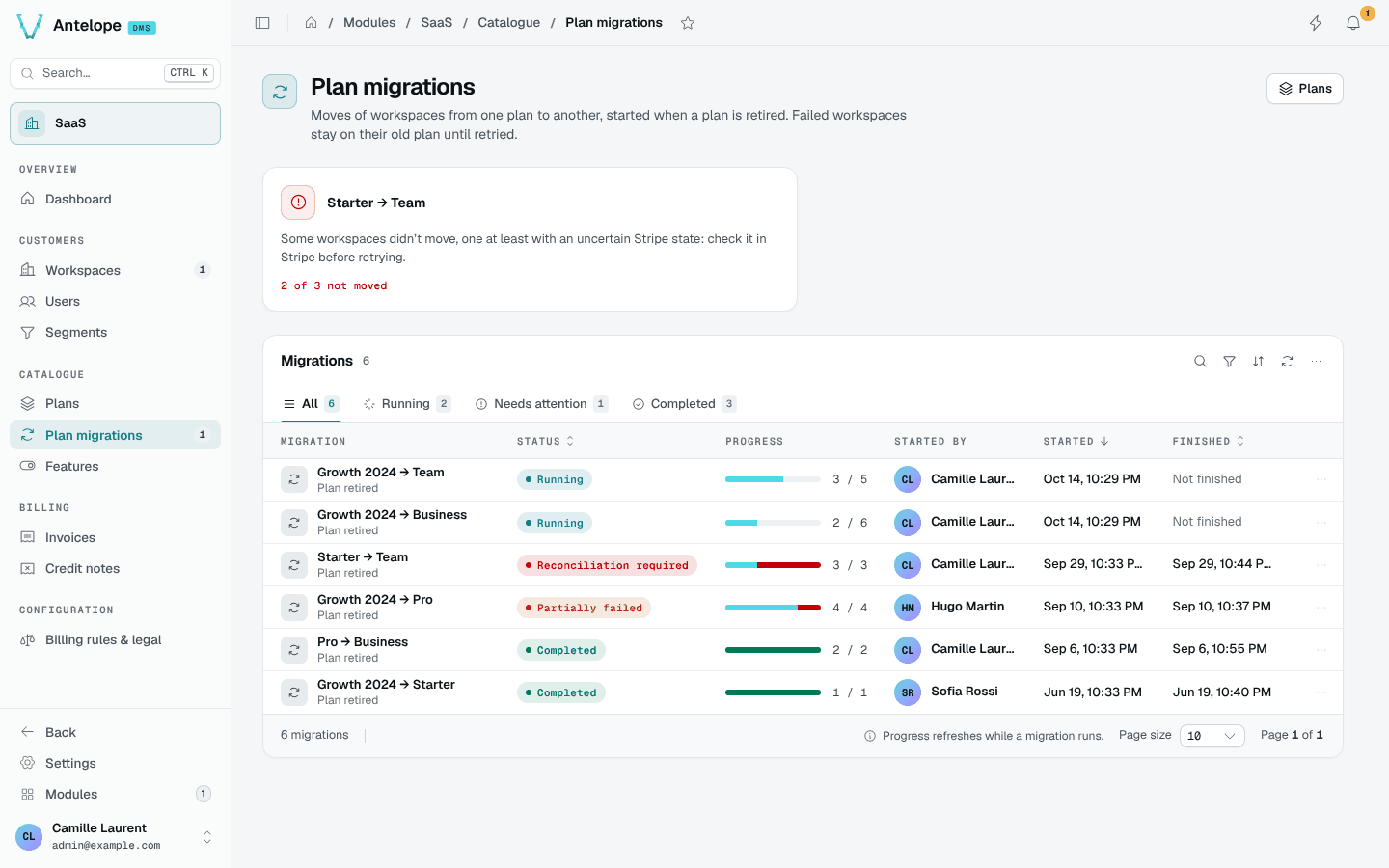
Catalogue › Plan migrations moves every workspace of one plan to another, for example to retire a plan. A migration captures the list of workspaces first, then records an outcome per workspace. An interrupted migration turns to reconciliation required rather than replaying effects; see Operations.
Completing the captured list does not retire or delete the source plan. New workspaces may have joined it after capture; retirement requires a separate procedure that prevents concurrent assignments.