Introduction
@antelopejs/dms-saas turns a multi-tenant DMS project into a product people can sign up for and pay. It adds public sign-up and pricing screens, a plan catalogue whose permissions cap what each workspace can do, Stripe subscriptions and invoices, workspace settings for customers, and a back office where the platform owner runs the business.
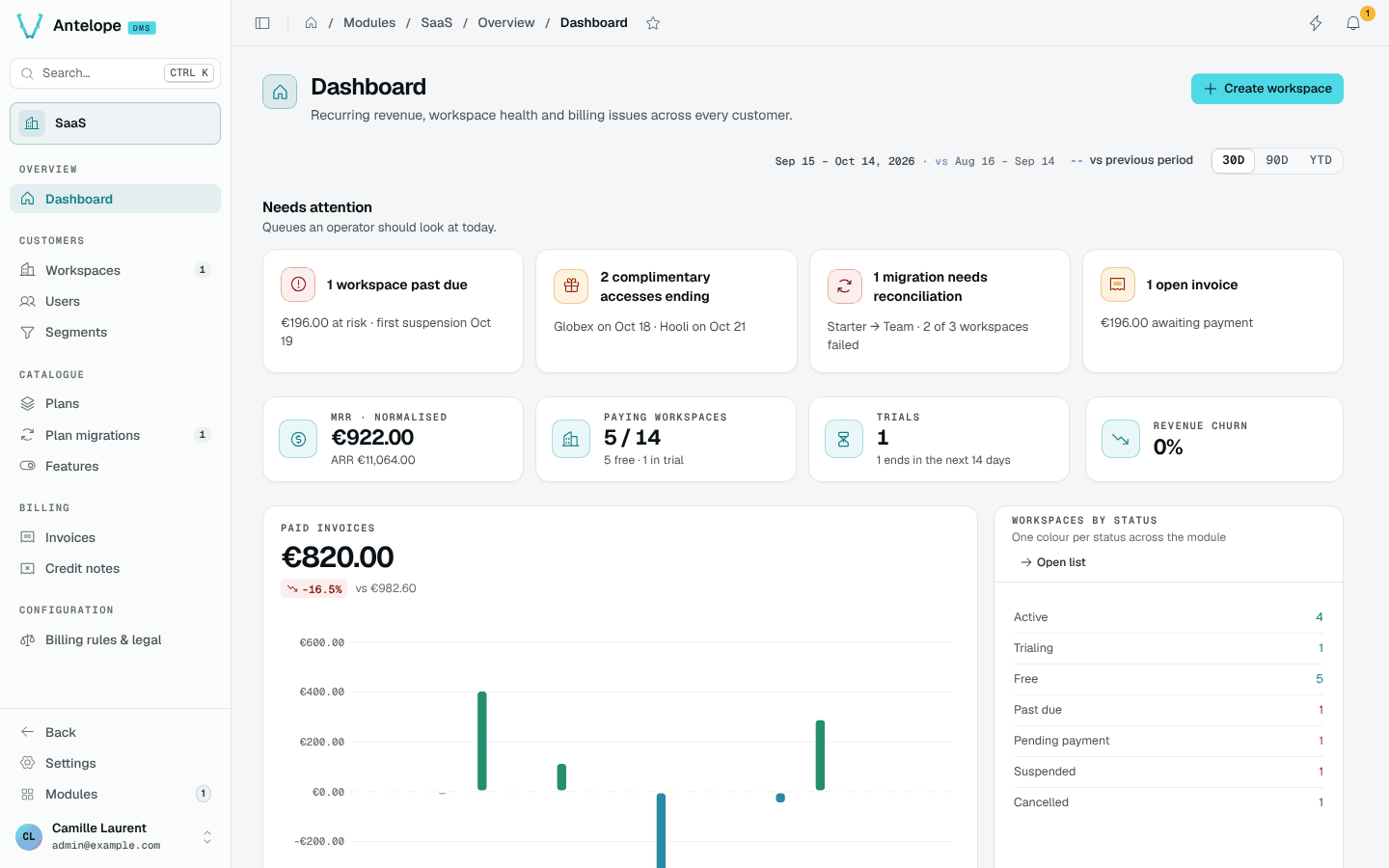
What it brings
Self-service sign-up
Pricing, registration with an optional card, legal pages, and a completion screen for OAuth sign-ins.
Plans that gate features
Plans list the permissions a workspace gets, with features, limits, trials and seat pricing.
Start with one free workspace
For a first integration, aim for this result: a visitor registers, lands in a workspace on your free plan, and sees the permissions that plan grants.
- Follow Installation, including the frontend finalize endpoint and an active free plan open to individuals.
- For a local trial without Stripe, set
registration.paymentMethod
to
none. Placeholder Stripe keys alone do not turn off the card step. - Register a test account at
/register, then open Settings › Workspace › Billing. The workspace should show the free plan, without a Stripe customer. - Add paid plans only after this works. Stripe explains checkout, webhook setup and price synchronization.
The playground already contains sample customers and billing records. It is useful for exploring screens, but its fake Stripe IDs do not prove a payment flow.
Who uses each surface
| Who | Where | What they do |
|---|---|---|
| Visitors | /pricing, /register, /auth, legal pages | Compare plans, create an account and its first workspace |
| Workspace owners and members | Settings › Workspace (General, Members, Billing, Data export) and the workspace switcher | Rename the workspace, manage seats, change plan, pay, export data |
| Platform owner | Modules › SaaS (/modules/saas/...) | Follow revenue, manage workspaces and plans, configure billing rules and legal documents |
How plans gate the product
Each workspace holds one subscription to a plan. A plan lists permission ids: the dms-saas.plan-intersection resolver keeps, for every member, only the permissions the plan grants, and gives the workspace owner every permission of the plan. A workspace never stays without a plan: the default free plan is attached to any workspace without a subscription. See Extending.