Suppression list
An address on the suppression list receives no e-mail from the workspace. Open it from Configure › Suppression list.
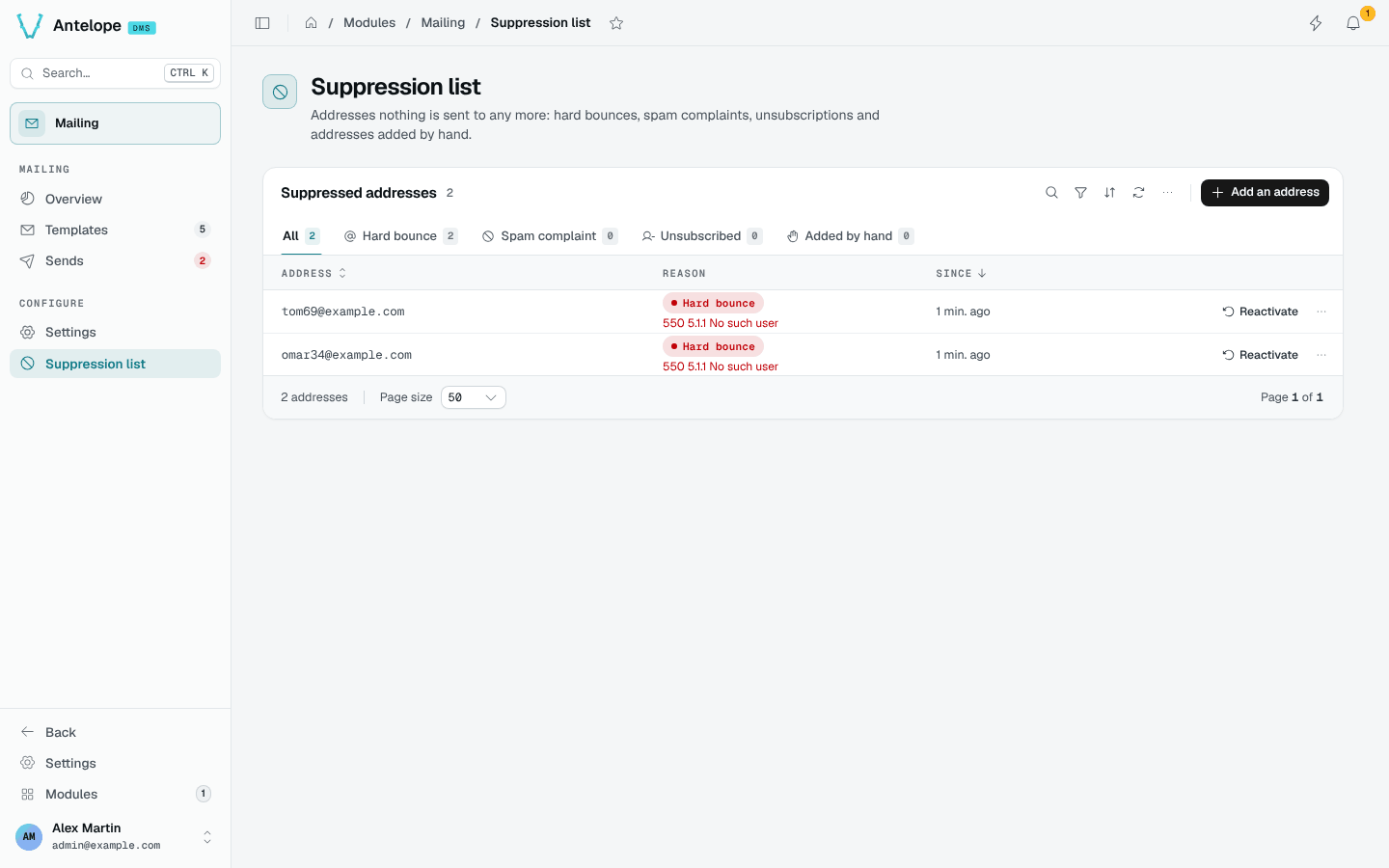
How an address gets on the list
- The provider reports a permanent bounce: a
bouncedevent that is not temporary (no4xx/4.x.xanswer, nosoftbounce type). - The provider reports a spam complaint (
spam) or an unsubscription (unsubscribed). - Someone adds it by hand, with an optional note.
A test send only adds its address on a permanent bounce: a spam report or an unsubscription on a test is the editor's own gesture.
What a suppressed address gets
Every send path checks the list: SendTemplate, the automation action, the real send dialog, Send again and Send to another address. A suppressed recipient is logged with the status suppressed (the Sends page has a tab for them, and the figures leave them out), and nothing reaches the provider.
A test send to your own address still goes out, with a warning; a test to any other suppressed address does not.
Manage the list
The tabs filter by reason: hard bounce, spam complaint, unsubscribed, added by hand. Add an address puts one on the list; Reactivate lifts it, and the next send reaches it again.
The same operations are available over HTTP: POST /api/mailing/suppressions with { "email", "note"? } (409 when the address is already listed) and DELETE /api/mailing/suppressions/:id. The workspace data export carries the list as suppressions.json.