Introduction
@antelopejs/dms-mailing gives your workspace a home for its e-mails. You design templates in a block editor, publish them as versions, and your code sends them by slug. Every send lands in a log with what the provider reported back, and an overview turns those events into delivery and engagement figures.
Send your first test email
After installation, create a template from the Order confirmation starter. Open its editor, switch from Variables to Data, and check the rendered subject and order details. Use Test with an inbox you control; in the playground, use the Ethereal inbox instead of real customer addresses.
The test uses the draft, adds [TEST] to the subject and appears in Sends
without changing production metrics. Publishing is a separate step: it makes
that version available to SendTemplate.
A successful provider handoff is not proof of delivery; delivery and engagement
come from provider events.
What it brings
Block editor
Headings, paragraphs, lists, totals, buttons, conditions and a footer, with typed variables and live test data.
Drafts and versions
Edits stay in draft. Publishing creates the next version, which is what customers receive.
Send log
Every e-mail, its data, its version, its locale and the provider's timeline, with "send again" and "fix the address".
Delivery health
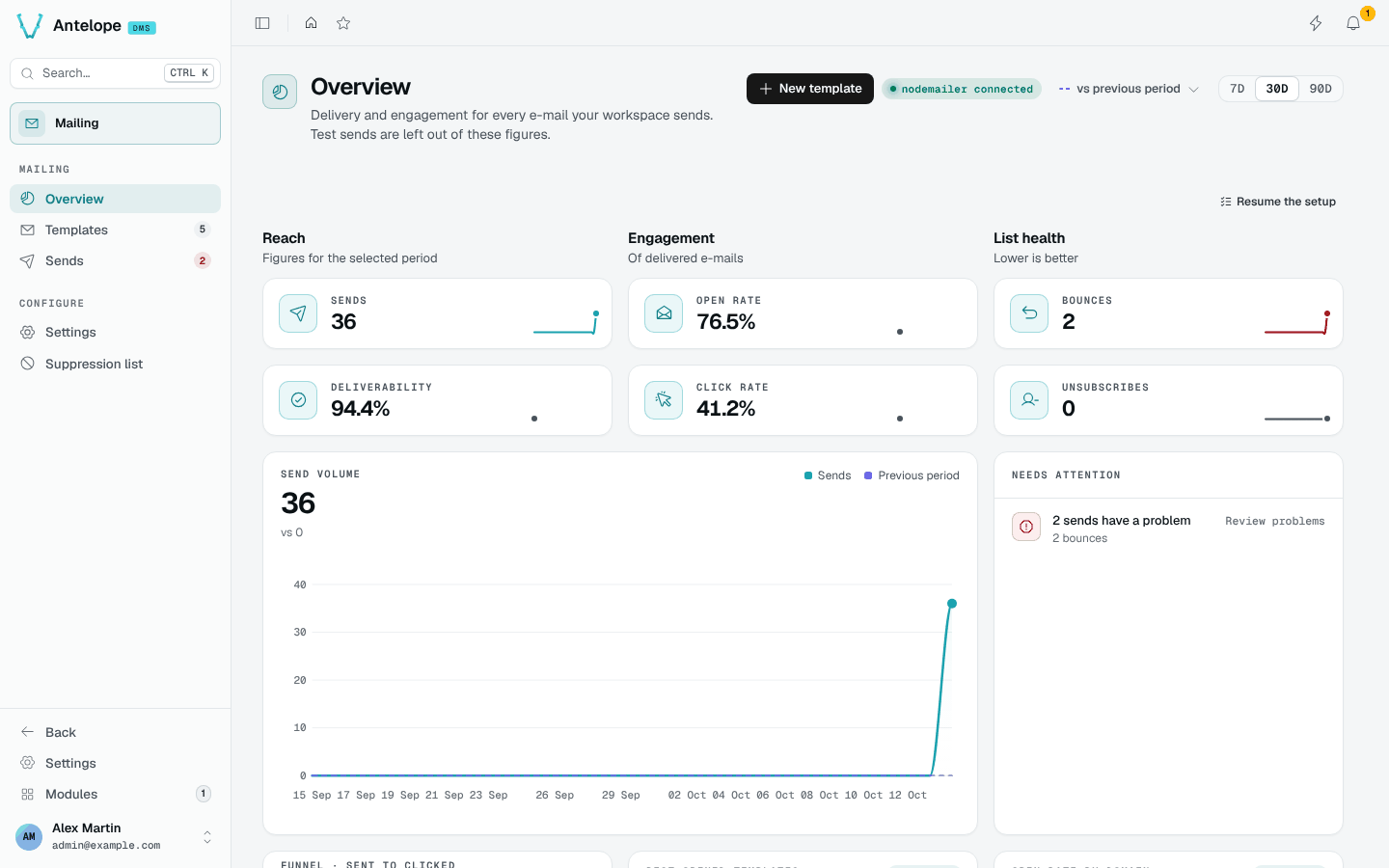
Deliverability, open and click rates, a funnel, a suppression list and a provider webhook.
How it fits together
- Your code, an automation or the dashboard asks for a template by its slug, with recipients and data.
- The module renders the published version in the recipient's locale and hands it to the e-mail provider.
- The provider reports deliveries, opens, clicks and bounces to the module's webhook.
- The overview, the send log and the suppression list update in real time.
- Templates and sends are stored per workspace (tenant) in the module's own tables.
- E-mails render through the DMS html-render chain, so they share the DMS e-mail branding, and go out through whichever module implements
@antelopejs/interface-email(for example@antelopejs/nodemailer). - Other modules call it through
@antelopejs/interface-dms-mailing:SendTemplateandRecordEmailEvent.
Where it lives in the dashboard
The module registers under /modules/mailing, reserved to the platform owner like every DMS module:
| Group | Page | What you do there |
|---|---|---|
| Mailing | Overview | Read delivery and engagement figures, and what needs attention |
| Mailing | Templates | Browse, create, duplicate and archive templates |
| Mailing | Editor | Design a template, test it, publish it |
| Mailing | Sends | Follow every e-mail sent and fix problems |
| Configure | Settings | Sender, delivery guards, provider webhook, retention, categories |
| Configure | Suppression list | Addresses that receive nothing any more |