Editor
The editor is a three-pane page at /modules/mailing/templates/<id>. The breadcrumb reads Mailing › Templates › template name.
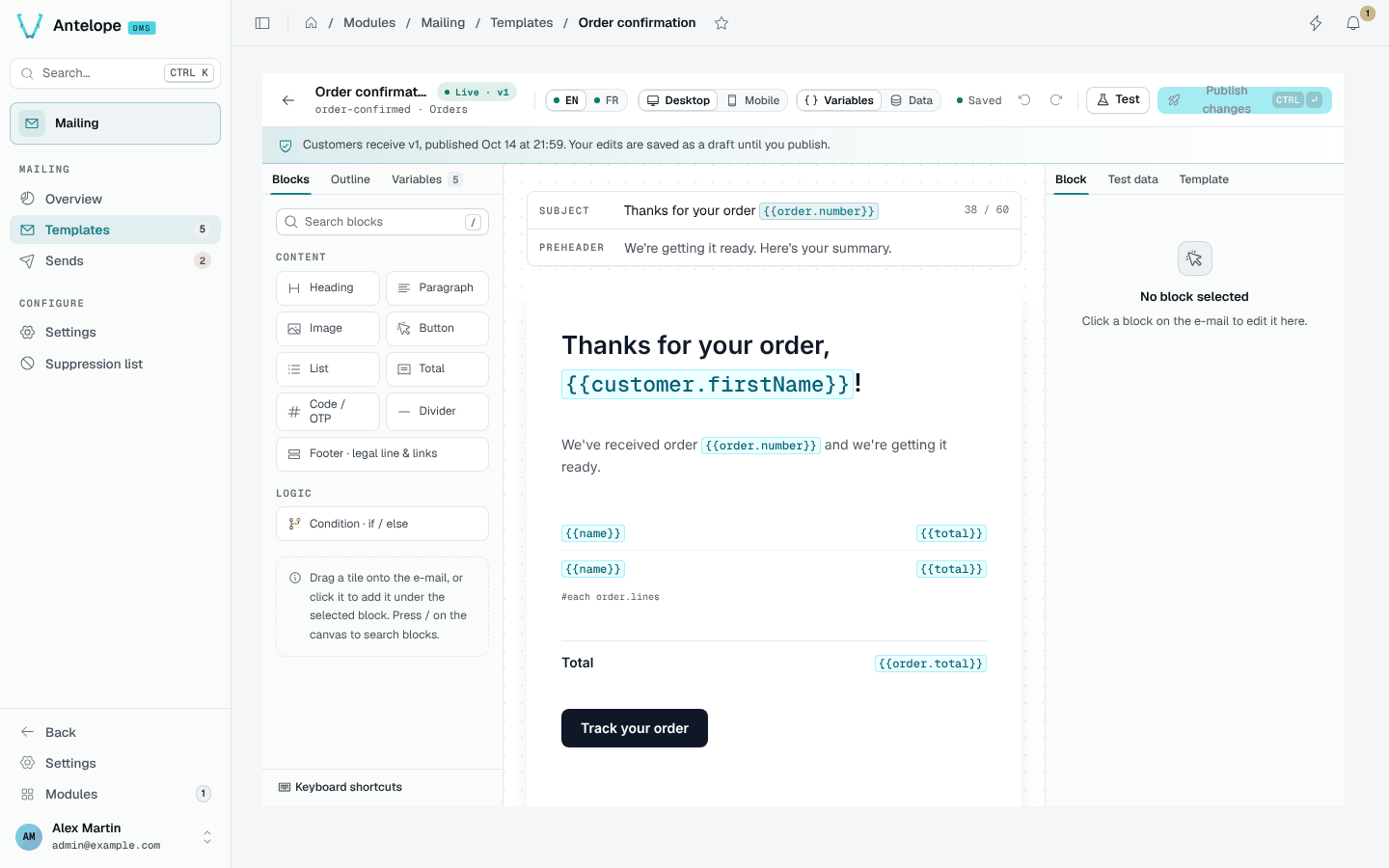
Layout
- Left: Blocks to drag or click onto the e-mail, the Outline of the e-mail, and the Variables the template declares.
- Centre: the subject and preheader rows, then the e-mail with insert points between blocks.
- Right: the inspector of the selected Block, the Test data, and the Template properties.
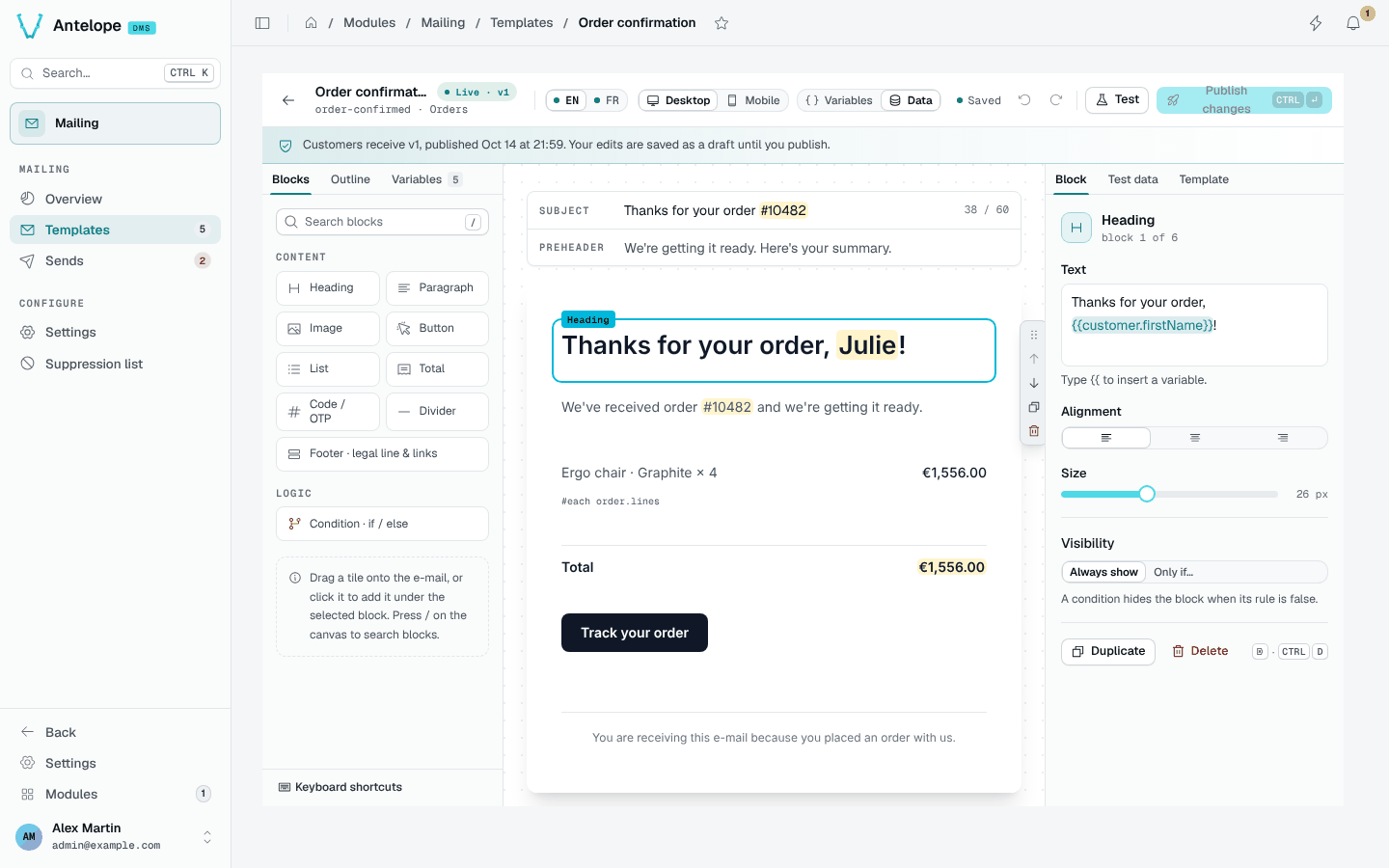
- Toolbar: locale switch (a dot marks a missing locale), Desktop / Mobile, Variables | Data to show tokens or the test data, save state, undo and redo, Test and Publish changes.
Blocks
| Block | Use |
|---|---|
| Heading, Paragraph | Text with alignment (and size for headings) |
| Image | A hero image with its alternative text |
| Button | A call to action with its link |
| List | One row per item of an array variable (#each order.lines), with a label and a value path |
| Total | A label and a value, such as the order total |
| Code / OTP | A code to copy, such as a one-time password |
| Divider | A separator |
| Footer | The legal line, and optional unsubscribe and preferences links |
| Condition | An if / else group shown when a rule on a variable holds |
Every block also has a Visibility rule: always shown, or only if a variable is truthy, falsy, equal, different, greater or lower than a value.
Variables
Type {{ in a text field to insert a declared variable, such as {{customer.firstName}}. Variables have a type (string, text, number, money, date, url, boolean, array) and can be required. An undeclared path is flagged, with a one-click Declare.
The footer's unsubscribe and preferences links declare the unsubscribeUrl and preferencesUrl system variables, required in the marketing category. Your code passes them at send time; a link without its URL is left out.
Draft, test, publish
The draft autosaves. A notice reminds you which version customers receive; Discard draft drops your changes.
- Test sends the draft to up to 5 addresses (yourself by default), in a locale, with the test data. The subject starts with
[TEST]and the send stays out of the figures. - Publish changes reviews the changes per locale and the failed checks, then creates the next version. Real sends always use the published version.
- The version history restores an earlier version into the draft.
Keyboard shortcuts
| Shortcut | Action |
|---|---|
⌘ S / Ctrl S | Save the draft now |
⌘ Enter / Ctrl Enter | Publish |
T | Send a test |
/ | Search blocks |
Backspace | Delete the selected block |
⌘ D / Ctrl D | Duplicate the selected block |
⌘ Z, ⌘ Shift Z | Undo, redo |
Escape | Deselect, then back to Templates |