Workspace settings
Workspace settings gather everything about one workspace. Open them from Manage › Workspace settings or from Settings on a workspace card. Changes save as soon as you make them.
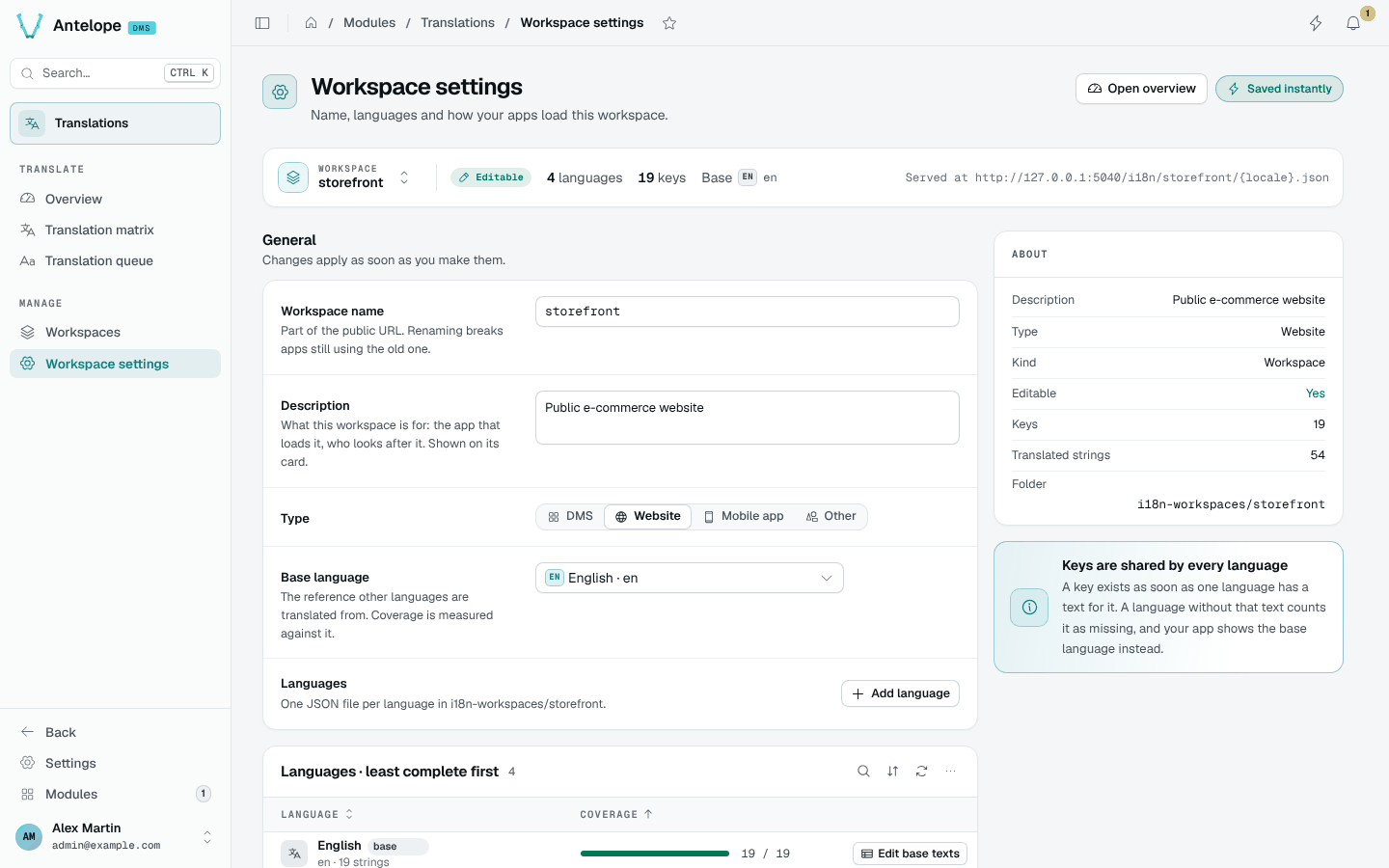
General
- Workspace name: part of the public URL. Renaming checks availability live and previews the URL before and after; apps still using the old URL break.
- Description and Type: shown on the workspace card.
- Base language: the reference other languages are translated from. Coverage is measured against it.
- Languages: one JSON file per language. Add language opens a searchable picker of native language names; any BCP 47 code typed in the search can be added.
Use in your app
For a workspace you created, the Use in your app card gives the public URL and ready-to-paste snippets for vue-i18n, i18next, fetch and curl. The snippets load the base language, the language and the region variant, so fr-BE falls back to fr, then to the base.
const response = await fetch("https://api.example.com/i18n/storefront/fr.json");
if (!response.ok) throw new Error(`Locale request failed: ${response.status}`);
const messages = await response.json();
This short fetch reads French only. It does not implement the fallback chain; use the generated vue-i18n or i18next setup when your app needs regional and base-language fallback.
Messages use the vue-i18n format: {name} placeholders, plurals written one | many, and a literal @ escaped as {'@'}.
Danger zone
Rename and Delete list what they affect (files and translated strings) and ask you to type the workspace name. Download backup saves every language of the workspace as one JSON file you can import later.