Translation
Translation queue
Translate one language one key at a time, with context and keyboard shortcuts.
The queue is the fastest way to finish a language. It shows one key at a time, least complete namespace first. Open it from Translate › Translation queue, from Translate on a language row, or with ?locale=<code> in the URL.
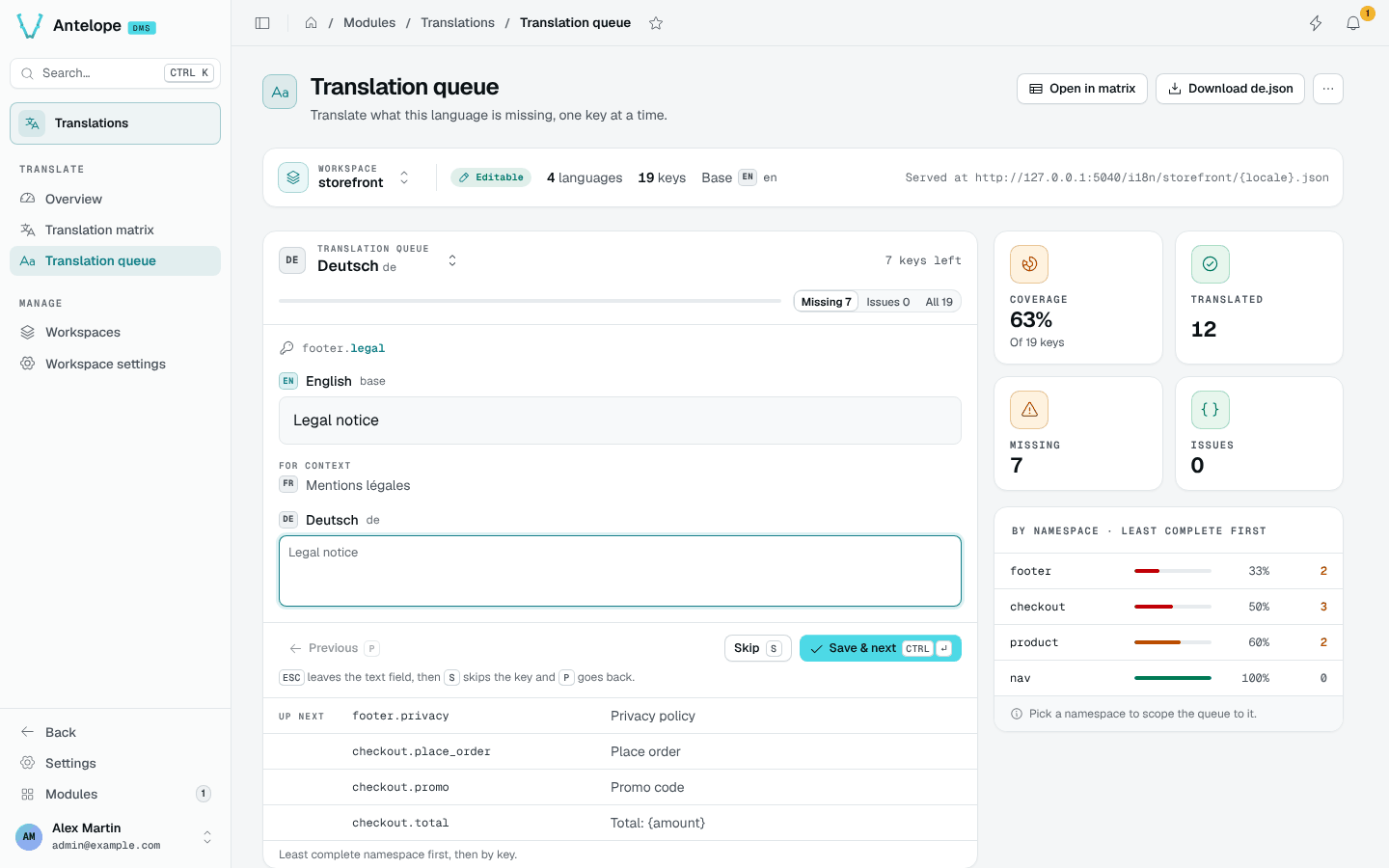
Translate a key
For each key, the queue shows the base text, the other languages for context and a text field for the language you translate.
| Shortcut | Action |
|---|---|
Ctrl Enter / ⌘ Enter | Save and move to the next key |
Escape, then S | Skip the key |
Escape, then P | Go back to the previous key |
The Missing, Issues and All tabs choose which keys the queue walks through. Up next lists the following keys.
Side panel
The stat cards give the language's coverage, translated keys, missing keys and placeholder issues. The By namespace list ranks the namespaces least complete first; pick one to scope the queue to it.
Header actions
- Open in matrix opens the matrix filtered on the keys missing in this language.
- Download
<code>.jsondownloads the language's messages. - The overflow menu makes the language the base or removes it. Removal asks you to type the language code.