Introduction
@antelopejs/dms-lang adds a translation workspace to the AntelopeJS DMS. It reads every locale file the dashboard loads, shows how complete each language is, and lets your team fill the gaps in a matrix or one key at a time. It also hosts translation files for your other apps (a website, a mobile app) and serves them as public JSON.
Publish one translated message
After installation, enable editing in your
development environment and create a workspace named storefront, with en as
its base language. Add fr, then add the key checkout.pay with the English
text Pay now. In the French cell, enter Payer maintenant and save.
Your app can now read /i18n/storefront/fr.json from the configured public
origin. The response contains {"checkout":{"pay":"Payer maintenant"}} for
that key. Load a workspace in another app
shows the request and explains fallback for missing translations.
These files are public. Use them for interface text, never secrets or private customer content. A Lang workspace is a set of translation files, not a SaaS customer workspace.
What it brings
Coverage at a glance
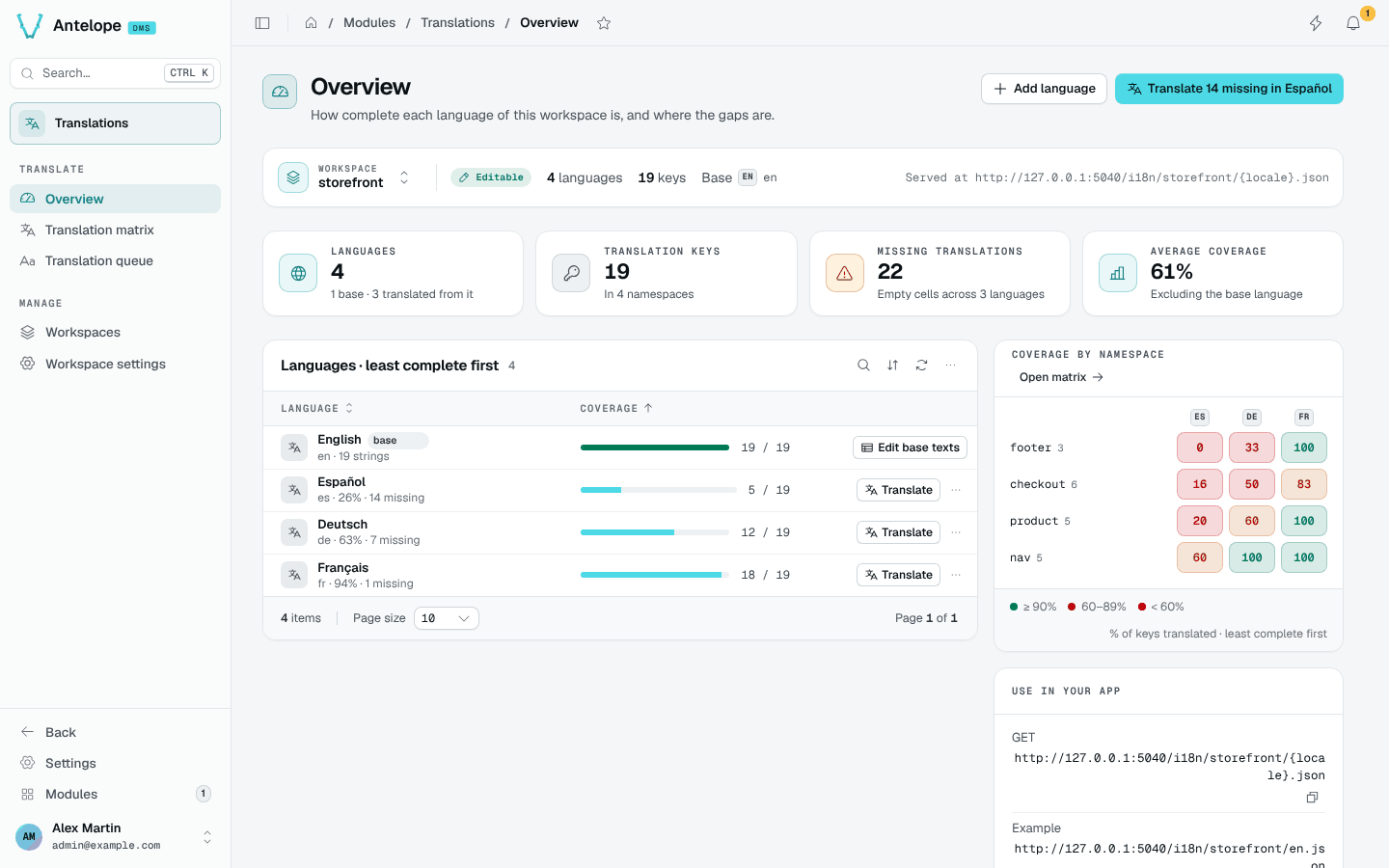
KPIs, languages ranked least complete first and a namespace × language heatmap show where the gaps are.
Translation matrix
Every key side by side across languages, with inline editing, placeholder checks, filters and CSV export.
Translation queue
One language, one key at a time, with the base text, the other languages for context and keyboard shortcuts.
Workspaces for your apps
Separate sets of translation files for other apps, served publicly at /i18n/<workspace>/<locale>.json.
Three kinds of workspace
A workspace is one set of translation files. Every page of the module works on the workspace named in its scope bar, and keeps it in the URL (?workspace=), so a link or a refresh lands on the same one.
| Workspace | Id | Editable | Where the files live |
|---|---|---|---|
| Project files | default | Yes, when editable is on | The i18n/locales/<name>-<xx-XX>.json files of your project's frontend module |
| Installed modules | modules | No, override a key to change it | The locale files shipped by the DMS and its modules |
| Workspaces you create | Any name you choose | Yes, when editable is on | The module's i18n-workspaces/<name> folder, served publicly |
Where it lives in the dashboard
The module registers under /modules/lang with two sidebar groups:
- Translate: Overview, Translation matrix and Translation queue.
- Manage: Workspaces and Workspace settings.
The command palette (Ctrl K) also offers Translate missing keys, Add a translation key, Add a language and New translation workspace.