Automation
Run history and trace
Browse every run, open one to see its failure, path, payload and logs, re-run it, and read its trace step by step.
Run history
The Run history (/modules/automation/runs) lists every run of every procedure, grouped by day, with the period's KPIs.
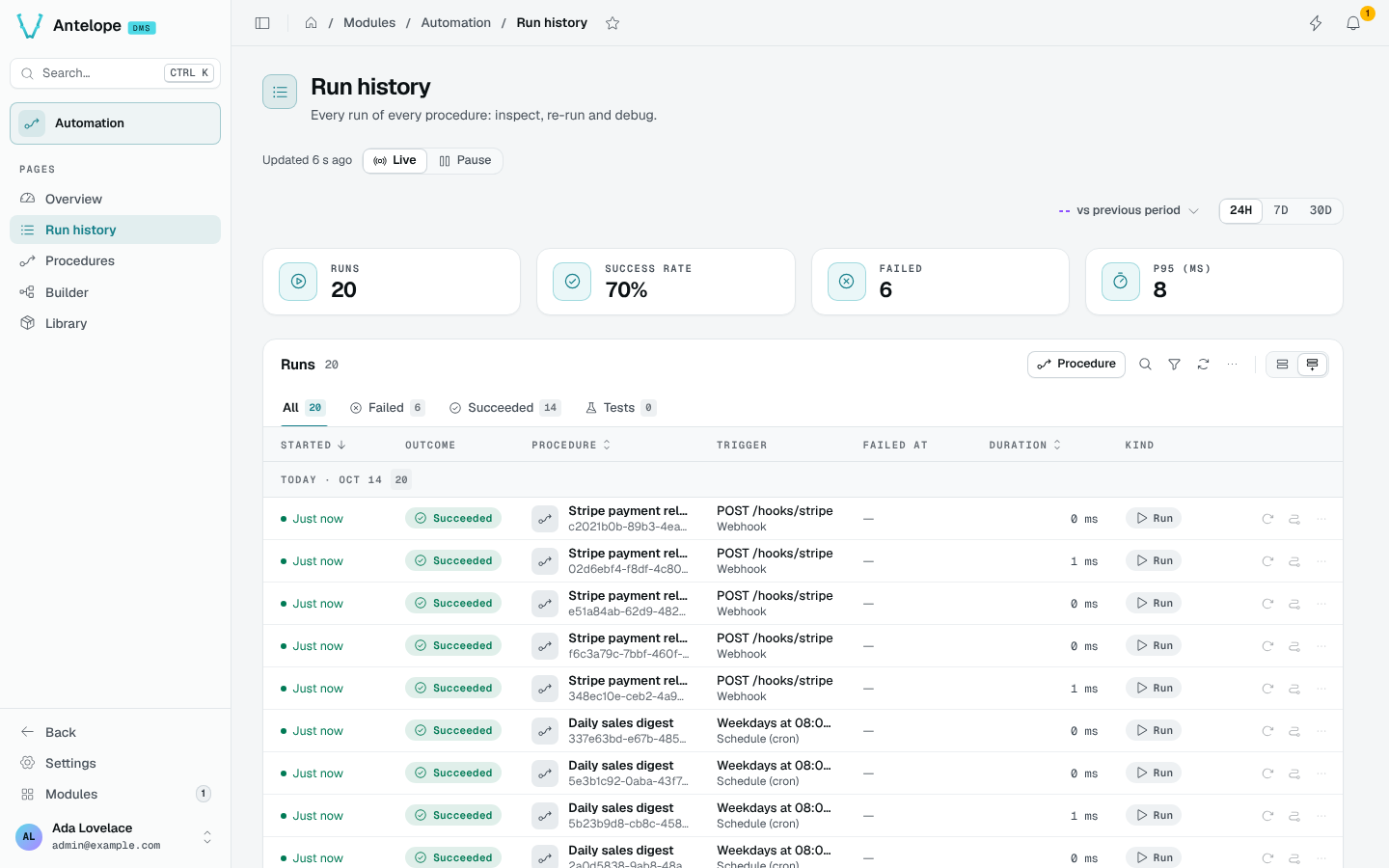
- The tabs filter on Failed, Succeeded and Tests; Procedure and the filters narrow the list.
- Each row shows the outcome, the procedure, the trigger, the step it failed at, the duration and the kind of run.
- One click opens a run in the side panel: its failure, the path taken, the payload and the log.
JandKstep through the runs. - Re-run executes the procedure's current saved graph with the original run's trigger and stored payload, not a historical copy of the graph.
- A run is Cancelled when a module one of its steps belongs to stopped or reloaded while it ran. It is not a failure of the procedure: the health figures leave it out, and the Status filter lists these runs.
Before re-running, check the saved procedure and whether repeating its actions is safe. A re-run can send another email or repeat a write. If the original trigger has been removed, the re-run is refused.
A run keeps the request it received with credentials replaced by
[redacted] (see runs.sensitiveNames in Configuration). A re-run therefore sends [redacted] in their place, and its confirmation says so.Run trace
The trace of a run (/modules/automation/trace?run=<runId>) is linkable, so a notification or a ticket can point at it.
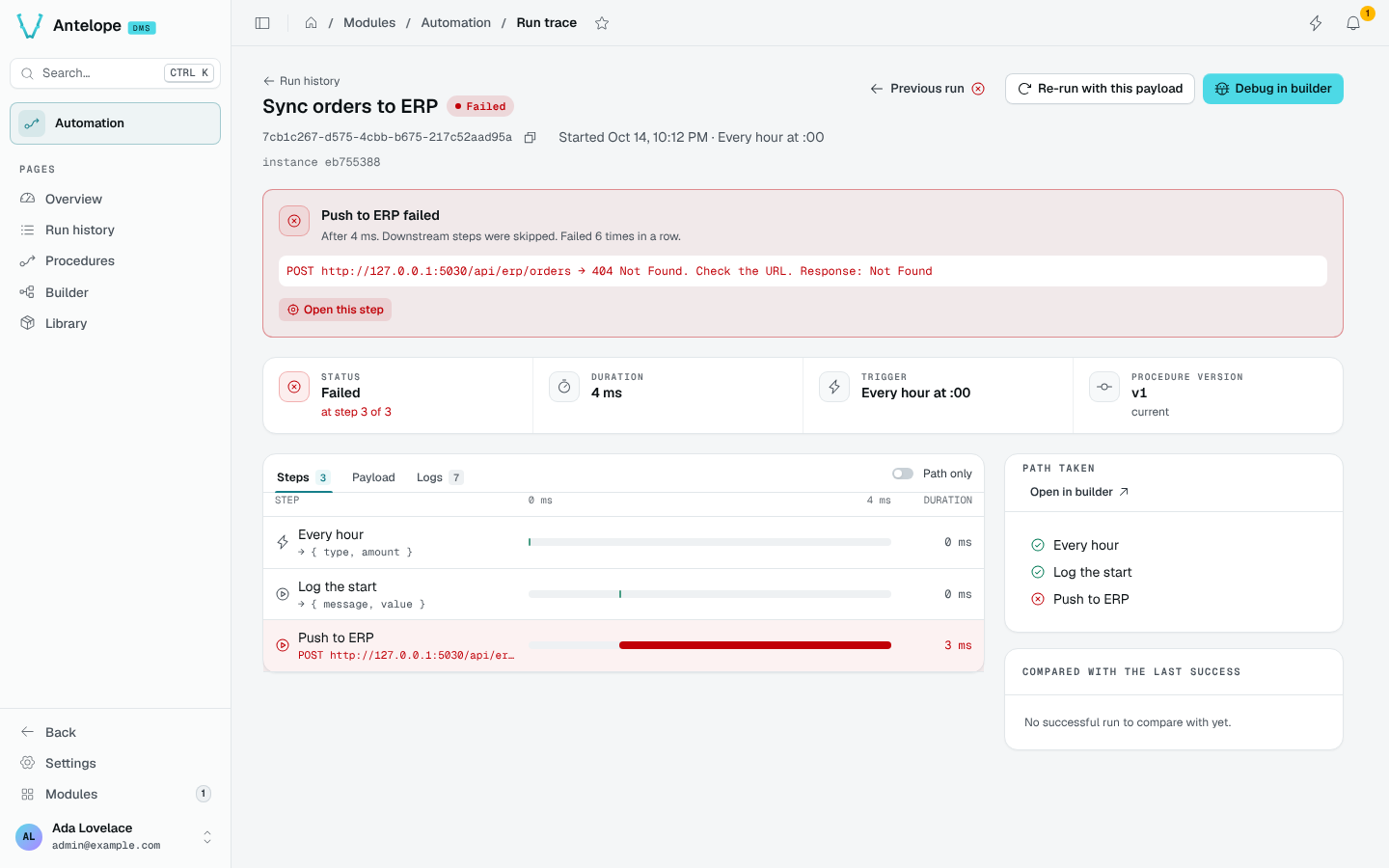
- The failure card names the step that failed, after how long, how many times in a row, and its error. Open this step selects it.
- Steps lays every step on a time line with its output; Payload shows what the trigger received; Logs shows what each step logged.
- Path taken lists the steps the run went through; Open in builder shows the path on the graph.
- Compared with the last success shows what differs from the last run that succeeded.
- Previous run, Re-run with this payload and Debug in builder are in the header.