Automation
Procedures
List every procedure with its state, what starts it, its last runs and success rate; create, import, pause and duplicate them.
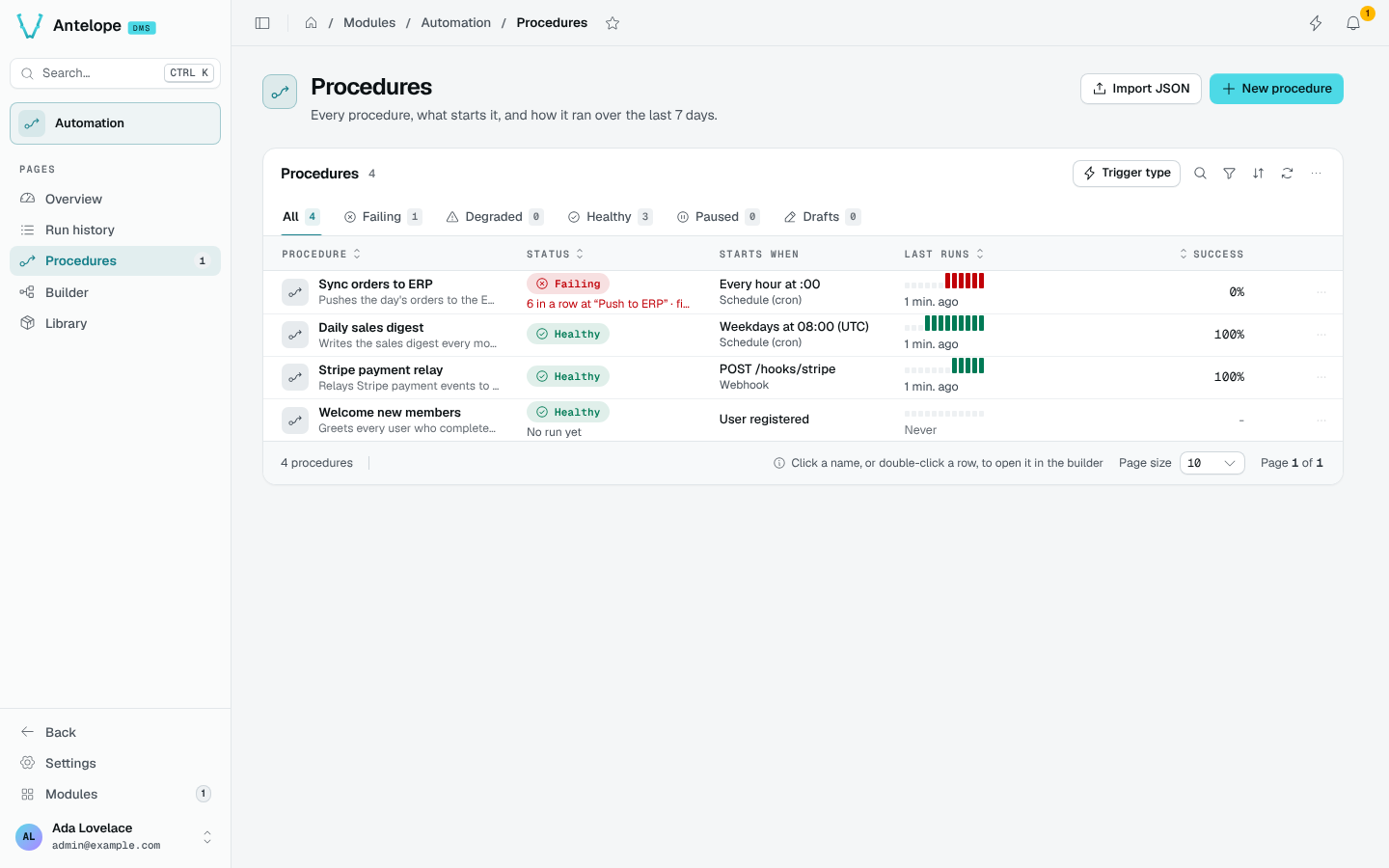
The Procedures page (/modules/automation/procedures) lists every procedure, what starts it, and how it ran over the last 7 days.
States
| State | Meaning |
|---|---|
| Failing | Its last run failed, or its trigger cannot be armed (an invalid schedule, a webhook path already taken). The reason shows under the state. |
| Degraded | Runs failed in the last 7 days, but the last one succeeded. |
| Healthy | No failure in the last 7 days. |
| Paused | The procedure is disabled. |
| Draft | It has no trigger, or was never enabled nor run. |
Test runs from the builder have a trace but never count in these states. The tabs filter by state, with their counts; Trigger type, search and filters narrow the list further.
Columns
- Starts when describes the trigger in words: Every hour at :00, Weekdays at 08:00 (UTC), POST /hooks/stripe, User registered.
- Last runs draws the last 12 runs, green or red, with the time of the last one.
- Success is the share of successful runs.
Click a name, or double-click a row, to open the procedure in the Builder. The row menu runs it now, pauses or resumes it, opens its last run or all its runs, and duplicates it (a disabled copy, its webhooks moved to free paths).
Create or import
- New procedure asks for a name and a starter trigger, then opens the builder.
- Import JSON takes a procedure exported from the builder (Export JSON) and creates it as a disabled draft, listing any problem in its graph.
Deleting a procedure (from the builder's menu) deletes its graph for good. Export JSON from the builder first to keep a copy. Its run history stays until retention removes it.