Builder
The Builder (/modules/automation/builder?selected=<procedureId>) is the graph editor of a procedure.
Try a two-step procedure
Start with a new procedure containing only a Manual trigger and a Log action:
- Add the two nodes from the palette. Connect the trigger's right execution handle to the Log action's left handle.
- Select Log. In its settings, set
messagetoHello from my first procedureand leavelevelatinfo. - Set Test payload to
{}and choose Test run. Open the trace and look for your message in Logs. - Save the graph, then choose Run now to execute the saved version.
This example writes a trace entry and a backend log, without calling an external service. Do not put credentials in the message. Other action types can change real data even during a test; see Test and run.
Layout
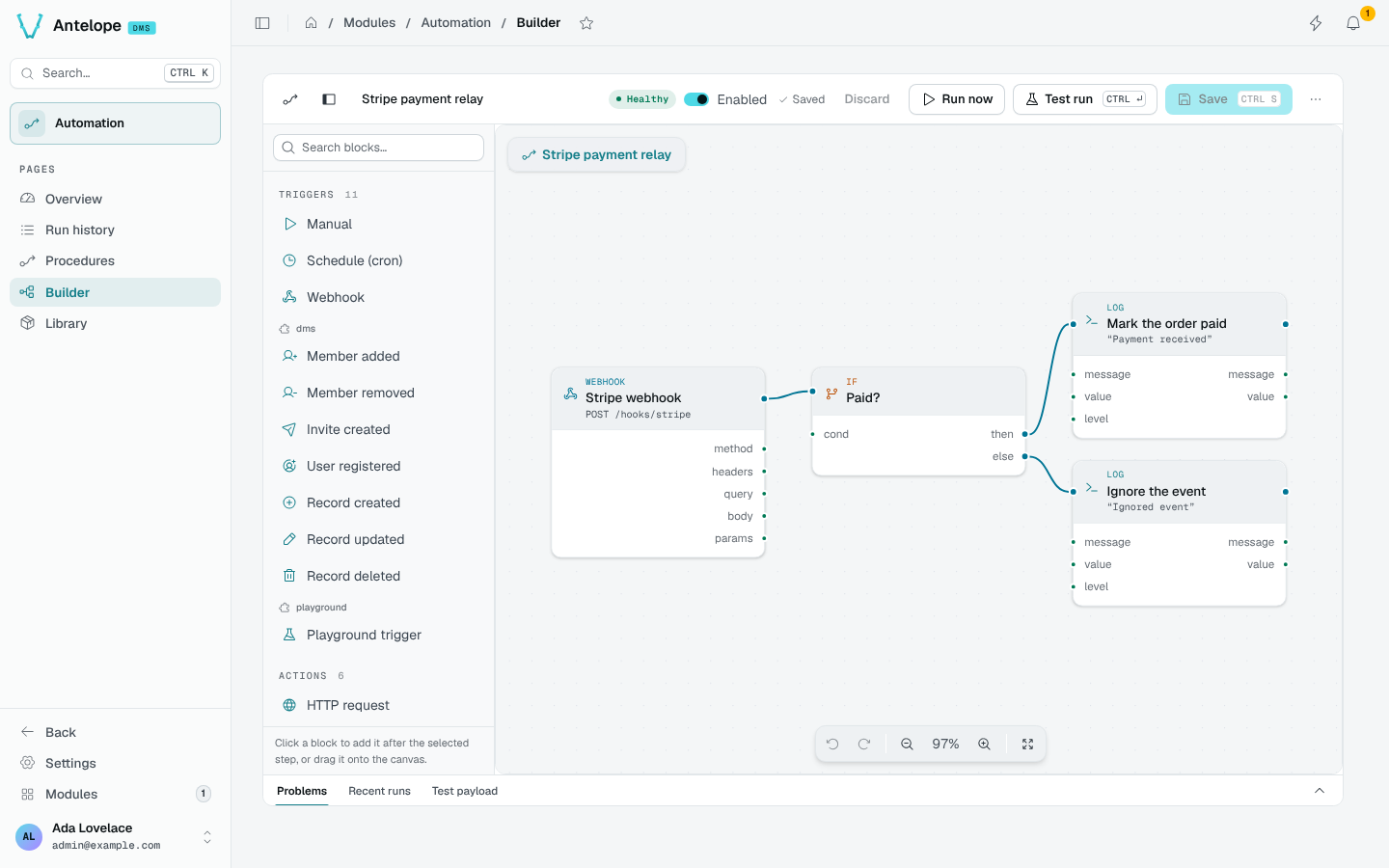
- Bar: the procedure's name and state, the Enabled switch, the save state, Discard, Run now, Test run (
CtrlEnter), Save (CtrlS), and a menu with Export JSON. - Palette (left): triggers, actions, flow, helpers, data nodes and templates, grouped by the module that registered them: the built-ins first, then one section per module (
dms,playground…). Click a block to add it after the selected step, or drag it onto the canvas. - Canvas: the graph. Trigger edges (the order of steps) join the right handle of a step to the left handle of the next; data edges join an output port to an input field.
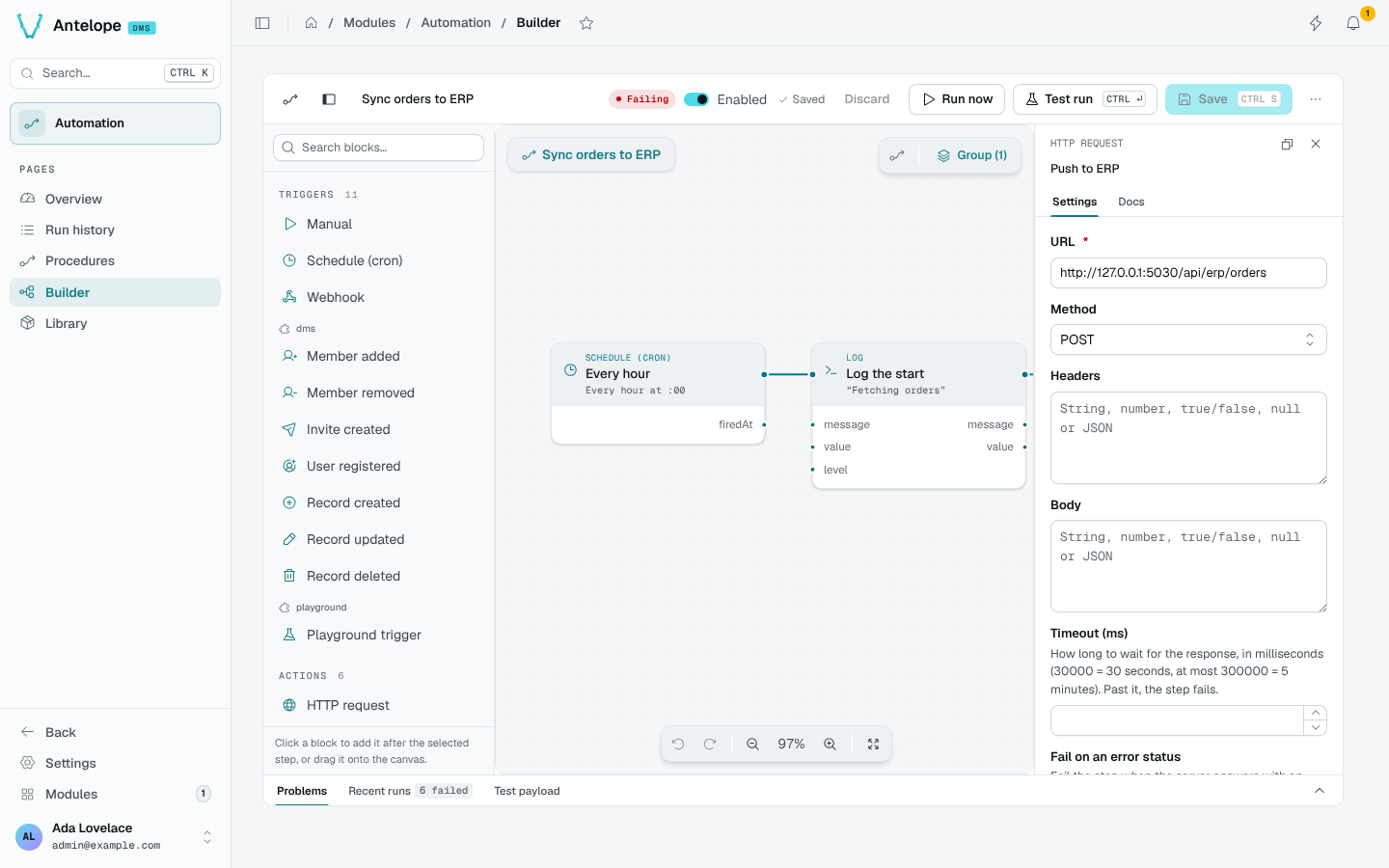
- Inspector (right): the selected node's Settings, generated from its schema, and its Docs.
- Dock (bottom): Problems, Recent runs and the Test payload.
Wire values
A field takes a typed value, or a value wired from an earlier step's output: the trigger's payload (body, headers, query of a webhook), an action's result, or a data node's output. Data nodes (math, comparisons, strings, objects, JSON) compute values without side effects.
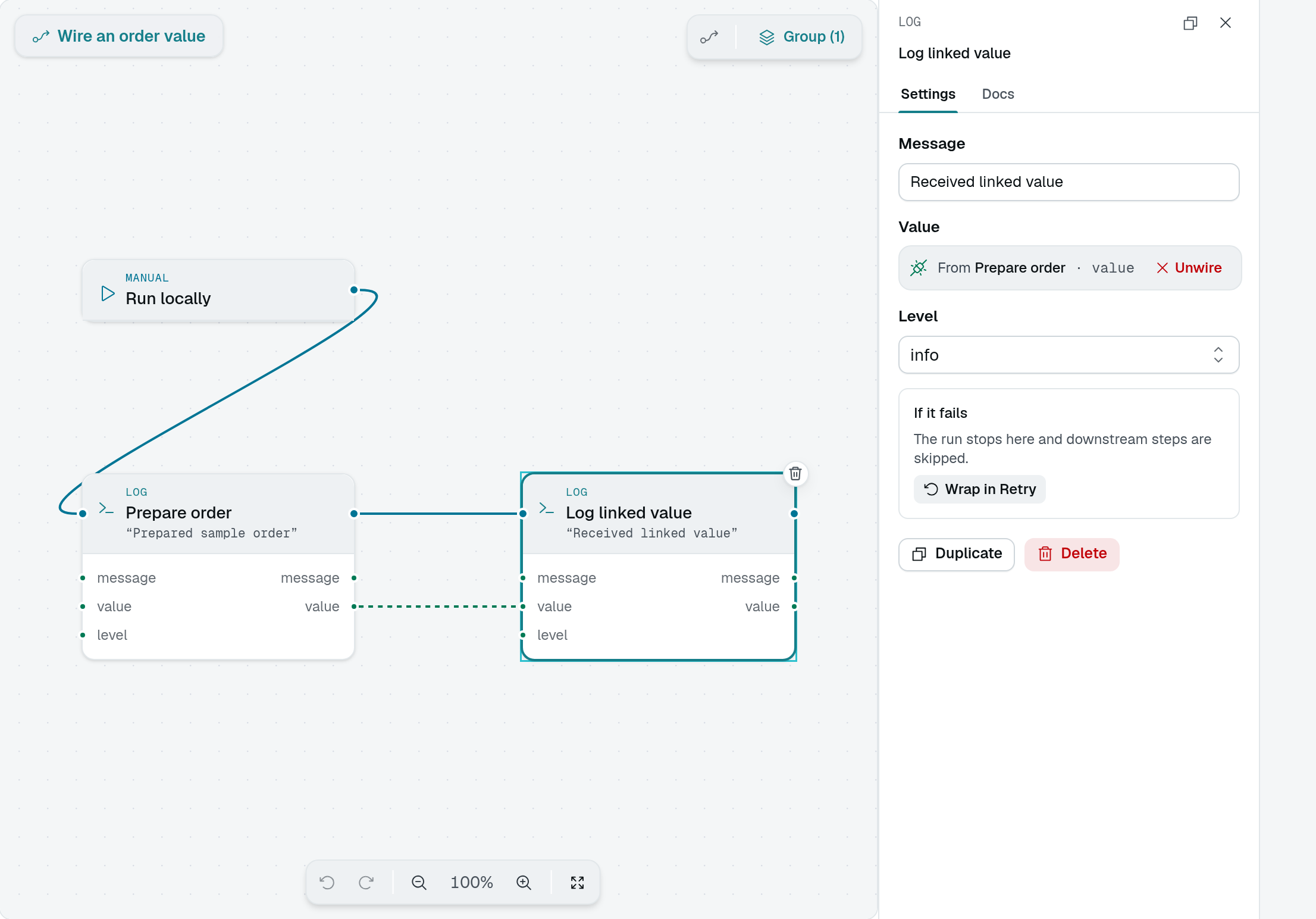
Connect the source's output port to the target's input port. In this local example, Log linked value takes its value from Prepare order. The inspector shows From Prepare order · value instead of a literal input. The solid execution line determines when the Log action runs; the dashed data line supplies its value.
Flow
Flow nodes branch and loop: If (then / else), Switch, For each, For range, Parallel, Try/Catch, Retry (with an exhausted branch), Delay and Set variable. Wrap in Retry in the inspector puts a step inside a Retry in one click.
Groups and templates
Select several steps and Group them to fold them into one node with its own input and output ports. Select the local group to edit its ports, or choose Enter group to work on the steps inside.
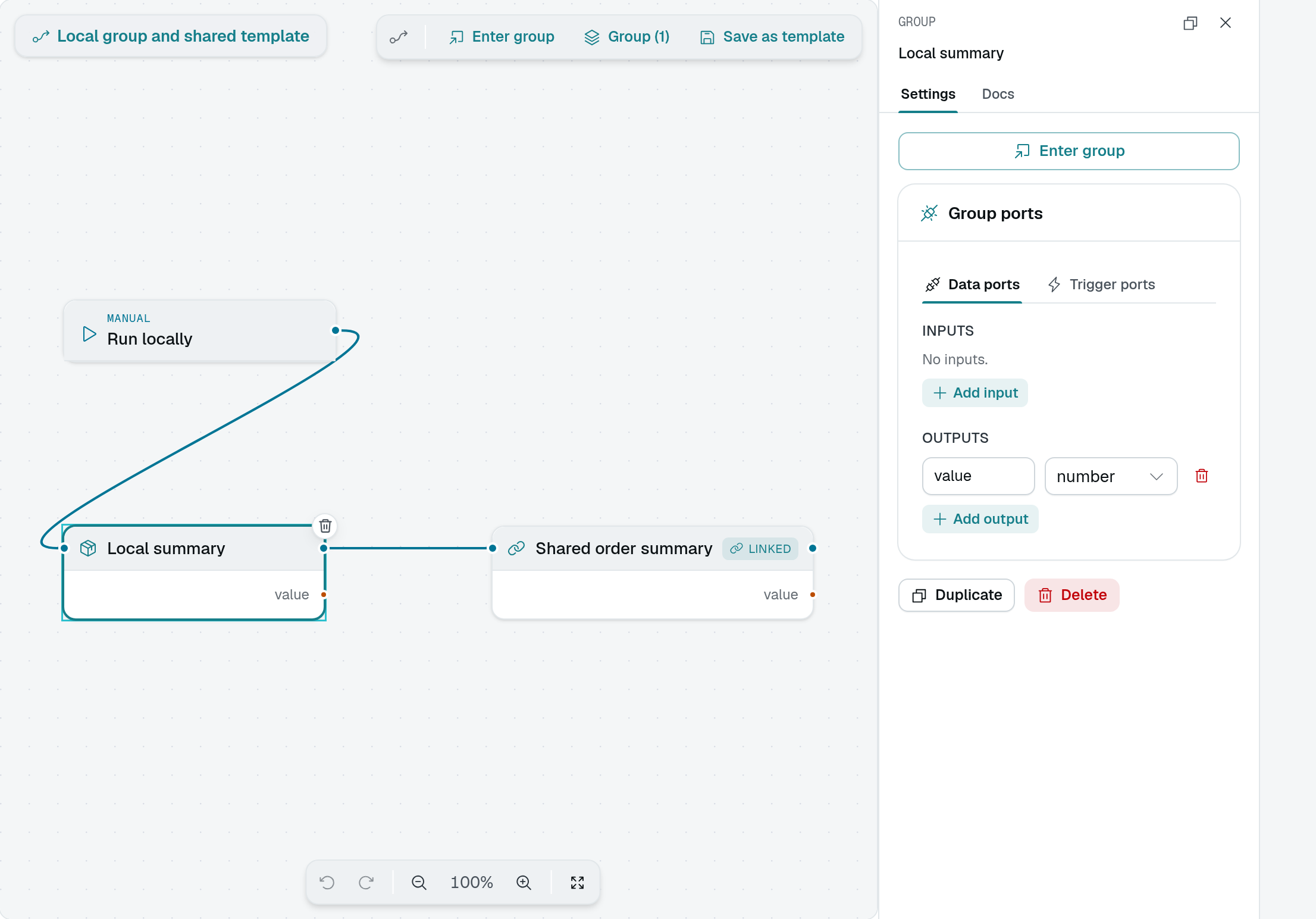
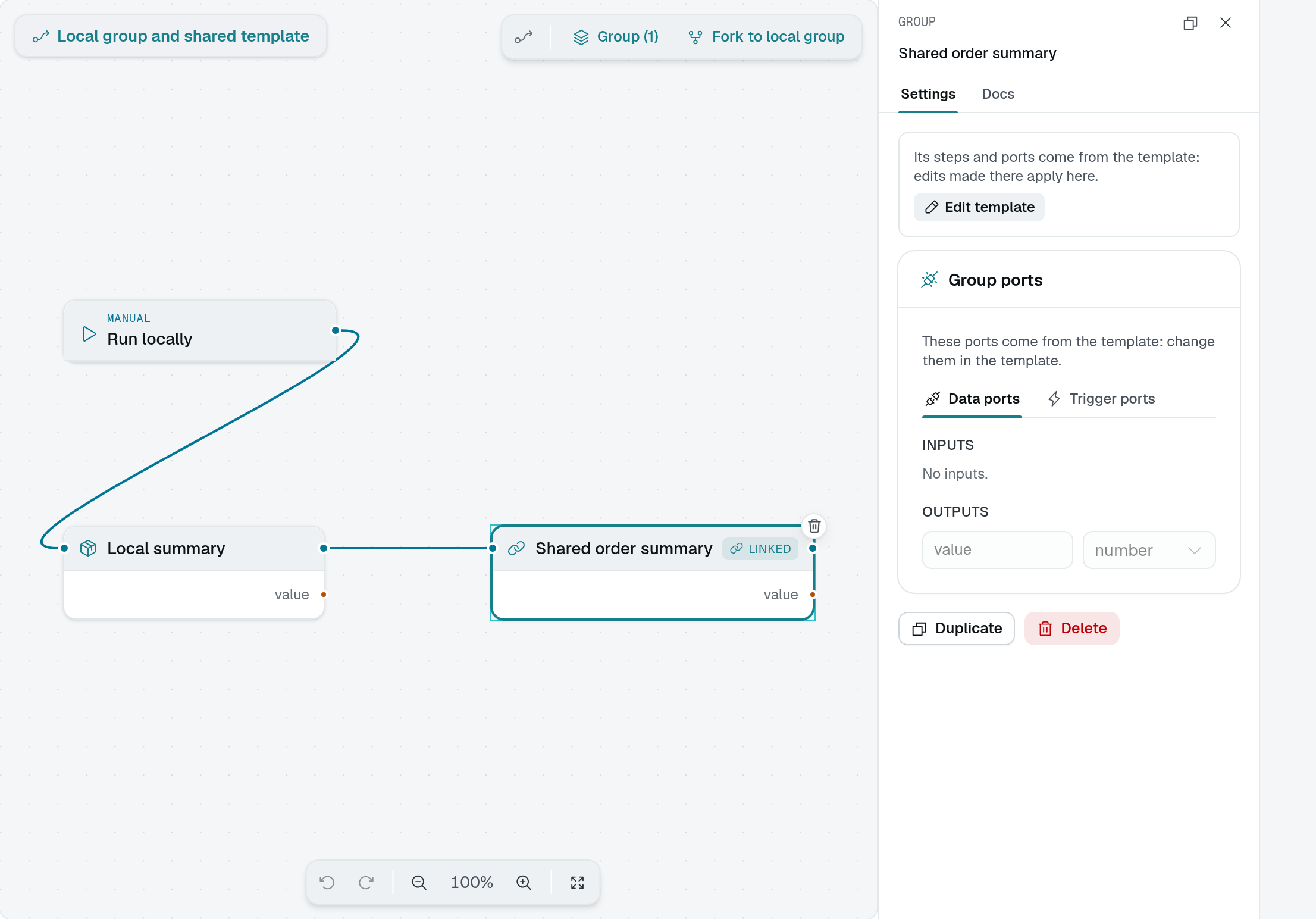
Save as template makes the group reusable. An instance displays Linked: its steps and ports come from the shared template, so edits made there apply to every procedure using it. The instance's port controls are read-only. Choose Edit template to change the shared definition, or Fork to local group to make a private copy.
Test and run
- Test run executes the draft, unsaved, on the test payload. The run is kept with a trace, overlaid on the canvas, and never counts in the figures.
- Run now executes the saved procedure, with an editable payload, defaulting to the trigger's last payload.
- Problems lists what blocks a save or a run (a missing required field, a broken edge), each mapped onto its node.