Overview
The Overview (/modules/automation/overview) tells how automation is doing, what needs attention and what ran last.
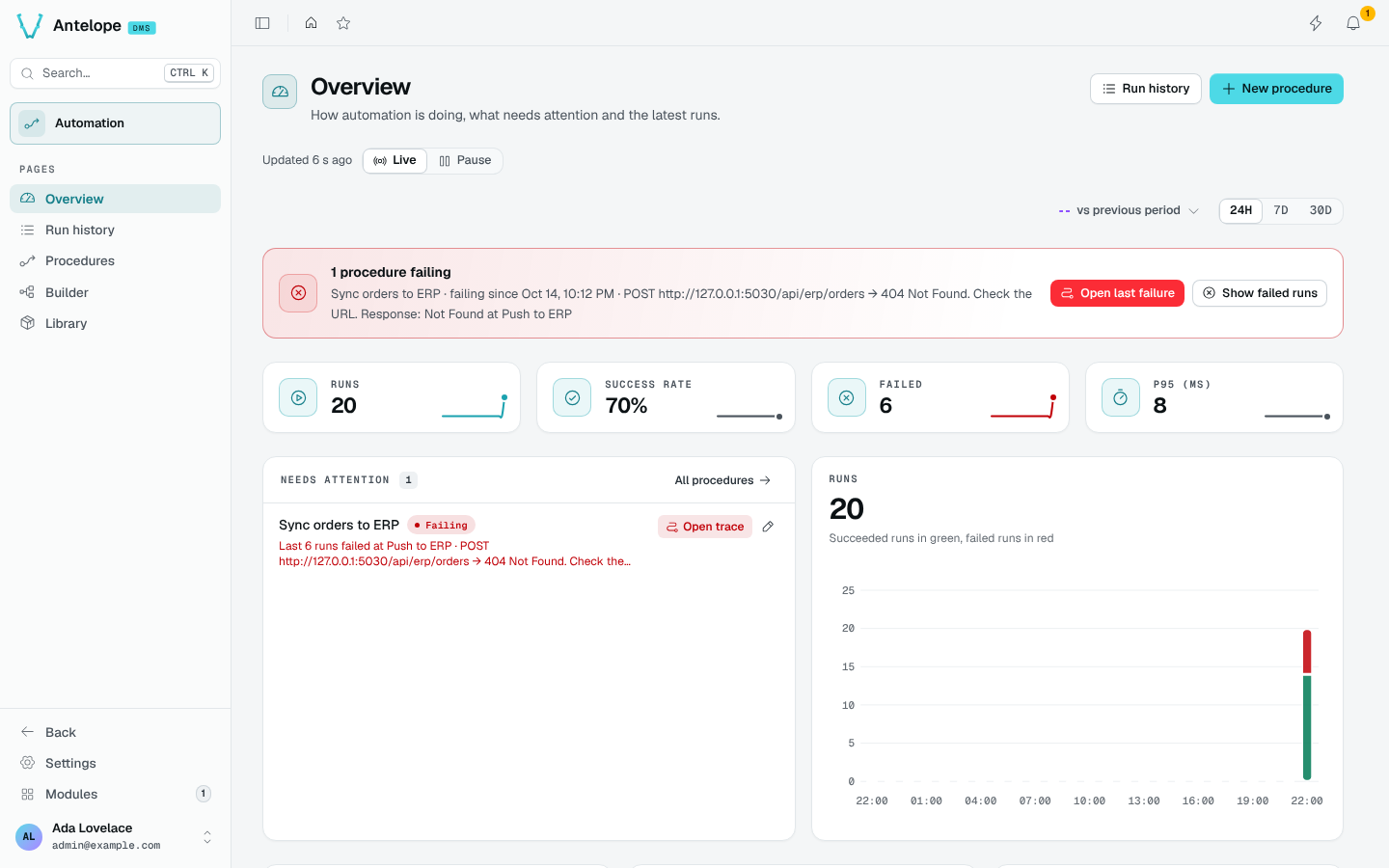
Health banner
When a procedure fails, a banner names it, since when it fails and the error of its last failure. Open last failure opens the run trace; Show failed runs opens the Run history filtered on failures.
KPIs and charts
Runs, Success rate, Failed and P95 (ms) cover the picked period (24H, 7D or 30D), compared with the period before. Needs attention lists the failing and degraded procedures with their last error, Open trace and an edit button; the Runs chart stacks succeeded runs in green and failed runs in red.
Test runs started from the builder are never counted.
Live mode
The page follows new runs live, like the other DMS pages with a Live / Pause switch. Pause it to read without the figures moving.
Start from a recipe
With no procedure yet, the Overview offers three recipes: Forward a webhook, Send a scheduled digest and Run it on demand. Name the procedure, and the builder opens with the trigger in place. New procedure in the header does the same at any time.