Library
The Library (/modules/automation/library) gathers every building block in one place, with where each one is used.
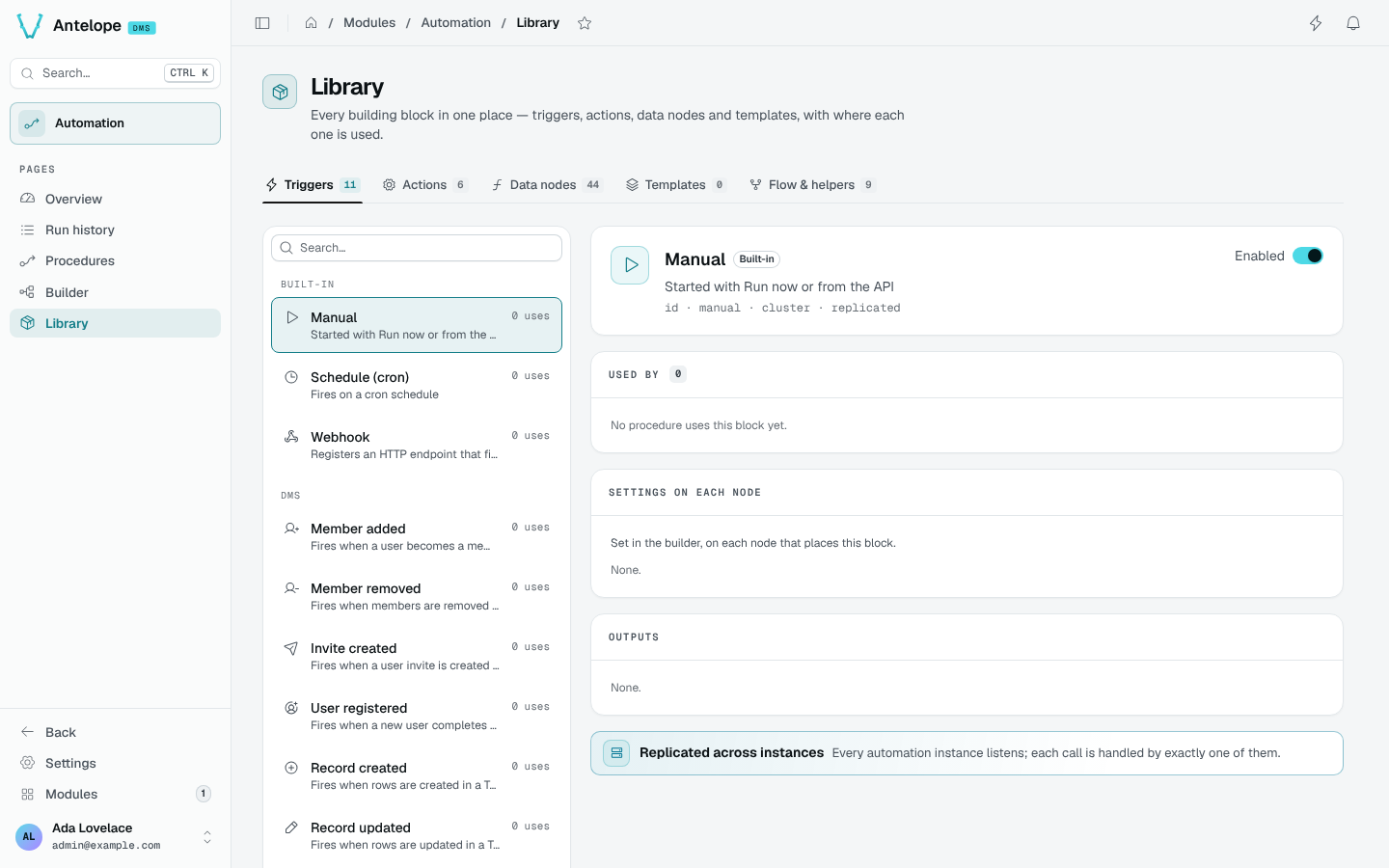
The tabs are Triggers, Actions, Data nodes, Templates and Flow & helpers, with their counts. Entries are grouped by the module that registered them: built-ins first, then dms, then each module of the project.
Selecting an entry shows:
- its name, description, id and cluster mode (replicated or singleton);
- Used by: the procedures that use it;
- Settings on each node: the fields set in the builder on each node that places it;
- Outputs: what it hands to the next steps;
- an Enabled switch, to turn the type off for the whole project.
Webhook triggers show their full URL on the DMS apiBaseUrl. Templates open in the builder (/modules/automation/builder?template=<id>) to be edited, and list the procedures using them before a delete.
Run history and trace
Browse every run, open one to see its failure, path, payload and logs, re-run it, and read its trace step by step.
Extending
Declare your own triggers, actions and data nodes from any module with @antelopejs/interface-dms-automation, ship procedures as code, and start them from code.