Media
Image editor
Crop and rotate an image on the server, save it in place or as a copy, and revert to the original.
The editor (/modules/media/editor?asset=<id>) crops and rotates an image on the server. Nothing is written until you save.
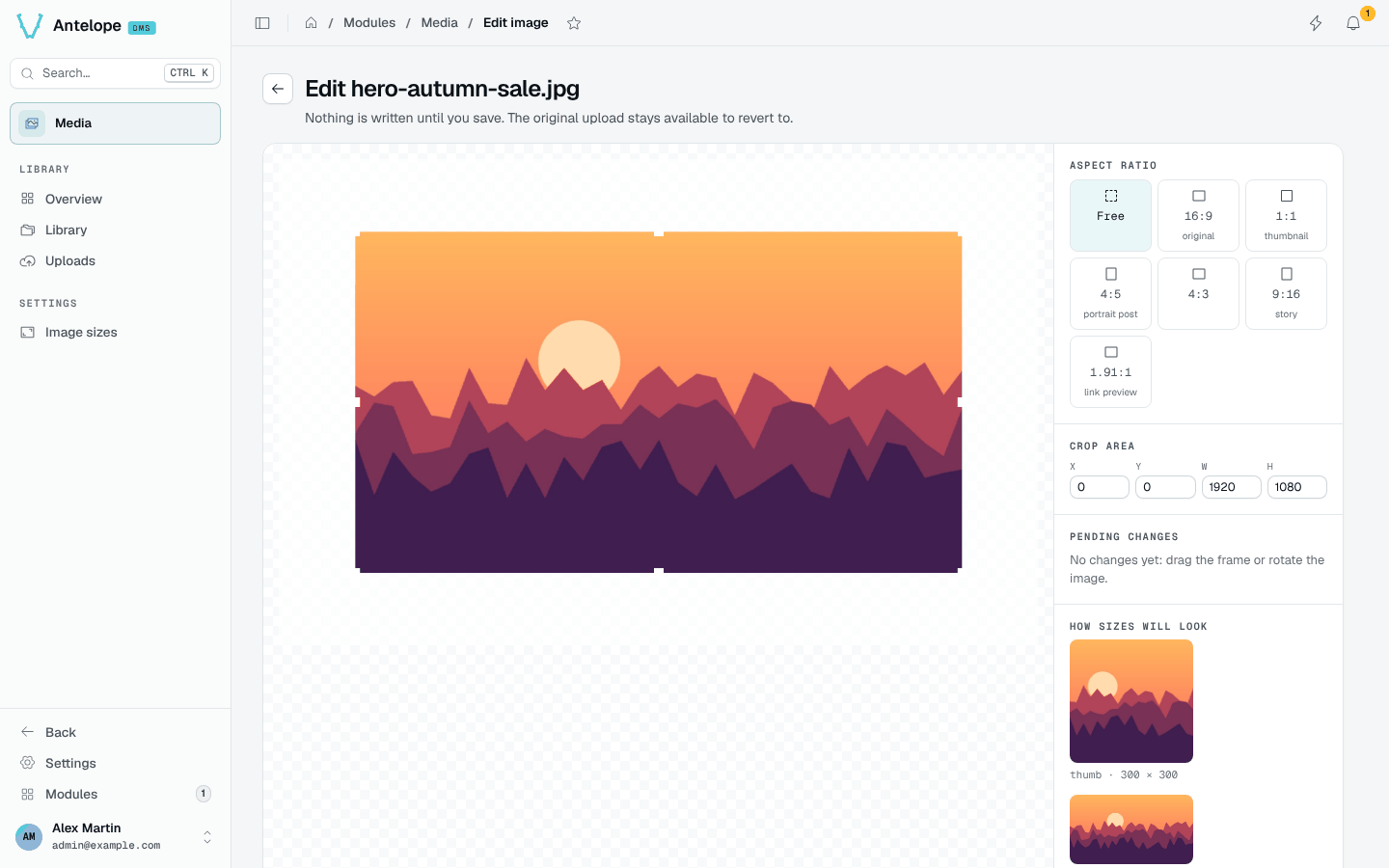
- Aspect ratio: free, the original ratio, or presets such as 1:1 thumbnail, 4:5 portrait post, 9:16 story and 1.91:1 link preview.
- Crop area: drag the frame or type its position and size.
- Rotation: 90° steps.
- How sizes will look: the result in each configured image size.
Save overwrites the image everywhere it is used and invalidates its sizes. Save as copy writes the edit as a new file next to the untouched source. The pristine original is kept on the first edit (its size counts in the storage), every later edit renders from it, and Revert restores it.
An
AssetType field has no crop button: editing an image changes it everywhere it is used.