Media
File
The page of one file, with its details, delivery links, history and usage.
Each file has a page at /modules/media/file?asset=<id>, opened from the library or from a private link a signed-out browser followed.
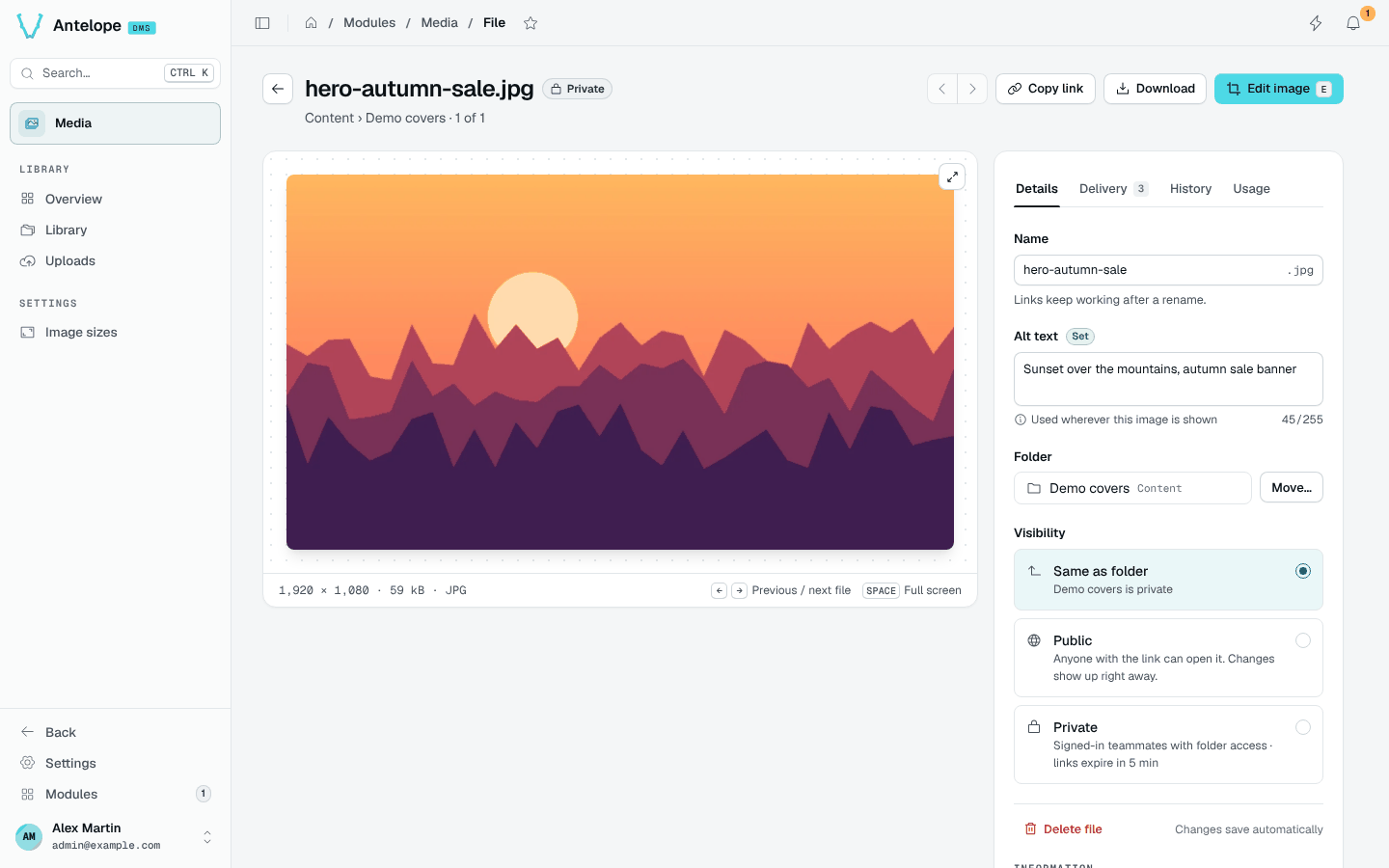
Header
Copy link, Download and, for images, Edit image (E). The arrows move to the previous and next file of the folder.
Tabs
- Details: the name (links keep working after a rename), the alt text, the folder with Move…, and the visibility: same as the folder, public (anyone with the link) or private (signed-in teammates with folder access; links expire after 5 minutes).
- Delivery: the stable link of the original and of each image size, starting with
publicBaseUrl. - History: every event of the file, from its upload on.
- Usage: not tracked yet. The tab reminds you to check the pages and e-mails that embed the file before you delete it or make it private.
Changing a file's visibility is reserved to the owner. Members who can write in a linked folder can upload, describe, rename, move, delete and edit its files.