Introduction
@antelopejs/dms-media gives your DMS a media library. Owners organise images, videos and documents in a Finder-style explorer; your pages reference them through an AssetType form field that opens the same explorer as a picker. Files go straight to storage, are delivered from stable URLs, and images get named sizes rendered on demand.
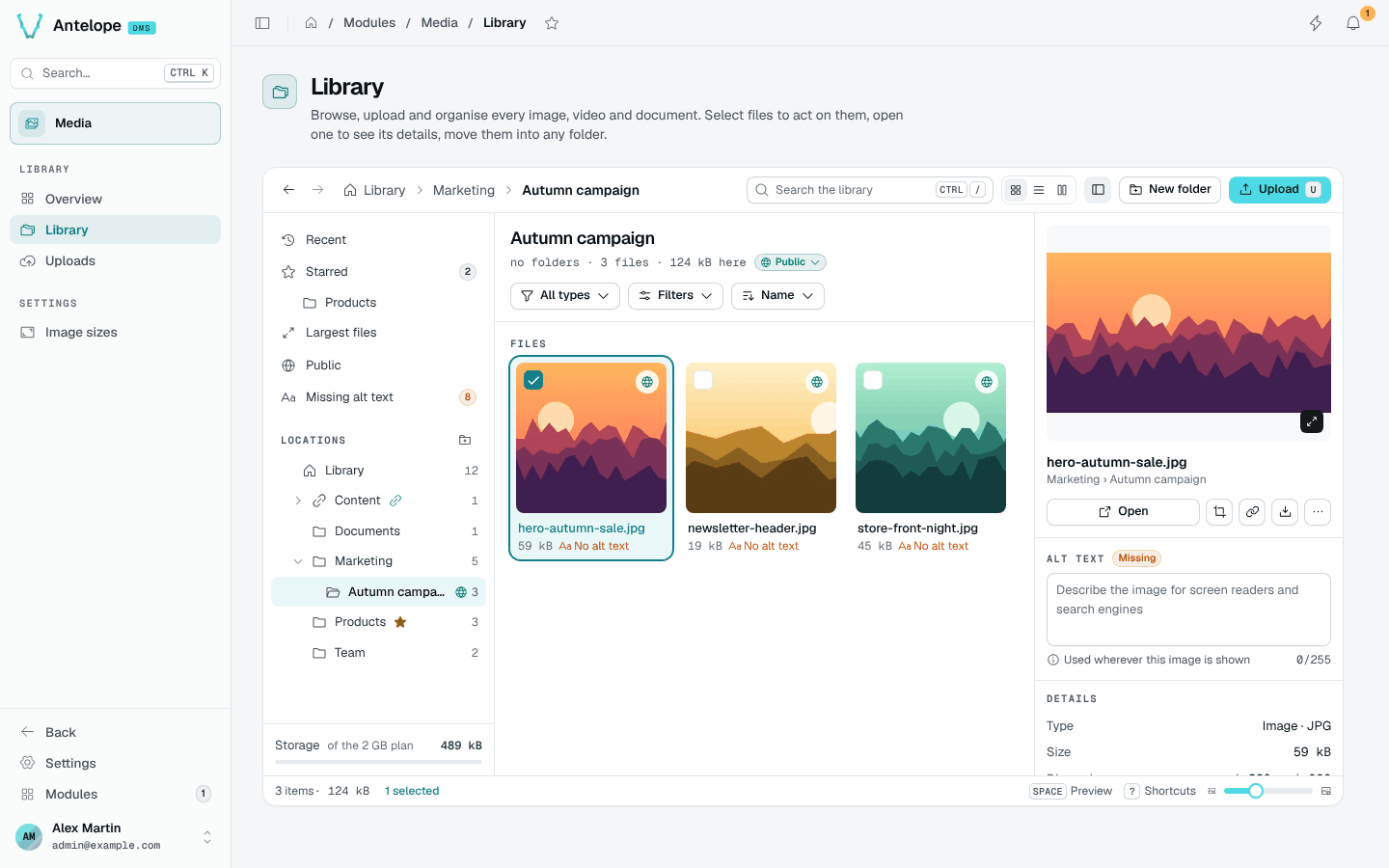
Try one image from upload to delivery
After installation, open Library, choose a folder and upload a small image. Select it, add useful alt text, then open its file page and copy the delivery link. The link identifies the asset; it is not the temporary signed storage URL returned when the browser follows it.
Keep the image private while testing. A signed-in user with folder access can read it; an anonymous request must not expose it. For a public website image, the owner must deliberately make it public. Next, add an asset field to let members choose images without access to the owner-only Media administration pages.
What it brings
Finder-style explorer
Folders, smart views, facets, accent-insensitive search, drag and drop, bulk actions, zip downloads and keyboard shortcuts.
Per-folder permissions
Folder rights reuse the DMS permissions and roles. A field's folder inherits the rights of the page that holds it.
Stable delivery
/media/<id>/<name> never changes, whatever the edits, renames or visibility changes.
Image sizes and editing
Named sizes rendered by sharp on first request, crop and rotation with a revert to the original.
How members use it
The Media pages are the owner's administration of the library: like every DMS module page, they are owner-only. Members reach media through your pages: an AssetType field on a project page opens the picker on a folder defined in advance, with the rights of that page.
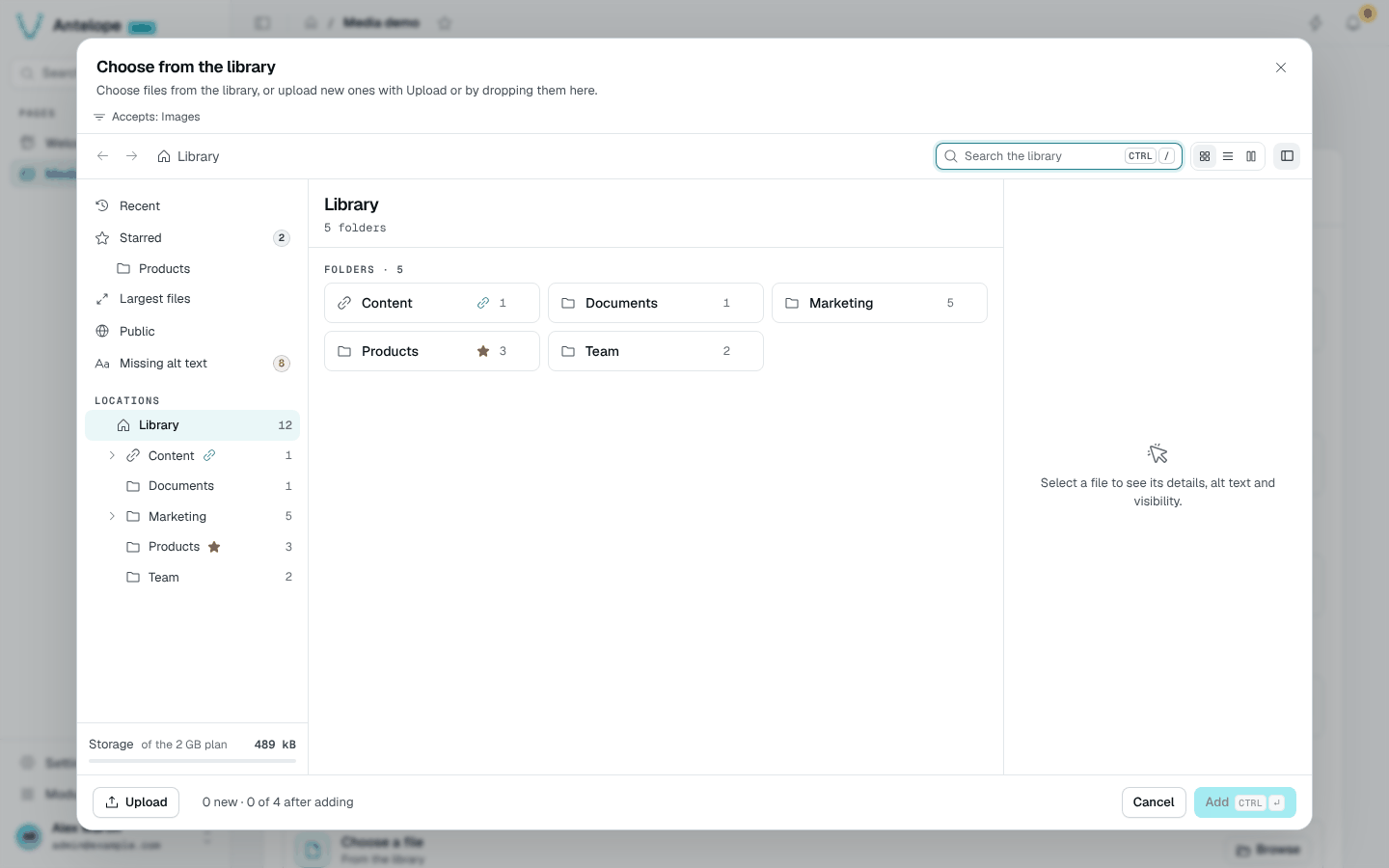
Where it lives in the dashboard
| Group | Page | Path |
|---|---|---|
| Library | Overview | /modules/media/overview |
| Library | Library | /modules/media/files |
| Library | Uploads | /modules/media/uploads |
| (hidden) | File and Edit image | /modules/media/file?asset=, /modules/media/editor?asset= |
| (hidden) | Activity | /modules/media/activity |
| Settings | Image sizes | /modules/media/presets |