API
API settings
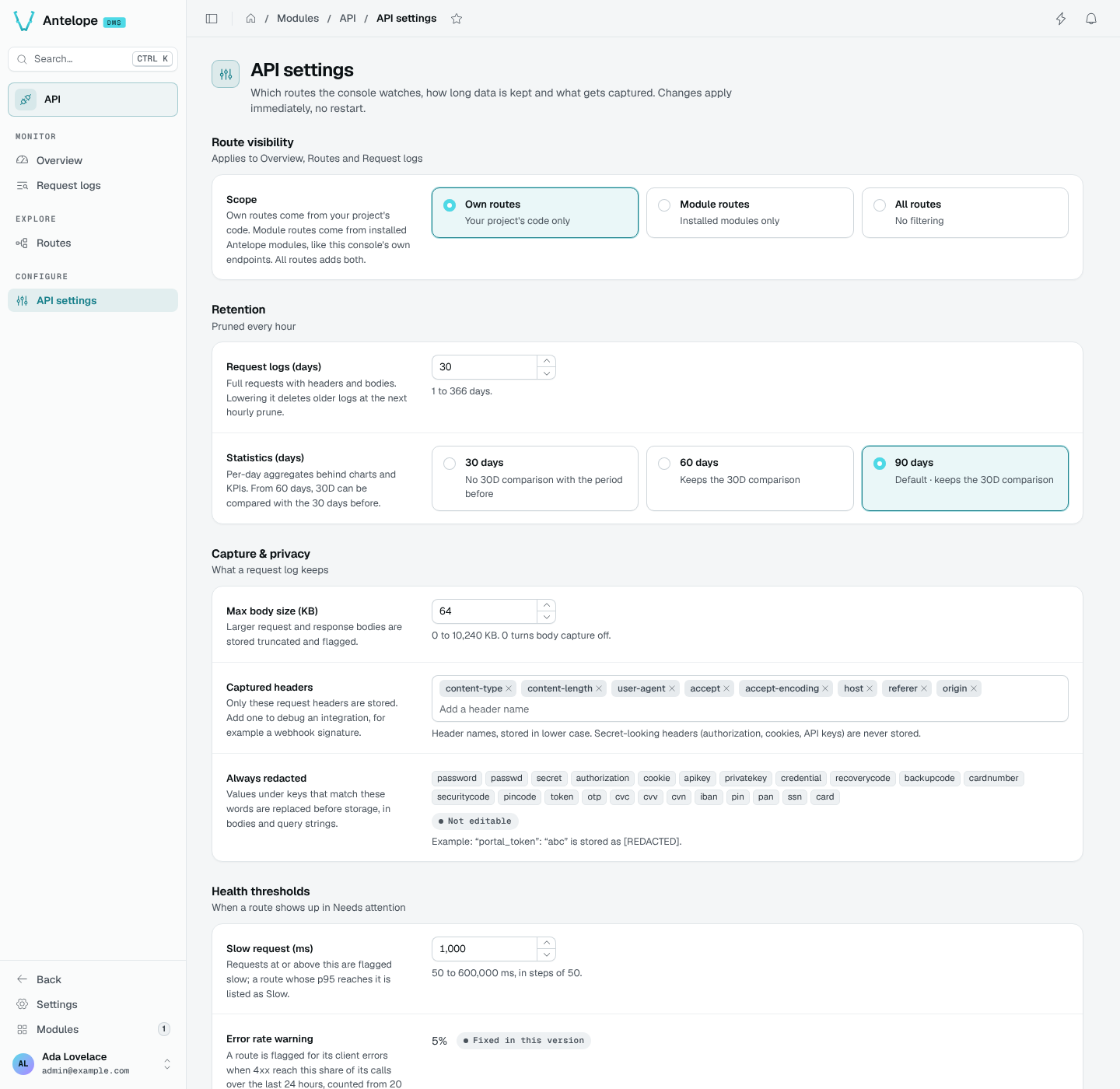
Choose which routes the console watches, how long it keeps data, what a request log captures and when a route needs attention.
The API settings page (/modules/api/settings) holds the console's runtime settings. Changes apply immediately, without a restart, and override the module configuration.
Route visibility
Scope applies to the Overview, Routes and Request logs:
| Scope | Routes watched |
|---|---|
| Own routes | Your project's code only. |
| Module routes | Routes from installed modules. |
| All routes | Both project and installed-module routes. |
Scope does not turn internal traffic into application traffic: the console's monitoring endpoints and the DMS's own calls remain excluded. Tester calls are also excluded from statistics and health figures.
Retention
Data is pruned every hour.
- Request logs (days): full requests with headers and bodies, 1 to 366 days.
- Statistics (days): per-day aggregates behind charts and KPIs, 30, 60 or 90 days. From 60 days, the 30D period can be compared with the 30 days before.
Lowering a retention shows how much the next hourly prune deletes and asks you to confirm it.
Capture and privacy
- Max body size (KB): larger request and response bodies are stored truncated and flagged. 0 turns body capture off.
- Captured headers: only these request headers are stored. Add one to debug an integration, such as a webhook signature. Secret-looking headers are never stored.
- Always redacted: values under keys that match these words are replaced before storage, in bodies and query strings. The list is fixed.
Health thresholds
- Slow request (ms): requests at or above it are flagged slow; a route whose p95 reaches it is listed as Slow.
- Error rate warning and Down rate are fixed in this version and shown for reference.
Each field shows its module default. Use default removes the override, so the field follows
antelope.config.ts again.