Introduction
@antelopejs/dms-api is the API console of the AntelopeJS DMS. It captures the requests your project's API answers and turns them into a health verdict, request logs, per-route statistics, an inferred contract and a tester, under Modules → API (/modules/api).
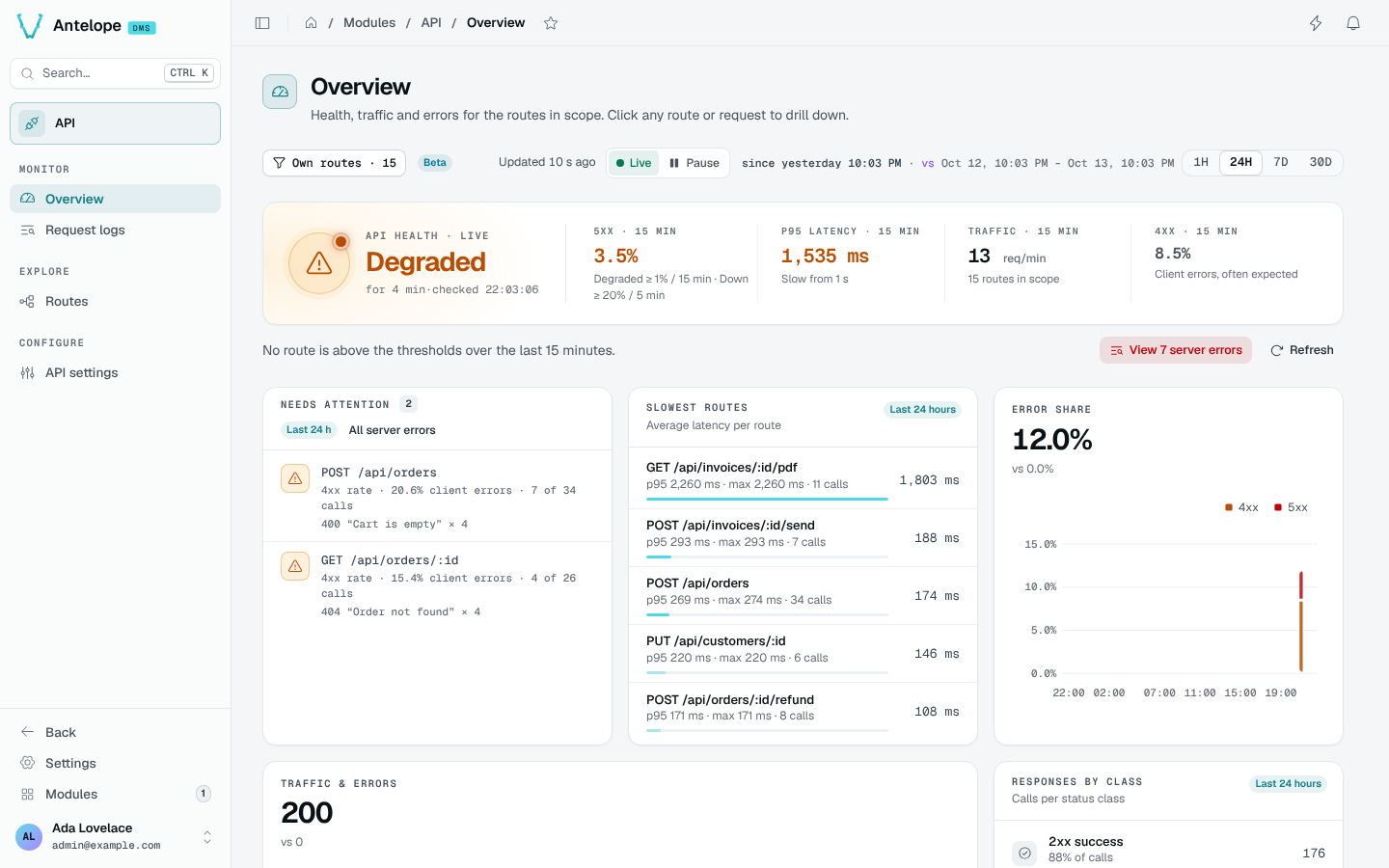
What it brings
Overview
Is the API healthy, since when and why not, with traffic, errors, the routes needing attention and the slowest ones.
Request logs
Every captured request, filtered by status class, method, slowness or period. A request opens with its error, timing, headers and bodies.
How it works
The module hooks into the API provider (such as @antelopejs/api) and records each request of your project's routes: method, path, status, timing, captured headers and bodies (size-capped and redacted). It rolls the requests up into per-route, per-day statistics, and prunes both every hour.
The console only counts your API's traffic. Its own calls (/api/monitoring), the DMS's calls (/dms, the realtime channel, page layouts, session checks, Settings pages) and the DMS console's pages are neither logged nor counted. Calls sent from the Tester are logged, marked as such, and left out of the statistics, the health and the incidents.
@antelopejs/api, the DMS runtime and a database.Live by default
The Overview, Request logs and Routes pages have the DMS Live / Pause toggle (L). Live, the page follows new requests as the DMS realtime channel announces them; paused, nothing is read and the toggle counts what was missed ("Paused · 40 new requests · 2 in 5xx"). See Live mode.
Requirements
@antelopejs/dms>=0.9.0 <1.0.0(@antelopejs/interface-dms0.7) and@antelopejs/dms-frontend>=0.6.0 <0.7.0. Version 0.4 of the module is the first one for this release; use 0.3 with DMS 0.8.- An API provider (
@antelopejs/api) and a database implementation (@antelopejs/mongodb). - Optional:
@antelopejs/dms-automation, to use the automation nodes.
Install
Follow Installation.
Configure
Review Configuration before capturing real traffic: request logs can hold application data.
Explore
Start from the Overview.