AI assistant
Overview
Check the assistant's status, what it did over a period, how each action was allowed, and the latest change sets.
The Overview (/modules/ai/overview) shows what the assistant did, how each action was allowed, and what you can still undo.
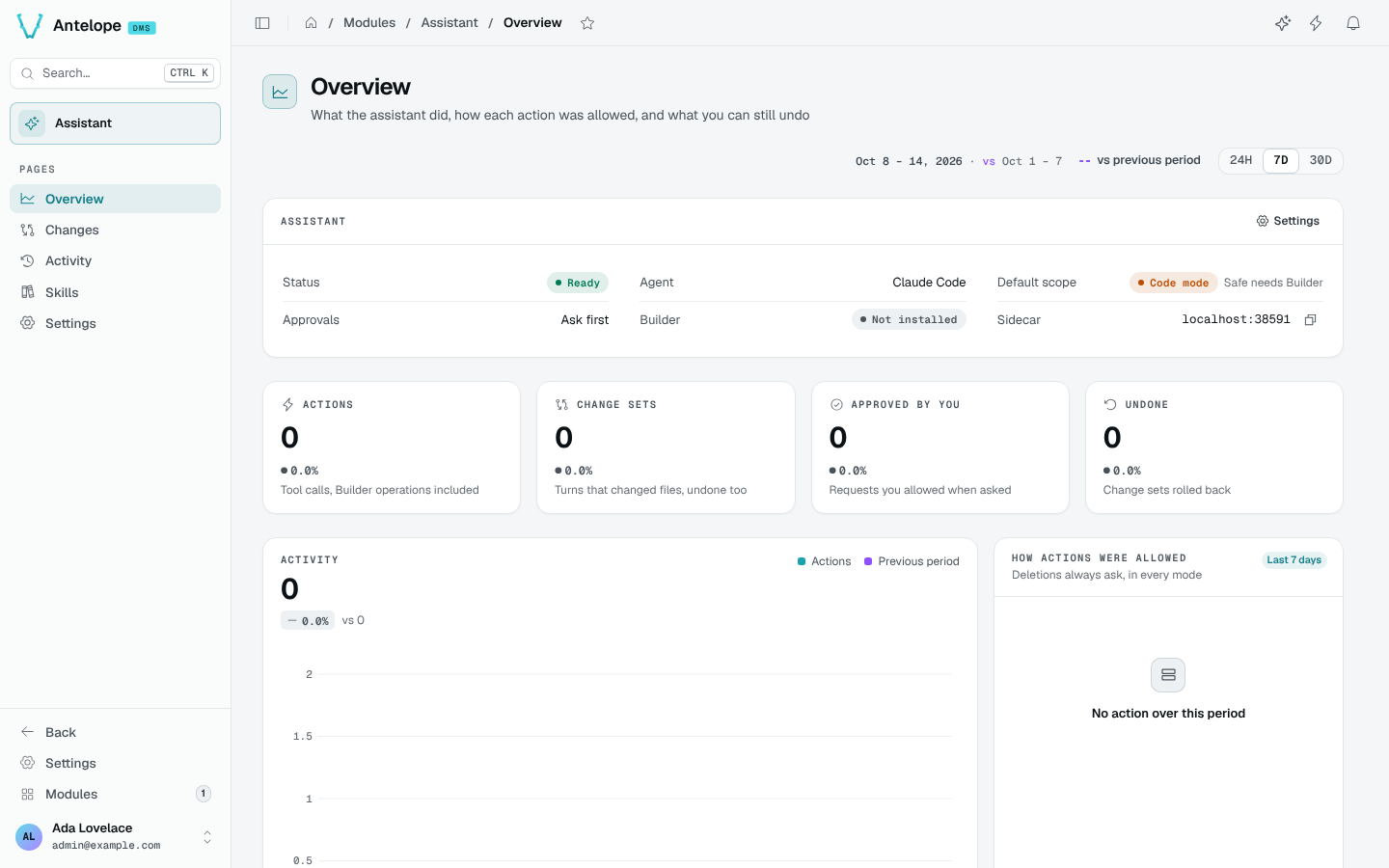
- A banner appears when the assistant needs you: offline (with Restart), a failed turn, or requests waiting.
- Assistant lists the status (Ready, Busy, Offline), the agent, the default scope, the approvals, whether the Builder is installed, and the sidecar's address.
- Four KPIs over the period (24H, 7D, 30D): Actions (tool calls, Builder operations included), Change sets, Approved by you, Undone.
- Activity charts the actions against the period before; How actions were allowed splits them by decision (read-only automatic, approved by you, denied, blocked by safe mode…).
- The latest change sets, with Undo and Redo, and the top tools.